40 | Operating the monitor
Using the On-Screen Display (OSD) Menu
Accessing the menu system
Icon Menu and
Submenus
Description
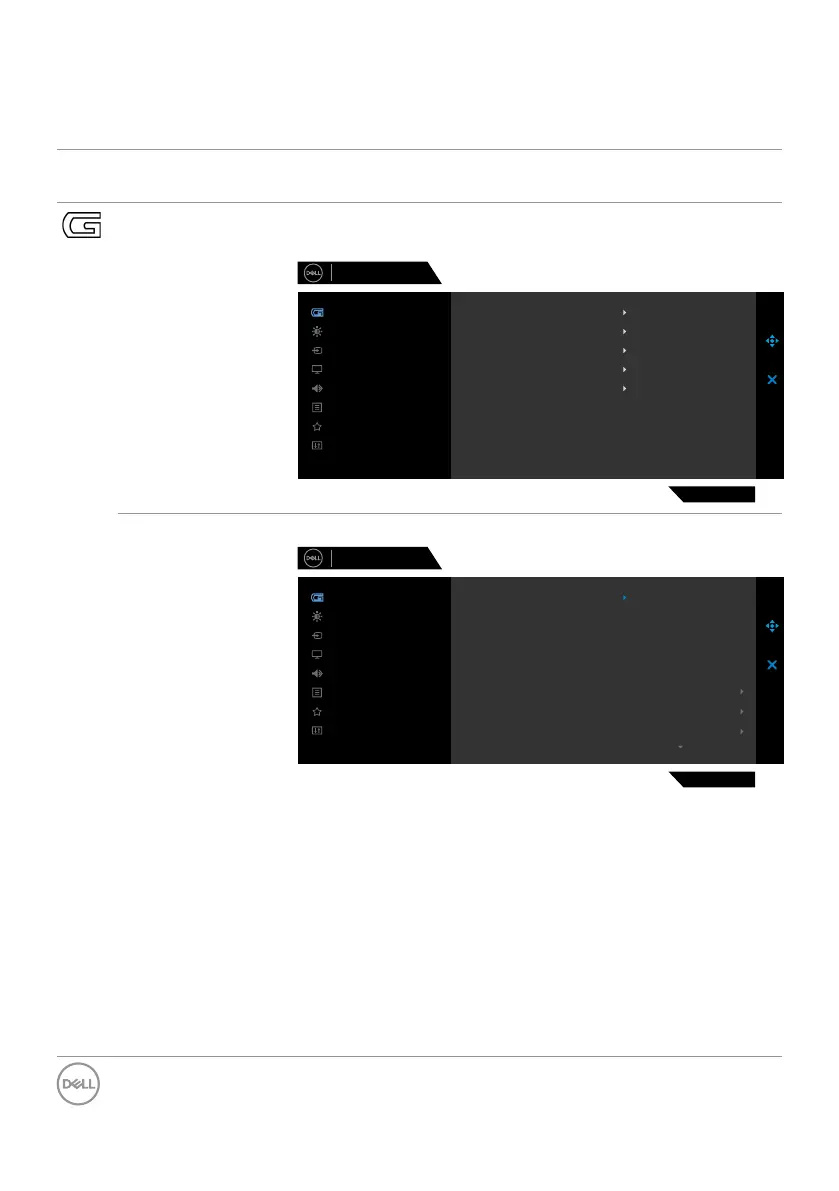
Game Use this menu to personalize your visual gameplay
experience.
Dell 27 Gaming Monitor
S2721DGFA
Menu
Personalize
Others
Brightness/Contrast
Game
Display
Input Source
Audio
Hue
Saturation
Reset Game
Game Enhance Mode
Preset Modes
Response Time
AMD FreeSync Premium Pro
Dark Stabilizer
O
Standard
Fast
On
0
Preset Modes Allows you to choose from a list of preset color modes.
Dell 27 Gaming Monitor
S2721DGFA
Menu
Personalize
Others
Brightness/Contrast
Game
Display
Input Source
Audio
Hue
Saturation
Reset Game
Game Enhance Mode
Preset Modes
Response Time
AMD FreeSync Premium Pro
Dark Stabilizer
FPS
Standard
RPG
MOBA/RTS
SPORTS
Game 1
Game 2
Game 3
• Standard: Loads the monitor’s default color settings.
This is the default preset mode.
• FPS: Loads color settings ideal for First-Person
Shooter games.
• MOBA/RTS: Loads color settings ideal for Multiplayer
Online Battle Arena (MOBA) and Real-Time Strategy
(RTS) games.
• RPG: Loads color settings ideal for Role-Playing games.
• SPORTS: Loads color settings ideal for “SPORTS”
games.



 To Next Page