20 | Setting Up the Monitor
Setting Up the Monitor
Attaching the Stand
NOTE: The stand riser and stand base are detached when the monitor is shipped
from the factory.
NOTE: The procedure below is applicable for the default stand. If you purchased
any other stand, see the documentation shipped with the stand to set it up.
CAUTION: Place monitor on a flat, clean, and soft surface to avoid scratching the
display panel.
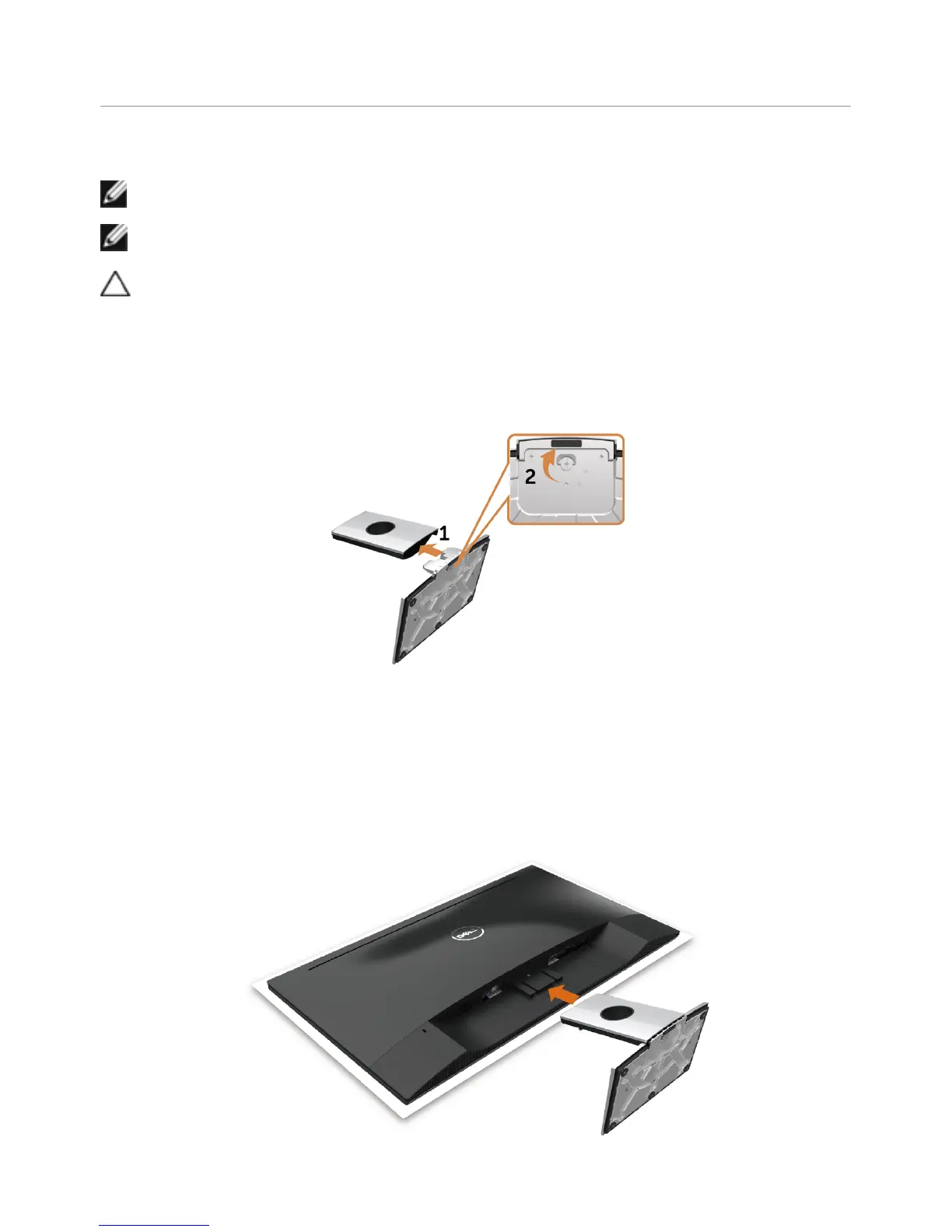
Connect the stand riser to stand base.
1 Attach the stand riser to the stand base.
2 Tighten the thumbscrew below the stand base.
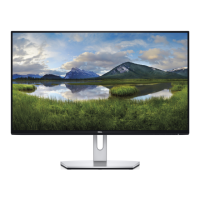
To attach the monitor stand:
1 Remove the monitor protective cover and place the moitor with its front facing
downward on it.
2 Insert the two tabs on the upper part of the stand to the groove on the back of
the monitor.
3 Press the stand down till it snaps into its place.


 To Next Page