24 | Setting Up the Monitor
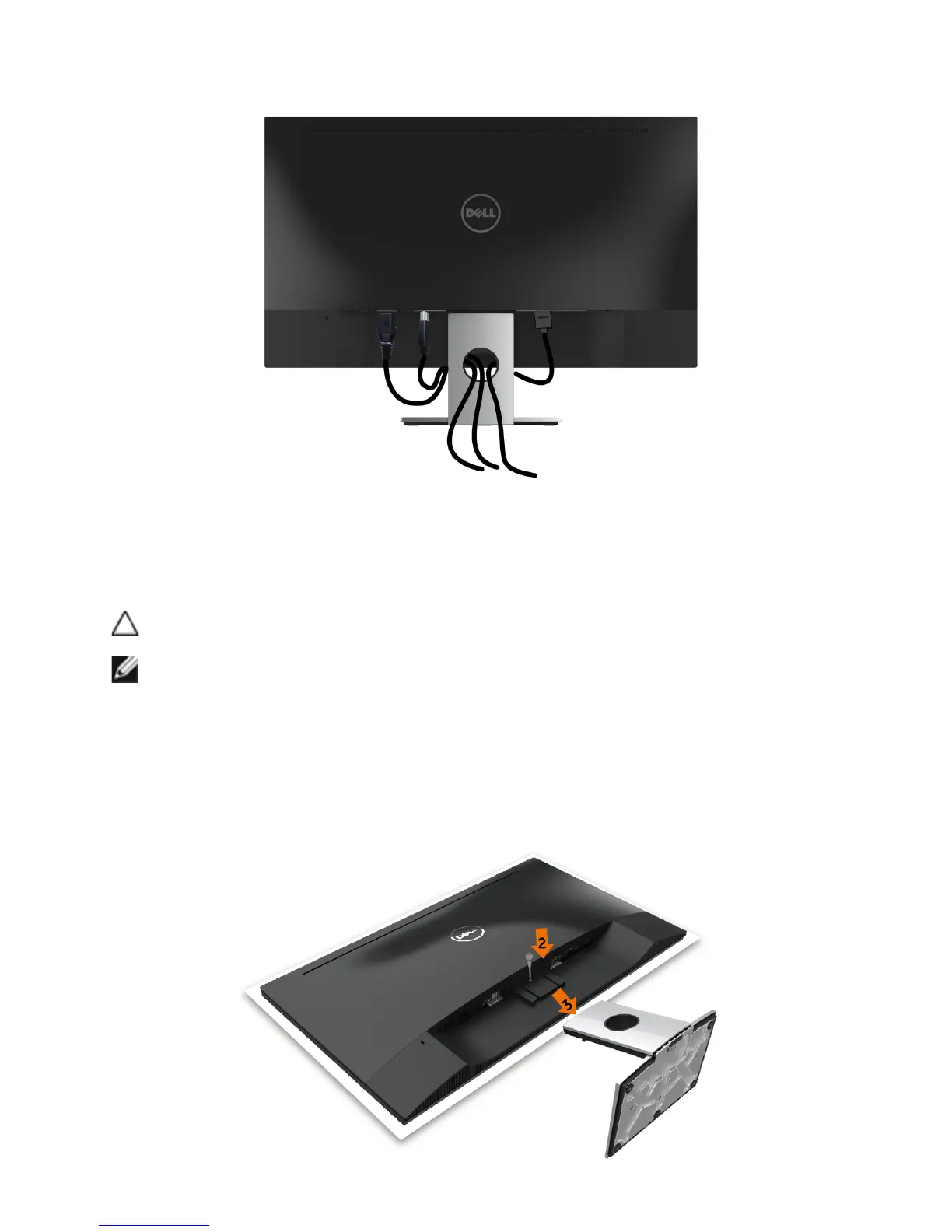
Organizing Your Cables
After attaching all necessary cables to your monitor and computer, (see Connecting
Your Monitor for cable attachment) organize all cables as shown above.
Removing the Monitor Stand
CAUTION: To prevent scratches on the LCD screen while removing the
stand,make sure that the monitor is placed on a soft, clean surface.
NOTE: The procedure below is applicable for the default stand. If you
purchased any other stand, see the documentation shipped with the stand to
set it up.
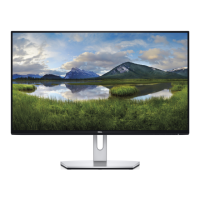
To remove the stand:
1 Place the monitor on paper cushion or thick sitting mat.
2 Use a long and thin screwdriver to push the release latch.
3 Pull the stand neck in the arrow direction to detach the stand.


 To Next Page