20 │ Setting up the monitor
Setting up the monitor
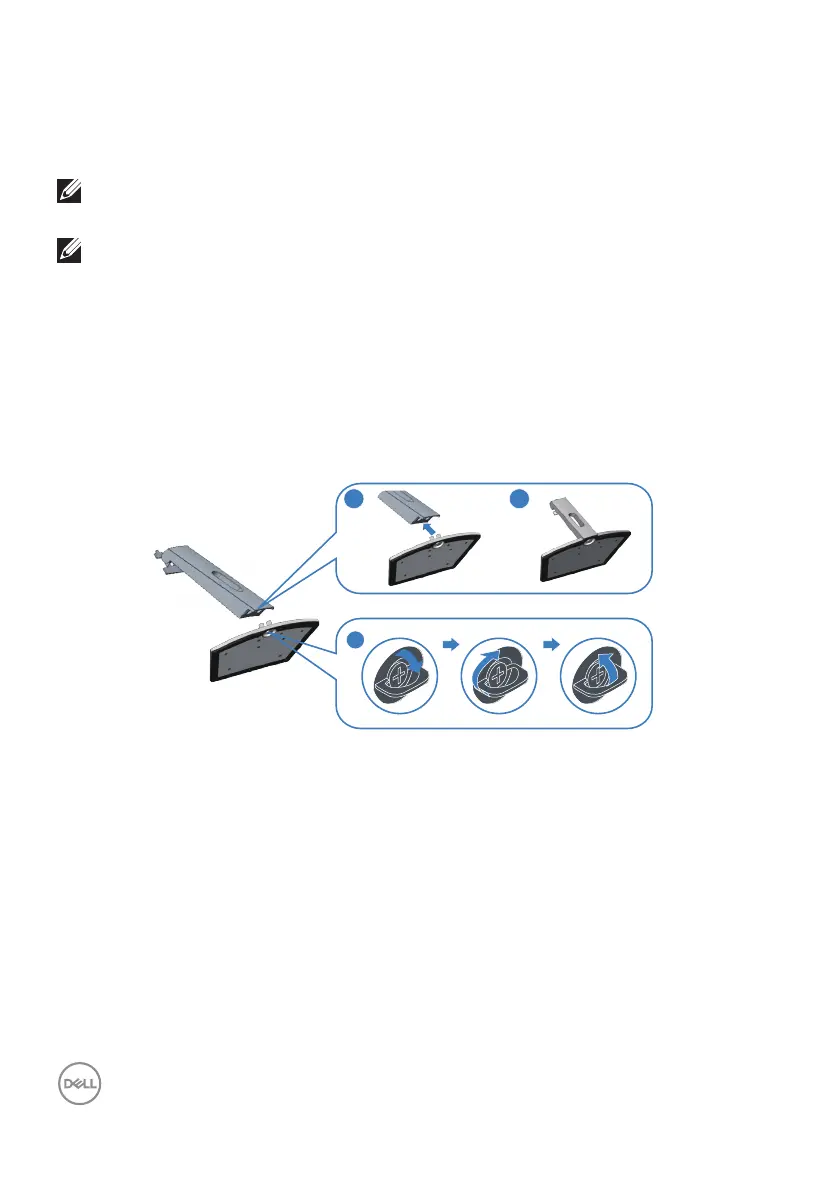
Connecting the stand
NOTE: The stand is detached when the monitor is shipped from the
factory.
NOTE: The following procedure is applicable for the stand that shipped
with your monitor. If you are connecting a third-party stand, see the
documentation that shipped with the stand.
To attach the monitor stand:
1.
Follow the instructions on the flaps of carton to remove the stand from the
top cushion that secures it.
2.
Connect the stand riser to the stand base, and then tighten the screw on the
stand base.
3
2
1
3.
Align the stand-riser bracket with the grooves at the back of the monitor.
4.
Slide the stand assembly until it snaps into place.



 To Next Page