Setting up the monitor │ 29
Organizing cables
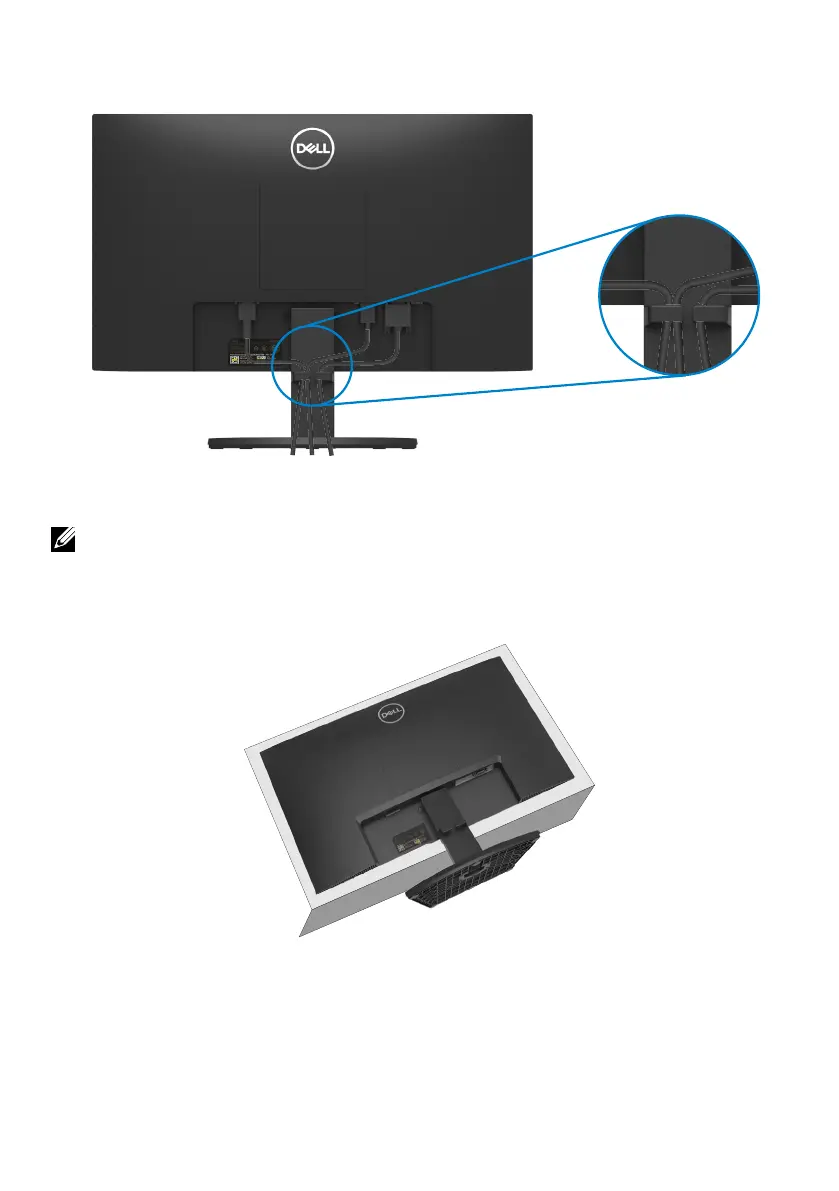
Use the cable-management slot to route the cables connected to your monitor.
Removing the monitor stand
NOTE: To prevent scratches on the screen when removing the stand, ensure
that the monitor is placed on a soft and clean surface.
To remove the stand:
1. Place the monitor on a soft cloth or cushion along the desk.



 To Next Page