Internet 75
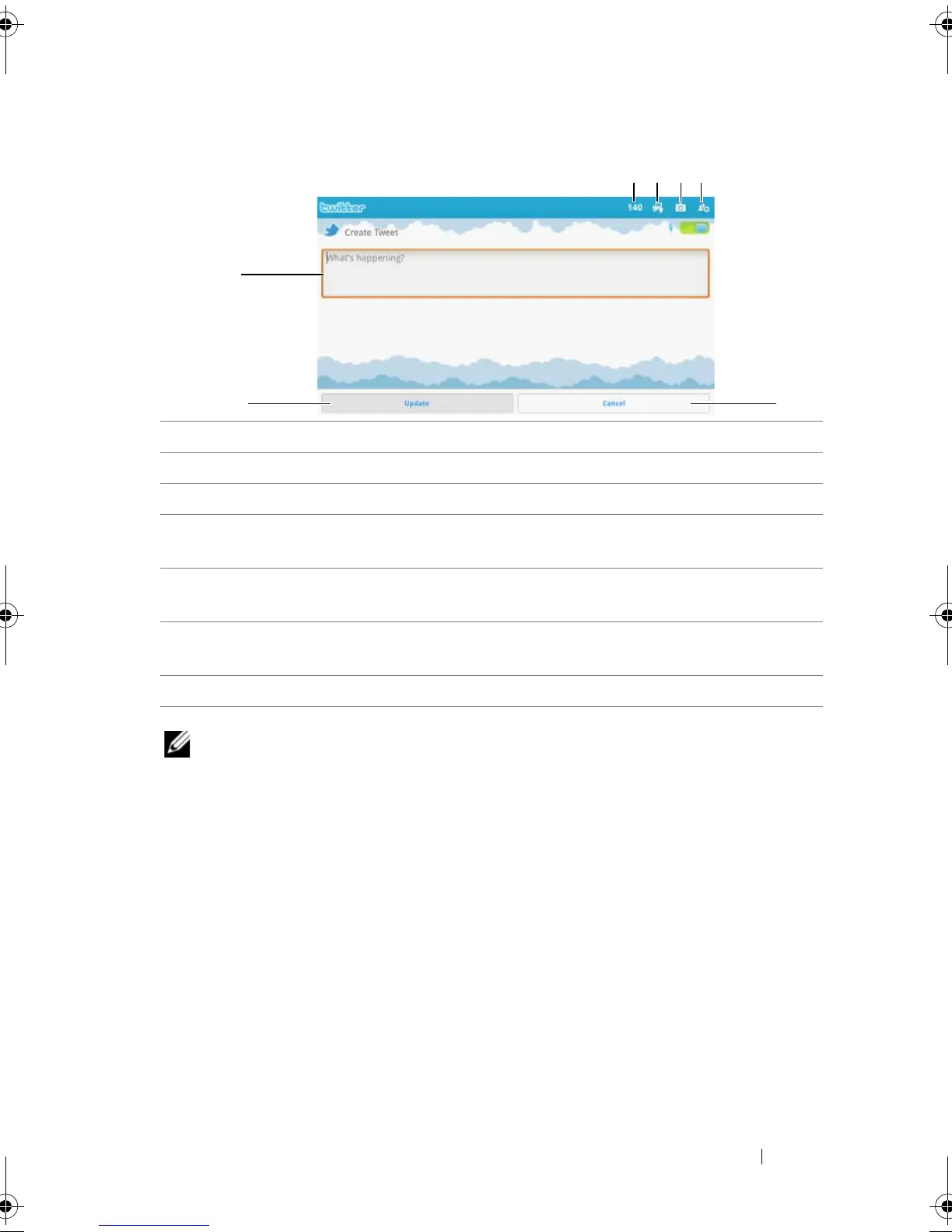
To create a tweet
NOTE: For more information on using Twitter, visit Twitter.com/Help.
1 Type your tweet message here.
2 Touch the Update button to post your tweet.
3 Touch the Cancel button to quit composing your tweet.
4 Touch to view the people you follow, then select who you want to talk
to in your tweet. Their names will appear in your tweet as “@name”.
5 Touch to launch the camera and capture a picture to post along with
your tweet.
6 Touch to open Gallery and select a picture to post along with your
tweet.
7 Shows the number of remaining characters allowed in your tweet.
LG7_bk0.book Page 75 Thursday, January 27, 2011 2:16 PM



 To Next Page