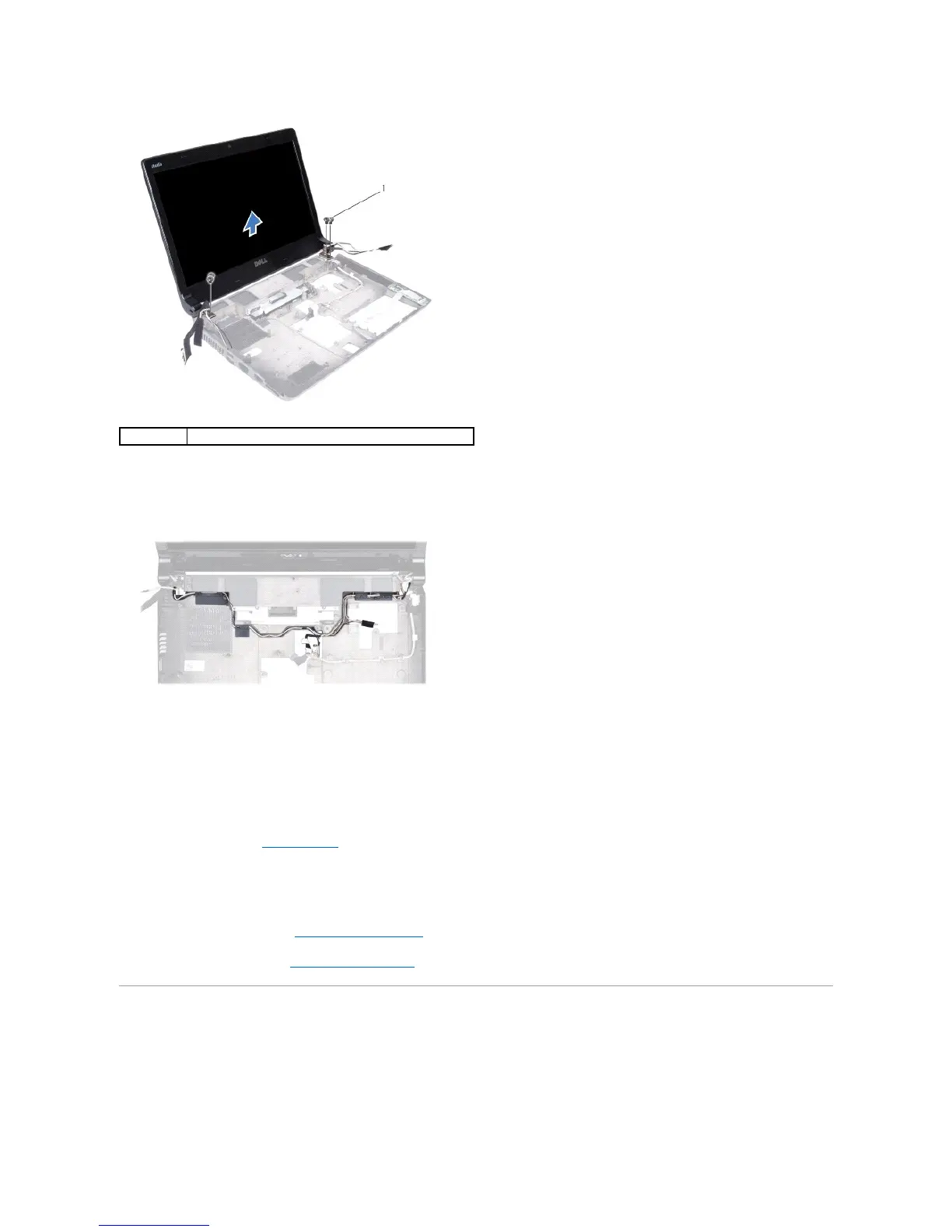
6. Make note of the cable routing and carefully dislodge the cables from their routing guides.
7. Lift the display assembly away from the computer base.
Replacing the Display Assembly
1. Follow the instructions in Before You Begin.
2. Place the display assembly in position and replace the four screws (two on each side) that secure the display assembly to the computer base.
3. Route the cables through the routing guides.
4. Replace the WWAN module (see Replacing the WWAN Module).
5. Replace the system board (see Replacing the System Board).
Display Bezel
Removing the Display Bezel






 To Next Page