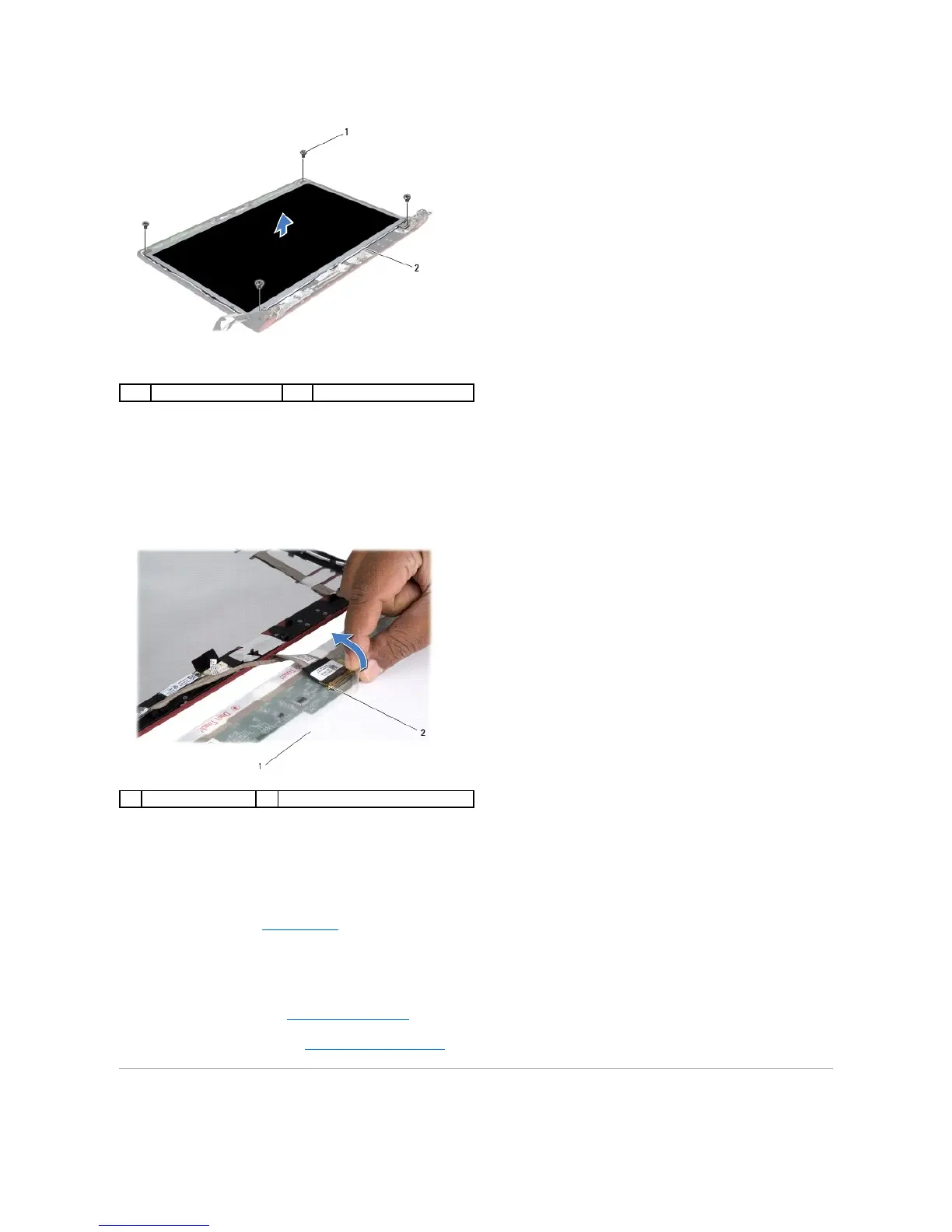
4. Remove the four screws that secure the display panel to the display cover.
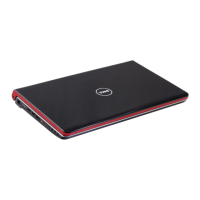
5. Turn the display panel over and place it on a clean surface.
6. Lift the tape that secures the display panel cable to the connector and remove the cable from the connector.
7. Lift the display panel off the display cover.
Replacing the Display Panel
1. Follow the instructions in Before You Begin.
2. Connect the display panel cable to the connector on the display panel and secure it with the tape.
3. Align the display panel with the display cover and replace the four screws that secure the display panel to the display cover.
4. Replace the display bezel (see Replacing the Display Bezel).
5. Replace the display assembly (see Replacing the Display Assembly).
Display Panel Bracket






 To Next Page