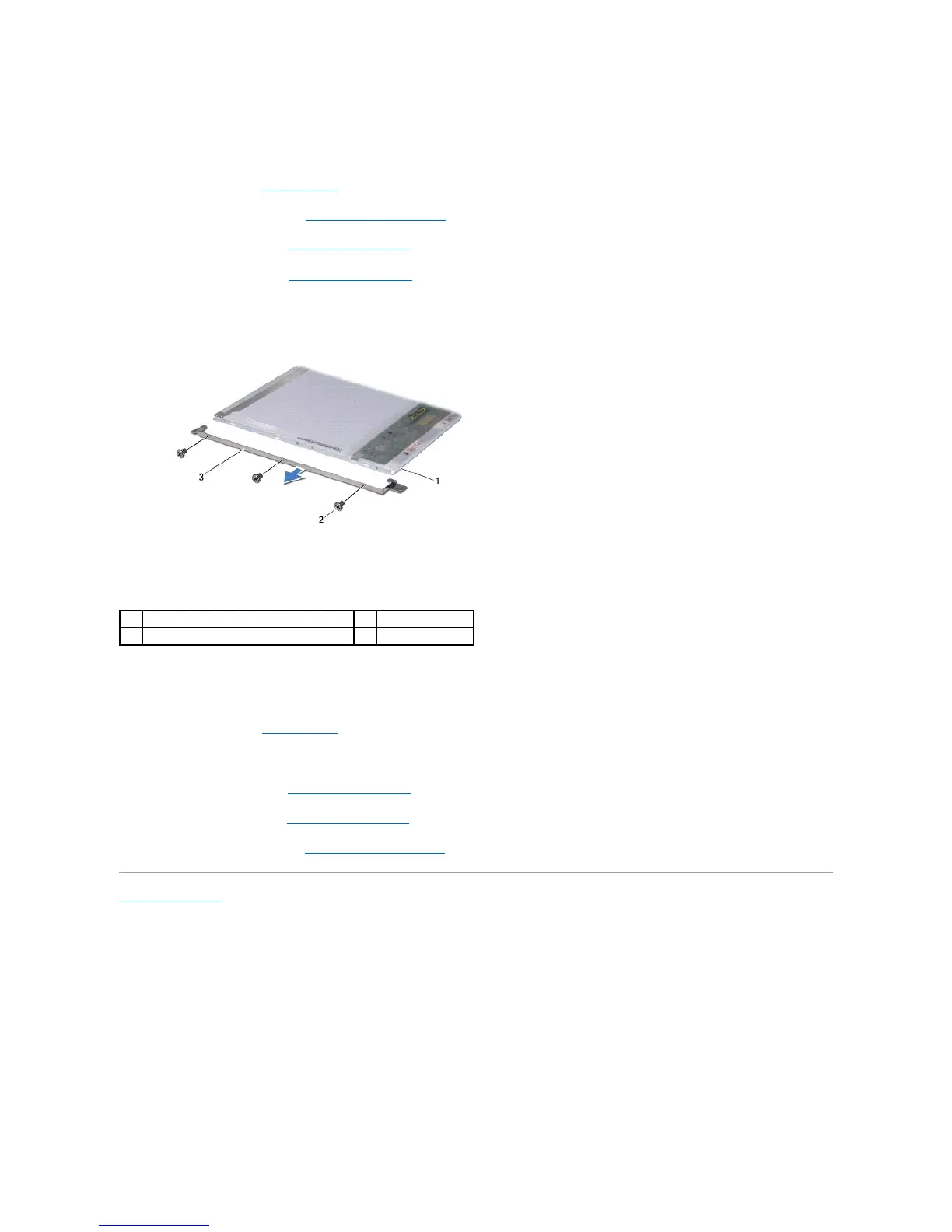
Removing the Display Panel Bracket
1. Follow the instructions in Before You Begin.
2. Remove the display assembly (see Removing the Display Assembly).
3. Remove the display bezel (see Removing the Display Bezel).
4. Remove the display panel (see Removing the Display Panel).
5. Remove the six screws (three on each side) that secure the display panel brackets to the display panel.
Replacing the Display Panel Bracket
1. Follow the instructions in Before You Begin.
2. Replace the six screws (three on each side) that secure the display panel brackets to the display panel.
3. Replace the display panel (see Replacing the Display Panel).
4. Replace the display bezel (see Replacing the Display Bezel).
5. Replace the display assembly (see Replacing the Display Assembly).
Back to Contents Page






 To Next Page