10 Quick Reference Guide
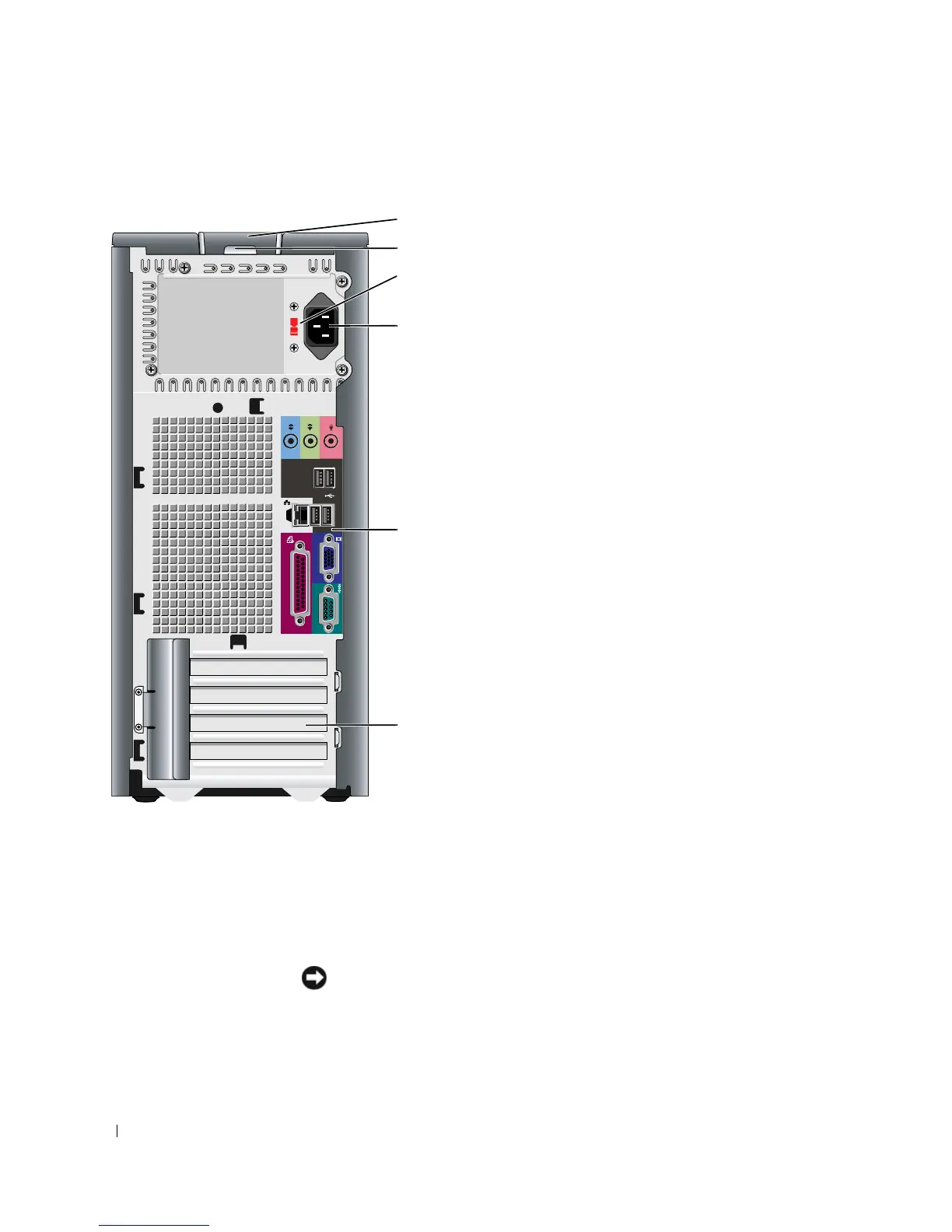
Mini Tower Computer — Back View
1
cover release latch This latch allows you to open the computer cover.
2
padlock ring Insert a padlock to lock the computer cover.
3 voltage selection
switch
Your computer is equipped with a manual voltage-selection switch.
To avoid damaging a computer with a manual voltage-selection switch, set the
switch to the voltage that most closely matches the AC power available in your
location.
NOTICE: In Japan, the voltage-selection switch must be set to 115-V.
Also, ensure that your monitor and attached devices are electrically rated to operate
with the AC power available in your location.
4
3
5
6
2
1







 To Next Page