Quick Reference Guide 19
Desktop Computer
CAUTION: Before you begin any of the procedures in this section, follow the safety instructions in the
Product Information Guide.
CAUTION: To guard against electrical shock, always unplug your computer from the electrical outlet before
removing the computer cover.
1
Follow the procedures in "Before You Begin" on page 16.
2
If you have installed a padlock through the padlock ring on the back panel, remove the padlock.
3
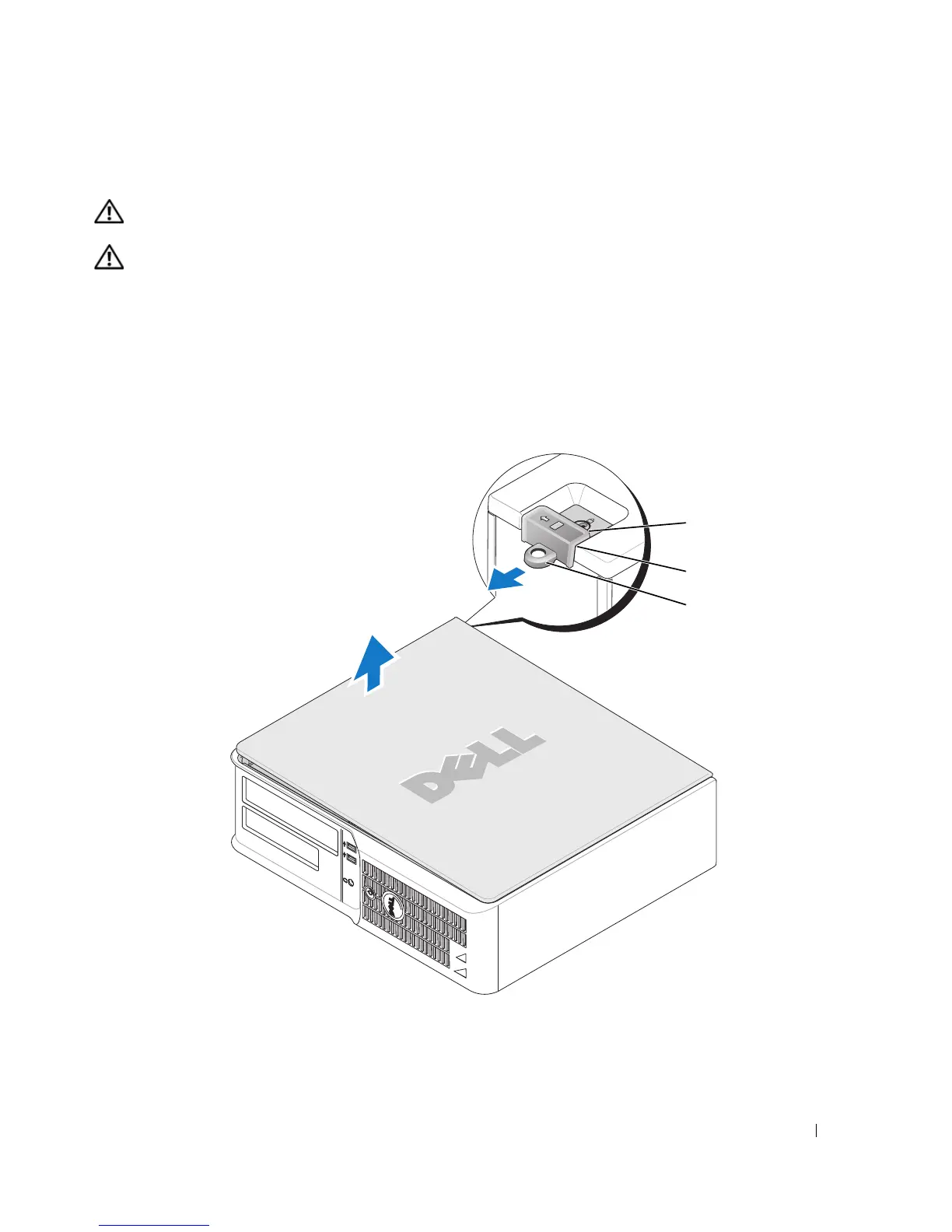
Slide the cover release latch back as you lift the cover.
4
Pivot the cover up using the hinge tabs as leverage points.
5
Remove the cover from the hinge tabs and set it aside on a soft nonabrasive surface.
1
security cable slot
2
cover release latch
3
padlock ring
2
1
3






 To Next Page