8
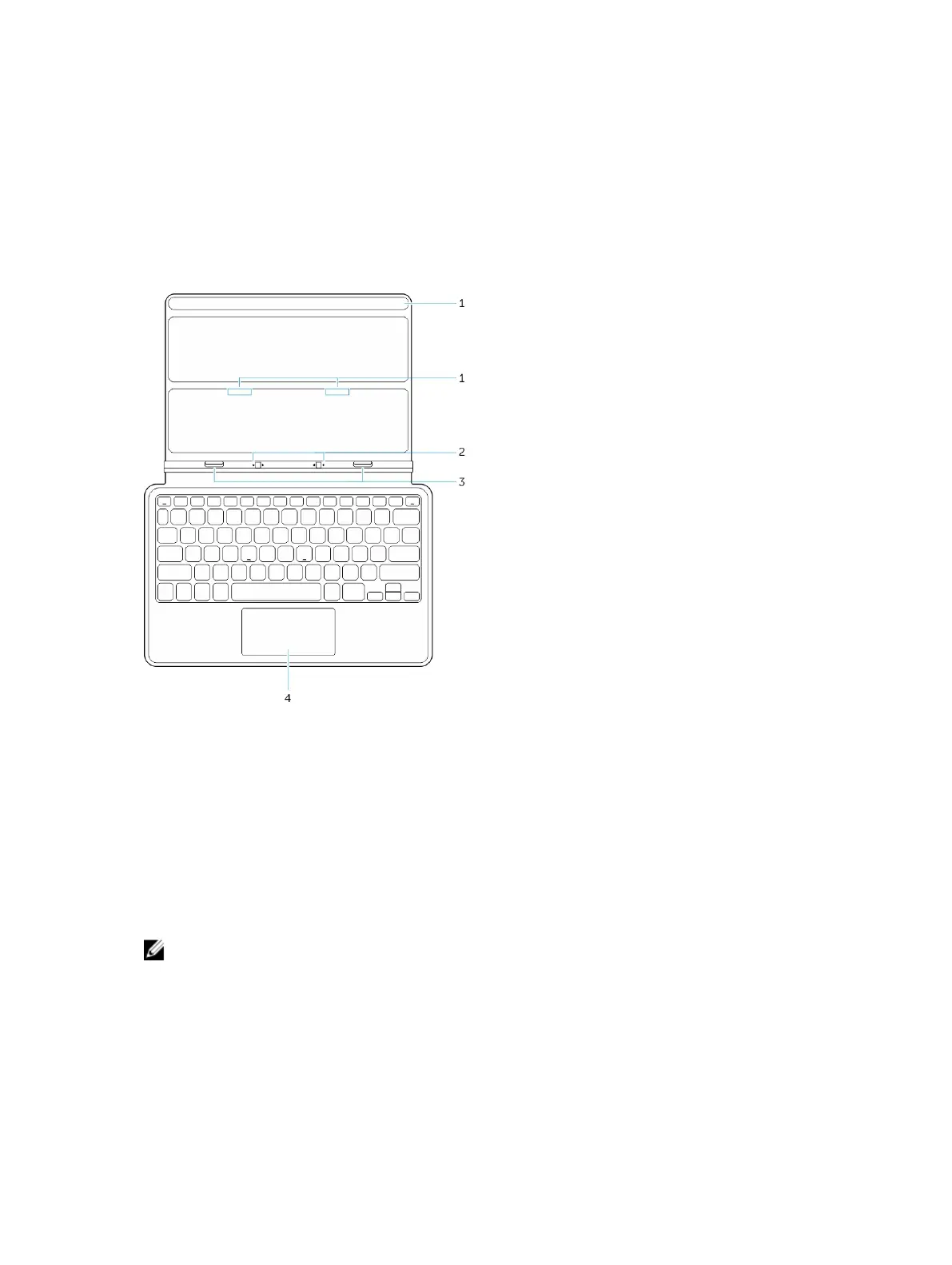
Thin Travel Keyboard Dock Features
This section provides information about the features available on the Thin keyboard dock.
Table 1.
Feature Functionality
1 Magnets Magnets to enable docking.
2 Docking pins Allows the tablet to make electrical contact with the dock.
3 Docking
Connectors
Connect the docking connector on the tablet.
4 Touch pad Allows you to move the mouse pointer on the screen and provides the function of a
mouse.
NOTE: The Thin travel keyboard dock is sold separately and is not shipped with the tablet.
Docking Your Tablet to the Thin Travel Keyboard Dock
1. Align the two docking connectors on the tablet to those on the dock.
33



 To Next Page