4
Managing your tablet settings
Wi-Fi setting
Turning On/Off Wi-Fi
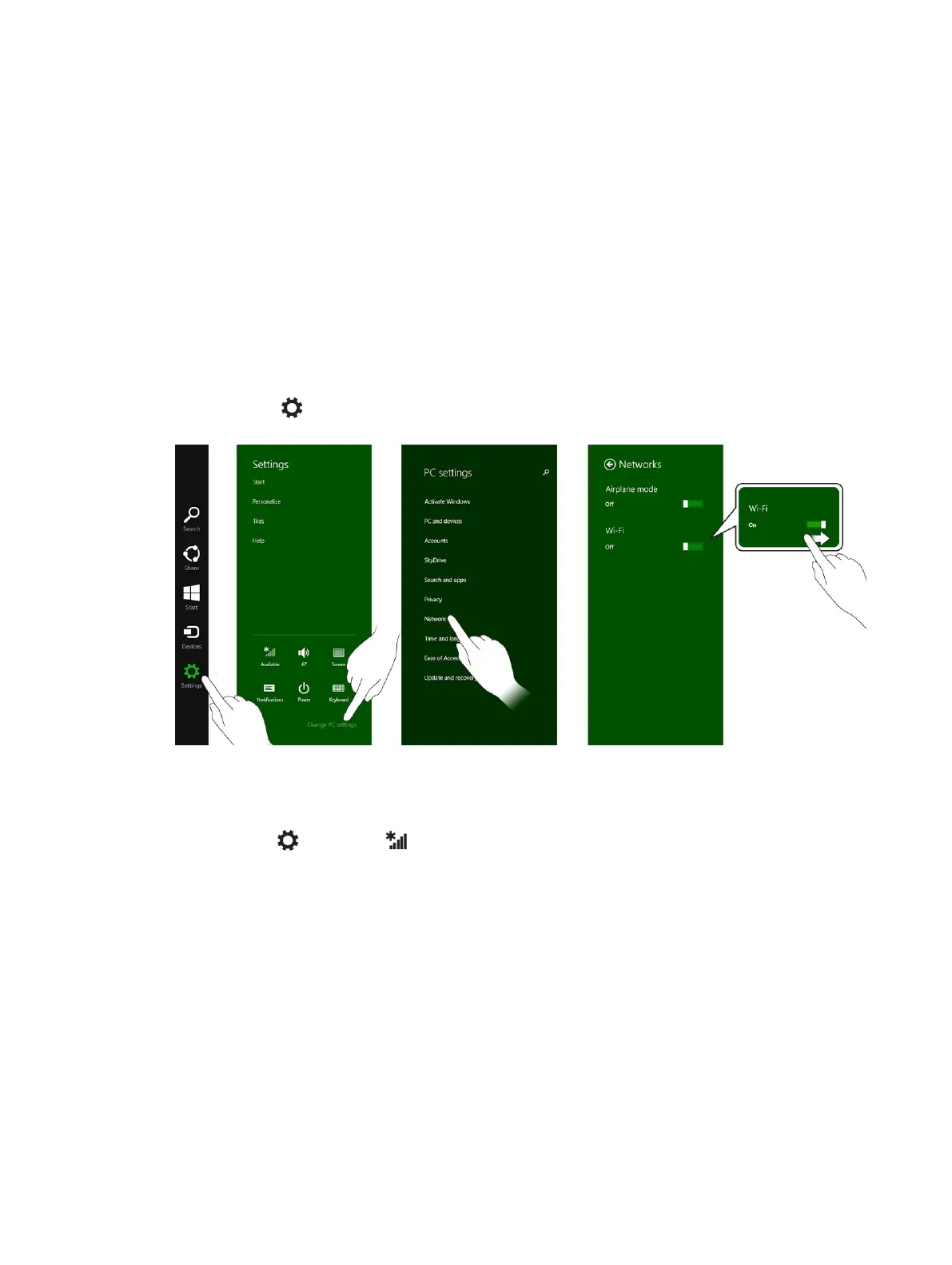
1. Swipe from the right edge of the display to access the Charms bar.
2.
Touch Settings → Change PC settings → Networks → Airplane mode.
3. Swipe Wi-Fi icon right or left to turn Wi-Fi on or off.
Connecting to a network
1. Swipe from the right edge of the display to access the Charms bar.
2. Touch Settings → Available → Select an available network → Connect
.
21



 To Next Page