9
Mobile Keyboard Dock Features
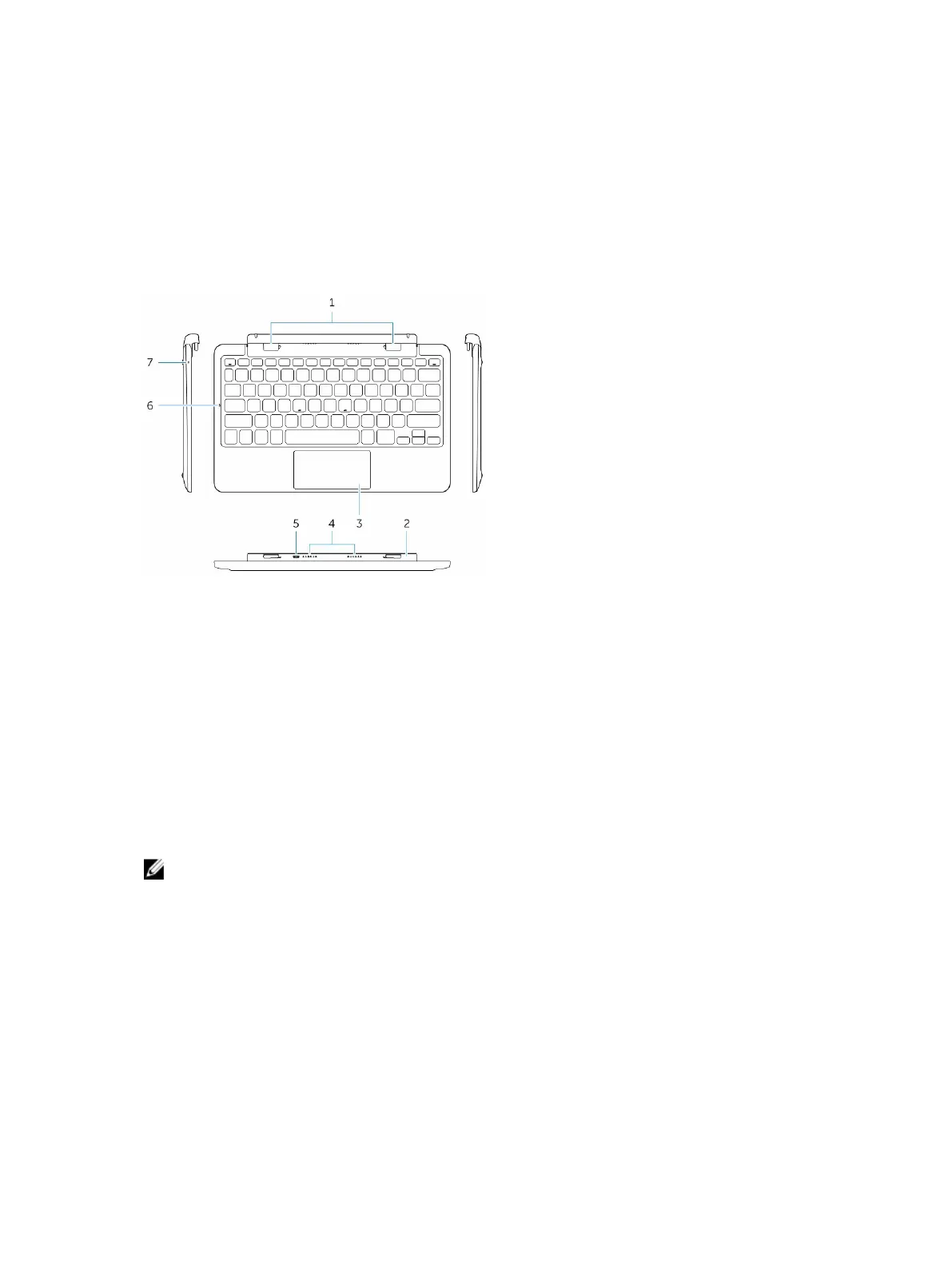
This section provides information about the features available on the keyboard dock.
Feature Functionality
1 Docking connectors Connect the docking guide slots on the tablet.
2 Rotatable hinge Allows the tablet to rotate around the hinges.
3 Touch pad Allows you to move the mouse pointer on the screen and provides the
function of a mouse.
4 Dock Pins Allows the tablet to make electrical contact with the dock.
5 micro USB power connector Connect a micro USB charger to charge the dock
6 Caps Lock LED Indicates if the Caps Lock key on the keyboard is turned on.
7 Battery charge LED Indicates if the battery is charging when connected to AC power.
NOTE: The keyboard dock is sold separately and is not shipped with the tablet.
Docking Your Tablet to the Keyboard Dock
1. Dock the tablet.
35



 To Next Page