Introduction
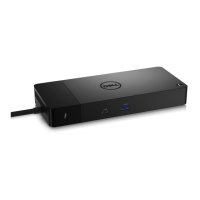
The Dell Thunderbolt Dock - WD22TB4 is a device that links all your electronic devices to your system using a Thunderbolt
4 (Type-C) cable interface. Connecting the system to the docking station allows you to easily connect multiple peripherals
(mouse, keyboard, stereo speakers, external hard-drives, and high-resolution displays) without having to plug each one into the
system.
CAUTION: Update your system’s BIOS, graphic drivers and the Dell Thunderbolt Dock drivers to the latest
versions available at www.dell.com/support BEFORE using the docking station. Older BIOS versions and drivers
could result in your system not recognizing the docking station or not functioning optimally. Always check if any
recommended firmware is available for your docking station at www.dell.com/support.
1
4 Introduction





 To Next Page