Back to Contents Page
Setting Up the Monitor
Dell™ U2413/U2713H Monitor User's Guide
Attaching the Stand
Connecting the Monitor
Organizing Your Cables
Attaching Dell Soundbar AX510/AY511 (Optional)
Removing the Monitor Stand
Wall Mounting (Optional)
Attaching the Stand
NOTE: The stand is detached when the monitor is shipped from the factory.
NOTE: This is applicable for a monitor with a stand. When any other stand is bought, please refer to the respective stand setup guide for the set up instructions.
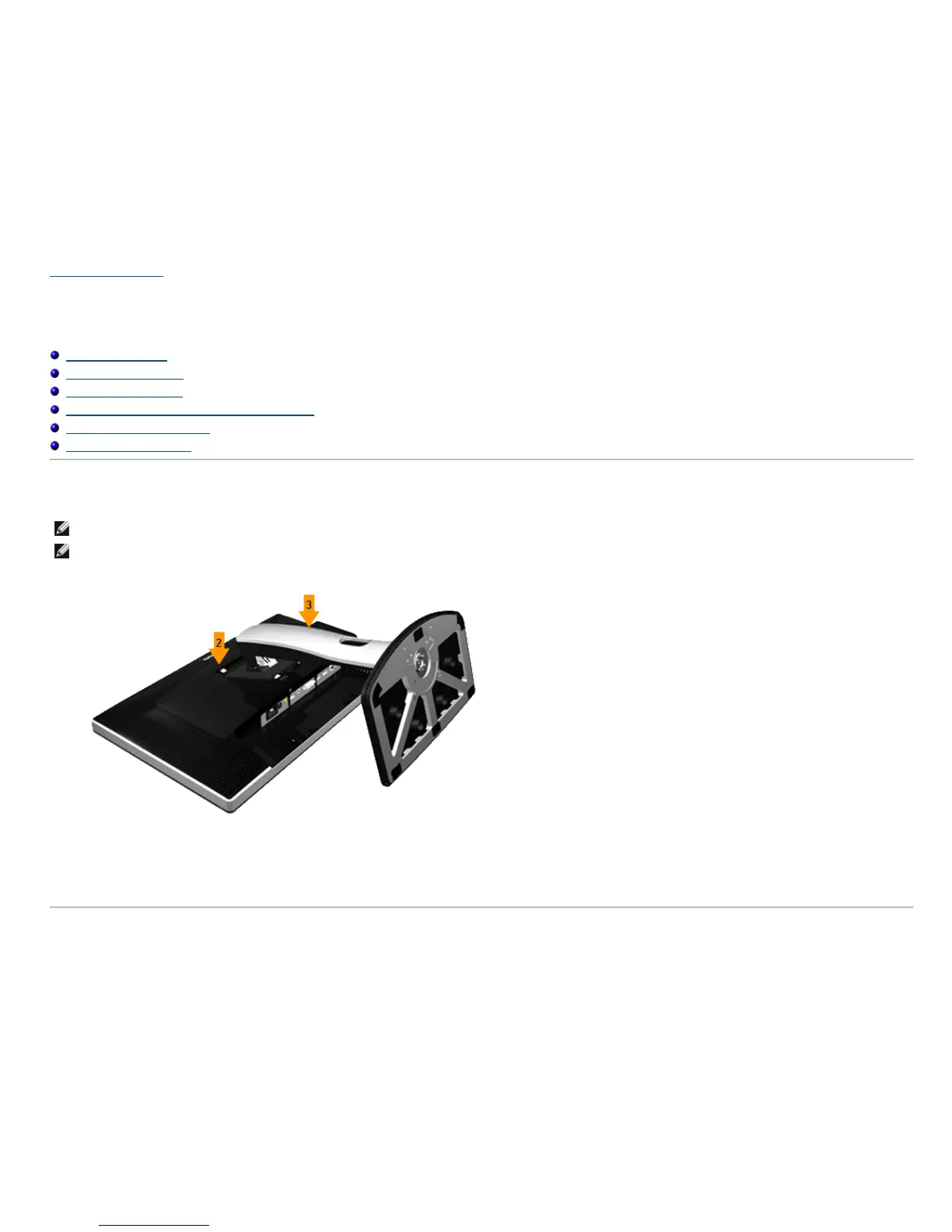
To attach the monitor stand:
1. Remove the cover and place the monitor on it.
2. Fit the two tabs on the upper part of the stand to the groove on the back of the monitor.
3. Press the stand till it snaps into place.









 To Next Page