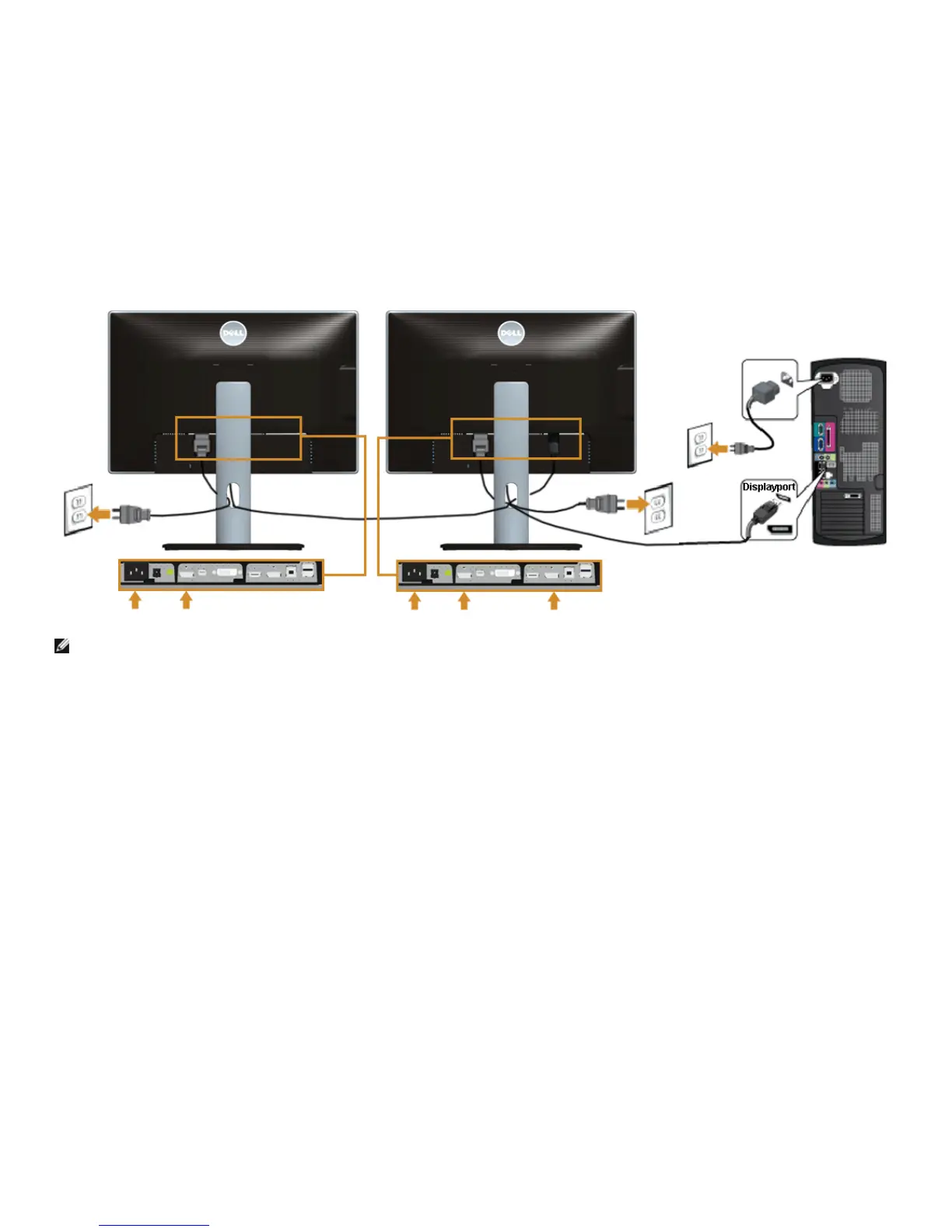
NOTE: U2413/U2713H support the DP MST feature. To make use of this feature, your PC Graphics Card must be certified to DP1.2 with MST option.
The default out of factory setting in the U2413/U2713H is DP1.1a.
To enable MST connection please use only DP cable as provided in box (or other DP1.2 certified cable) and change the DP setting to DP1.2 by performing the below steps:
A) Monitor is able to show content
1. Use OSD button to navigate to Display Settings









 To Next Page