4
Menu
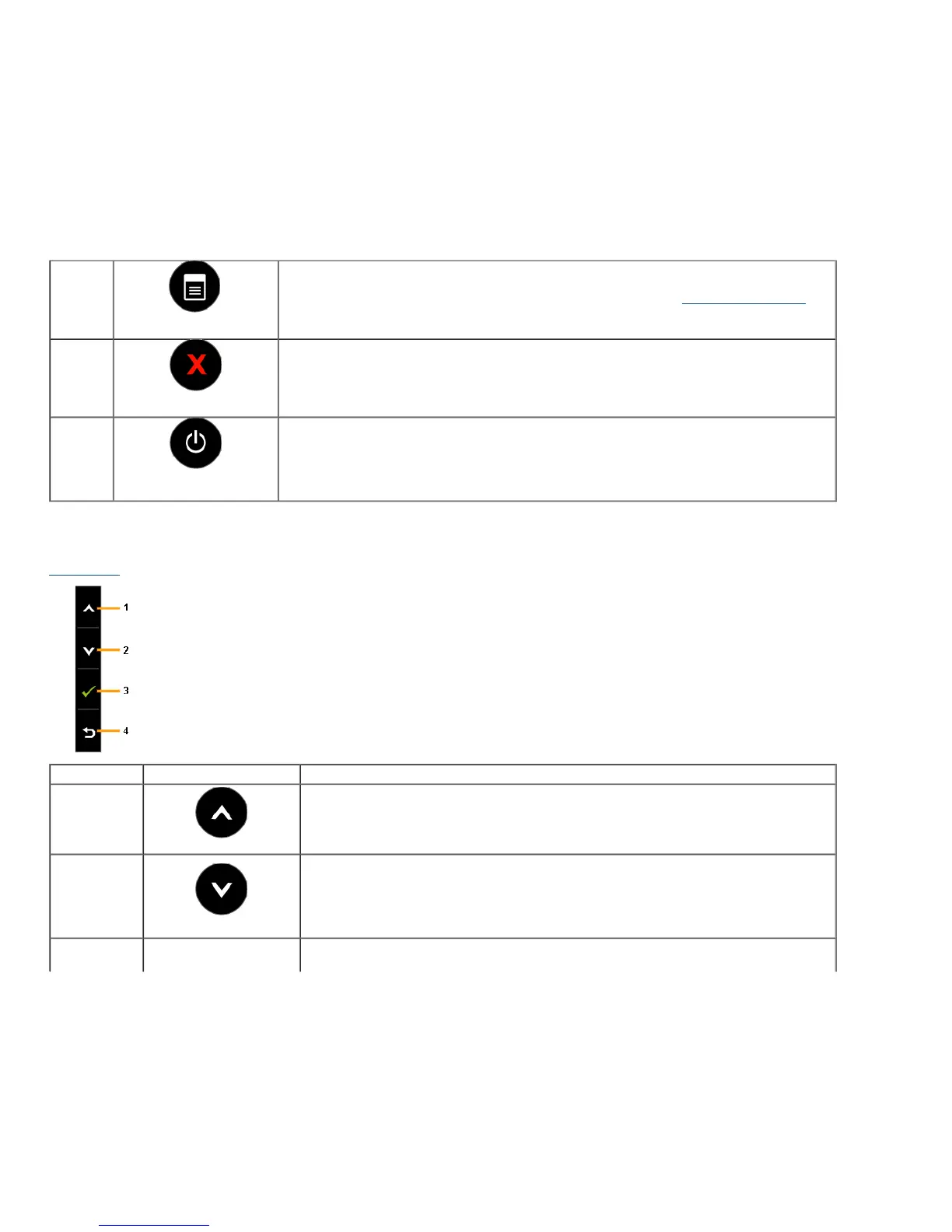
Use the Menu key to launch the On-Screen Display (OSD) and select the OSD Menu. See Accessing the Menu System
.
5
Exit
Use the Exit key to go back to the main menu or exit the OSD main menu.
6
Power
(with power light indicator)
Use the Power key to turn the monitor On and Off.
The white LED indicates the monitor is On and fully functional. A glowing LED indicates the U2413/U2713H is in DPMS
power save mode.
Front Panel Button
Use the buttons on the front of the monitor to adjust the image settings.
Shortcut Key Front Panel Icon Description
1
Up
Use the Up key to adjust (increase ranges) items in the OSD menu.
2
Down
Use the Down key to adjust (decrease ranges) items in the OSD menu.









 To Next Page