PIP Mode There are three modes: Picture in Picture (PIP) and Picture by Picture (PBP) and Off.
Use
and to browse and to select "Off", "PIP" or "PBP".
Size Select PIP window size.
Use
and to browse and to select "Small" or "Large".
Position Select PIP window position.
Use
and to browse and to select "Top-Left", "Top-Right", "Bottom-Right" or "Bottom-Left".
Contrast Adjust the contrast level of the picture in PIP/PBP Mode.
reduces the contrast
increases the contrast
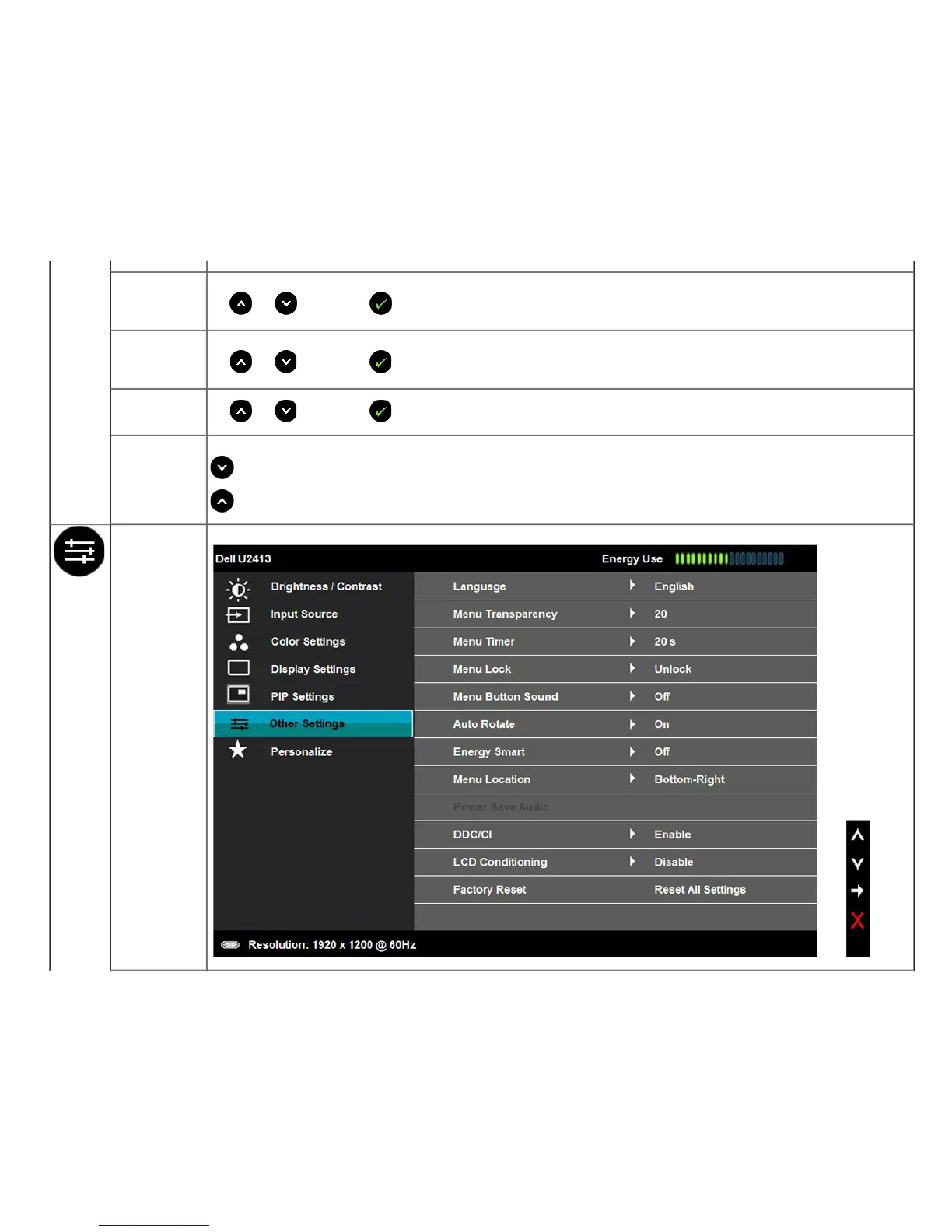
Other Settings Select this option to adjust the settings of the OSD, such as, the languages of the OSD, the amount of time the menu remains on screen, and so on.









 To Next Page