10 | About Your Monitor
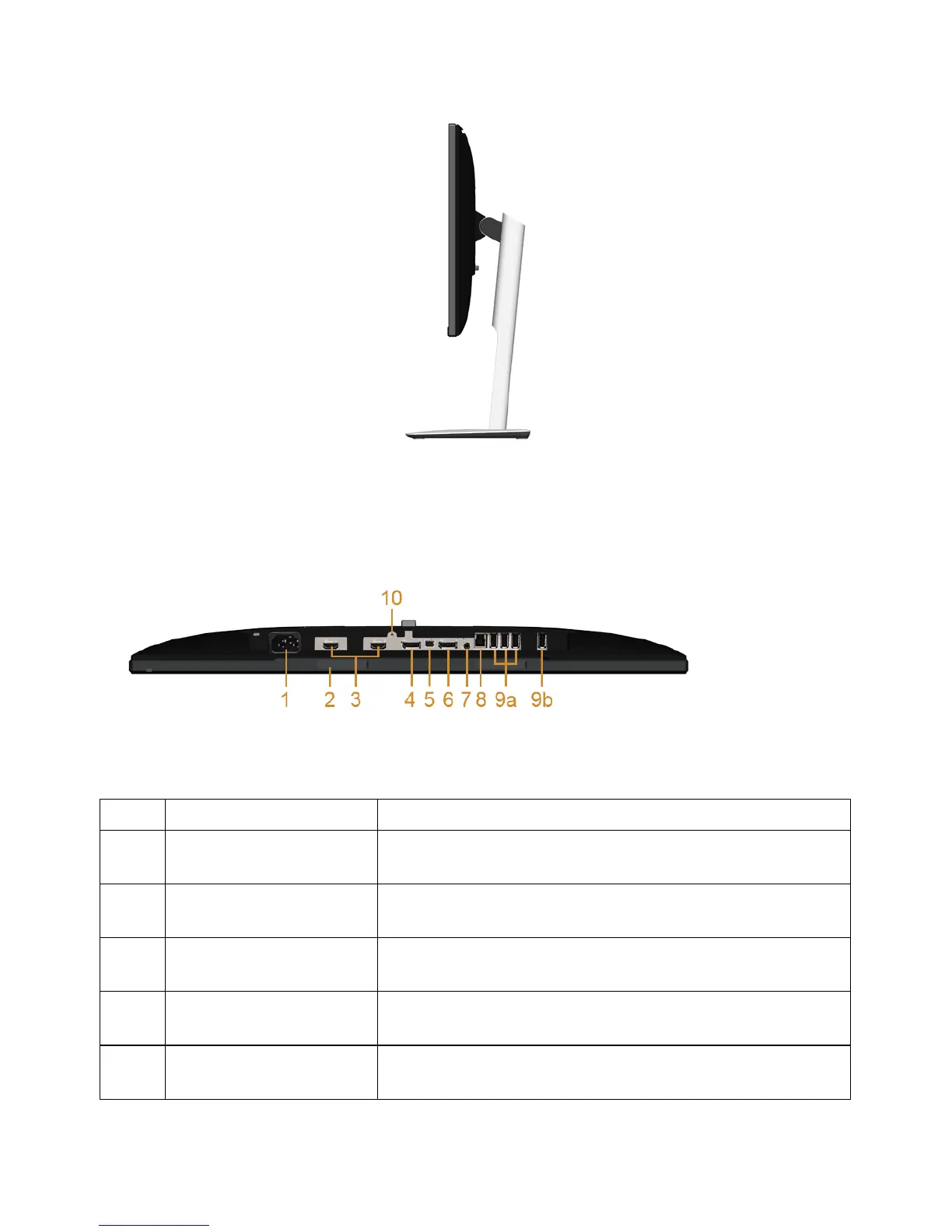
Side View
Bottom View
Bottom view without monitor stand
Label Description Use
1 AC power cord
connector
Connect the power cable.
2 Dell Soundbar
mounting slots
Attach the optional Dell Soundbar. (Concealed below
removable plastic sheets)
3 HDMI (MHL) port
connector
Connect your MHL devices with MHL cable.
4 DisplayPort in
connector
Connect your computer with DP cable.
5 Mini DisplayPort in
connector
Connect your computer with Mini-DP to DP cable.









 To Next Page