52 | Operating the Monitor
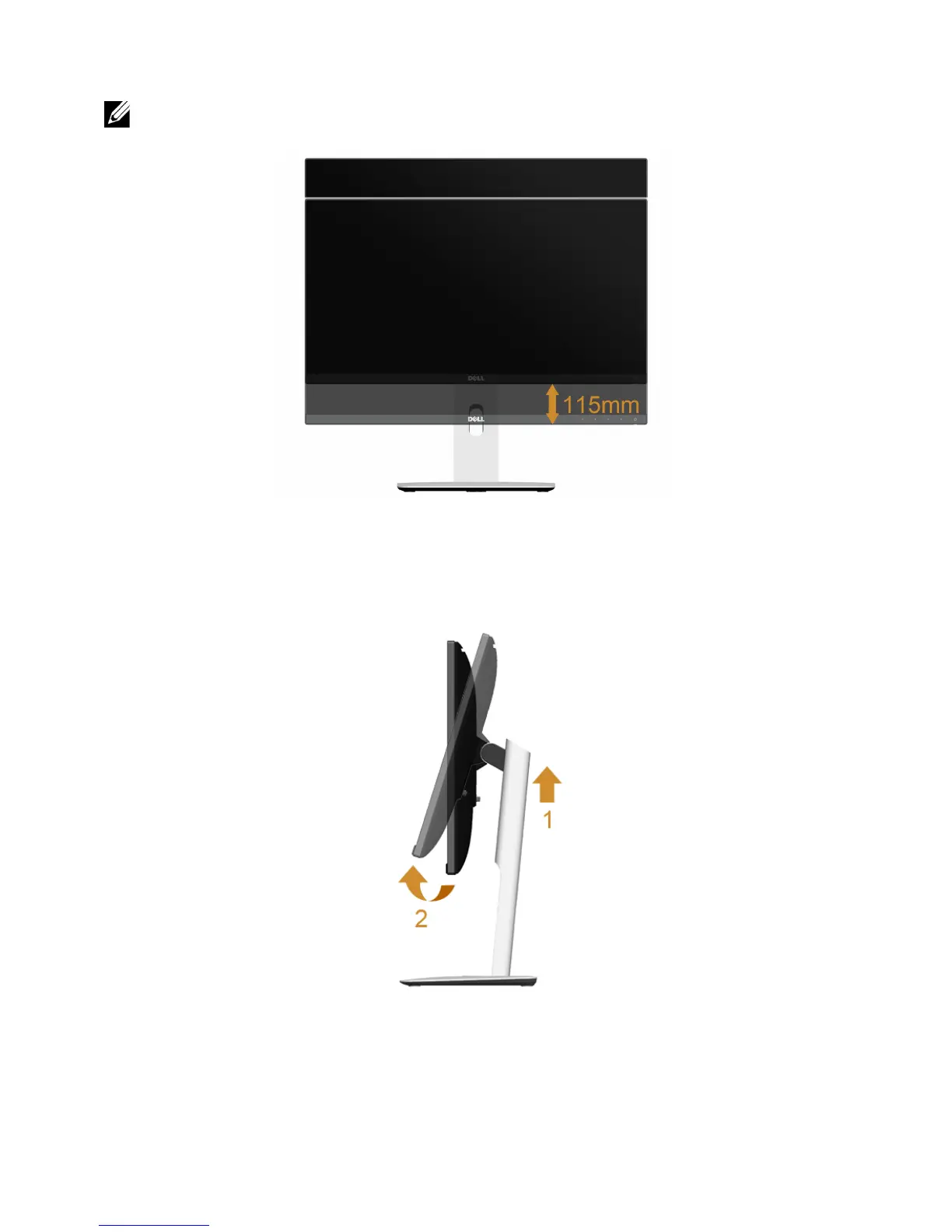
Vertical Extension
NOTE: The stand extends vertically up to 115 mm. The figure below illustrates how
to extend the stand vertically.
Rotating the Monitor
Before you rotate the monitor, your monitor should be fully vertically extended (
Vertical
Extension
) and fully tilted up to avoid hitting the bottom edge of the monitor.









 To Next Page