Setting Up the Monitor | 27
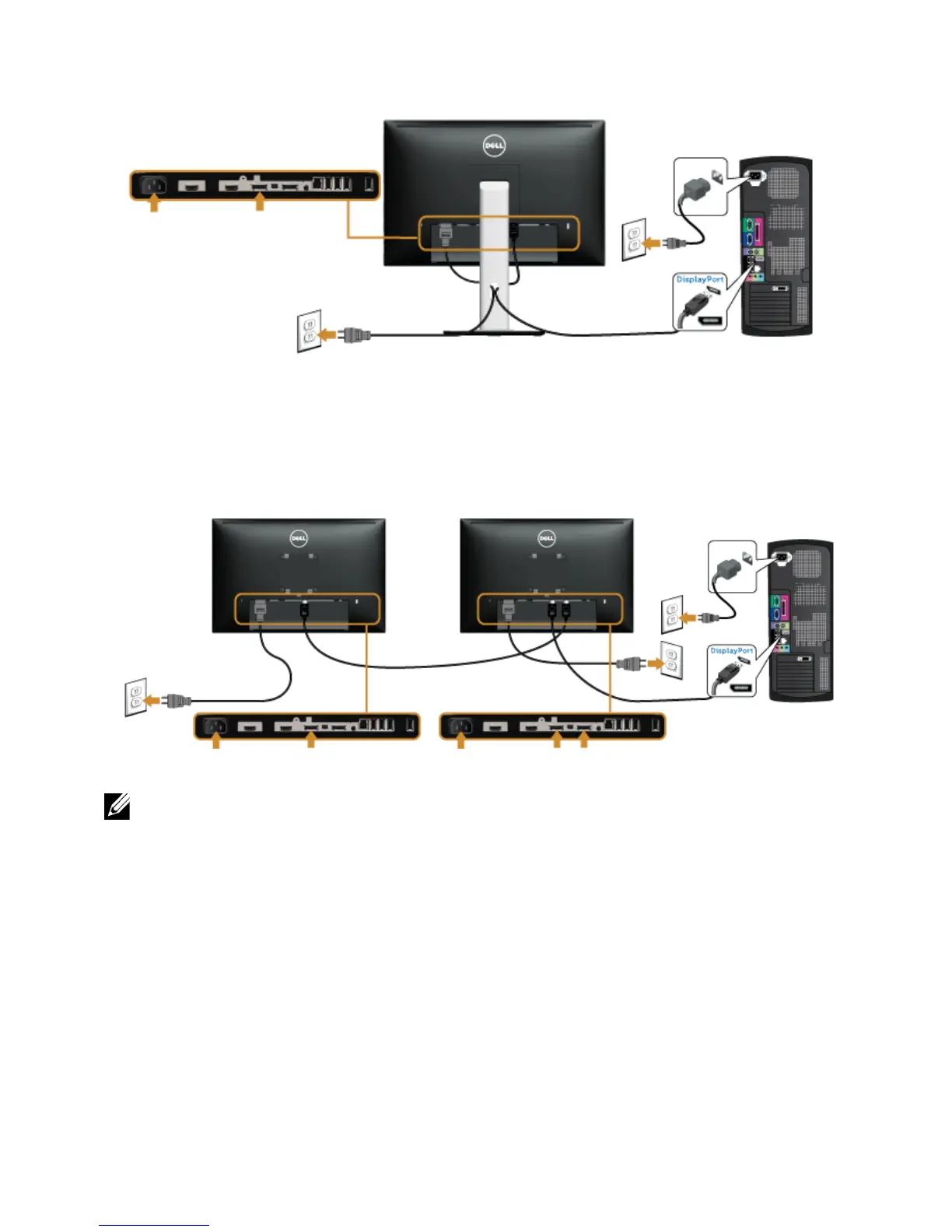
Connecting the black DisplayPort (DP to DP) cable
Connecting the monitor for DP Multi-Stream Transport (MST)
function
NOTE: U2415 supports the DP MST feature. To make use of this feature, your PC
Graphics Card must be certified to DP1.2 with MST option.
The default out of factory setting in the U2415 is DP1.1a.
To enable MST connection, please use only DP cable as provided in box (or other DP1.2
certified cable) and change the DP setting to DP1.2 by performing the below steps:









 To Next Page