Setting Up the Monitor | 29
B) Monitor fails to show any content (blank screen)
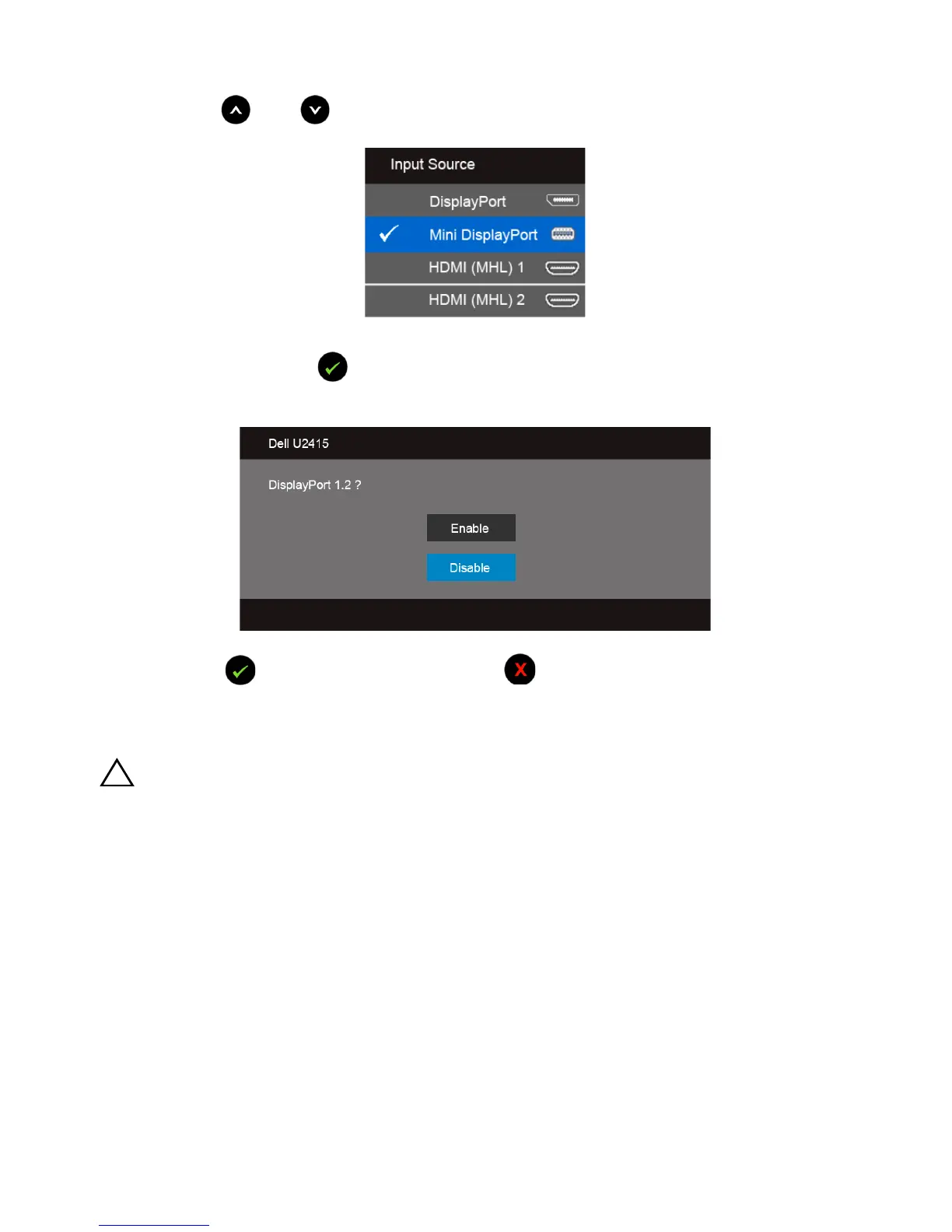
1 Use the and button to highlight DisplayPort or Mini DisplayPort.
2 Press and hold the button for approximately 8 seconds.
3 The DisplayPort configuration message will appear:
4 Use the button to enable DP1.2 or button to exit without making any
changes.
Repeat the above steps to change the setting back to DP 1.1a if necessary.
CAUTION: The graphics are used for the purpose of illustration only. Appearance
of the computer may vary.









 To Next Page