Back to Contents Page
Setting Up the Monitor
Dell™ U3014 Flat Panel Monitor User's Guide
Attaching the Stand
Connecting the Monitor
Organizing Your Cables
Attaching the Soundbar AX510 / AX510PA (Optional)
Removing the Stand
Wall Mounting (Optional)
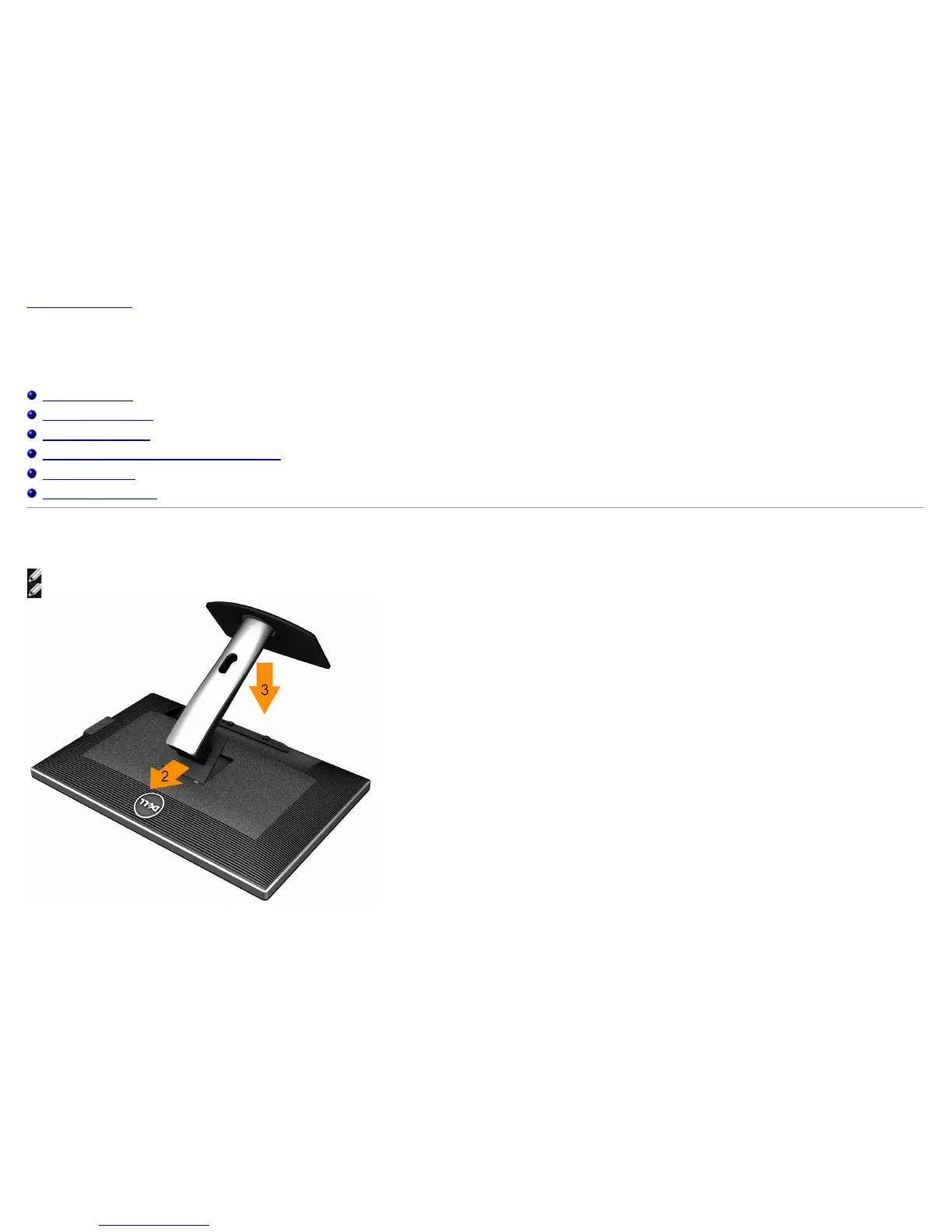
Attaching the Stand
NOTE: The stand is detached when the monitor is shipped from the factory.
NOTE: This is applicable for a monitor with a stand. When any other stand is bought, please refer to the respective stand setup guide for set up instructions.
To attach the monitor stand:
1. Remove the cover and place the monitor on it.


 To Next Page
 Loading...