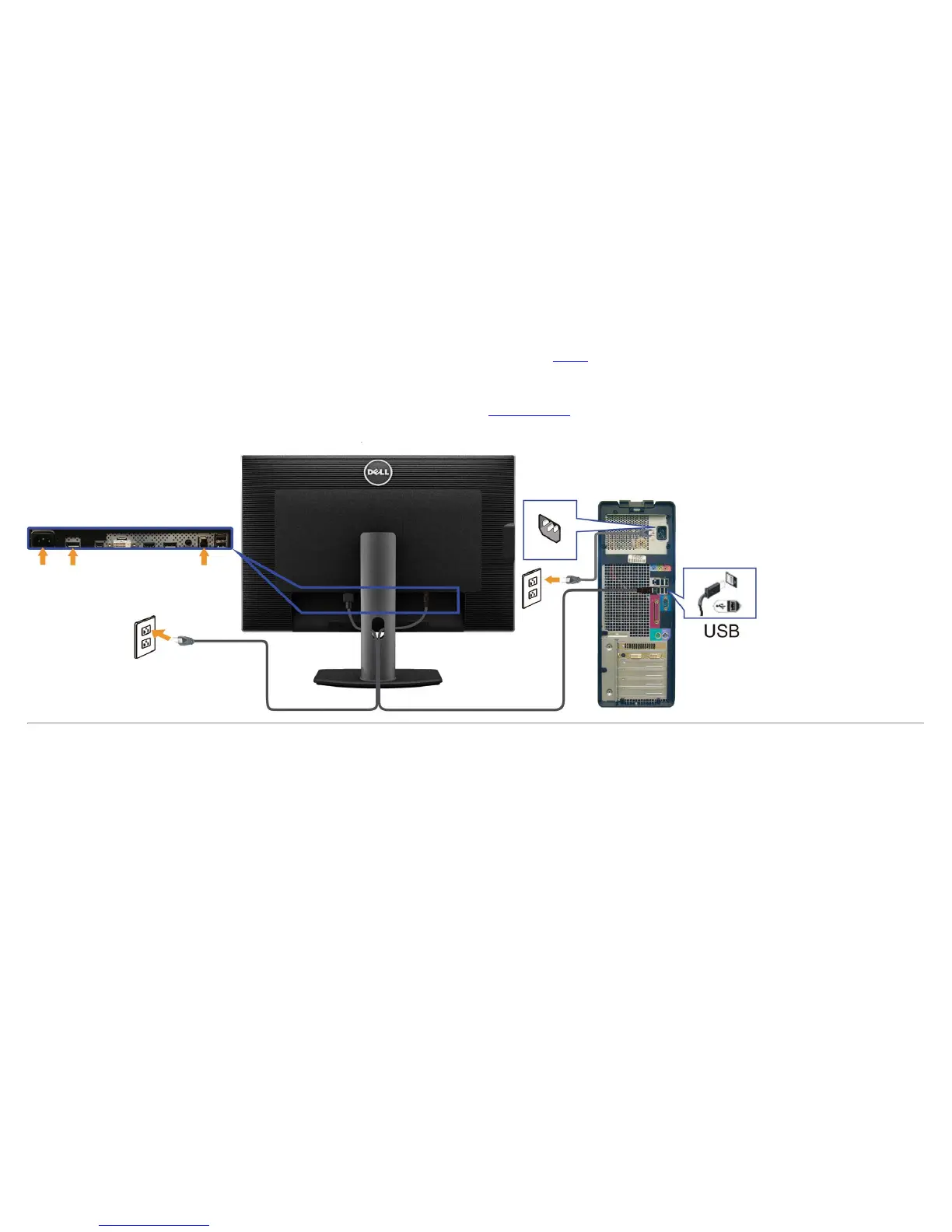
After you have completed connecting the DVI/DP/mini DP/HDMI cable, follow the procedure below to connect the USB 3.0 cable to the computer and complete your monitor setup:
1. Connect the upstream USB 3.0 port (cable supplied) to an appropriate USB 3.0 port on your computer. (See bottom
view for details.)
2. Connect USB 3.0 peripherals to the downstream USB 3.0 ports on the monitor.
3. Plug the power cables for your computer and monitor into a nearby outlet.
4. Turn On the monitor and the computer.
If your monitor displays an image, installation is complete. If it does not display an image, see Solving Problems
.
5. Use the cable slot on the monitor stand to organize the cables.












 To Next Page