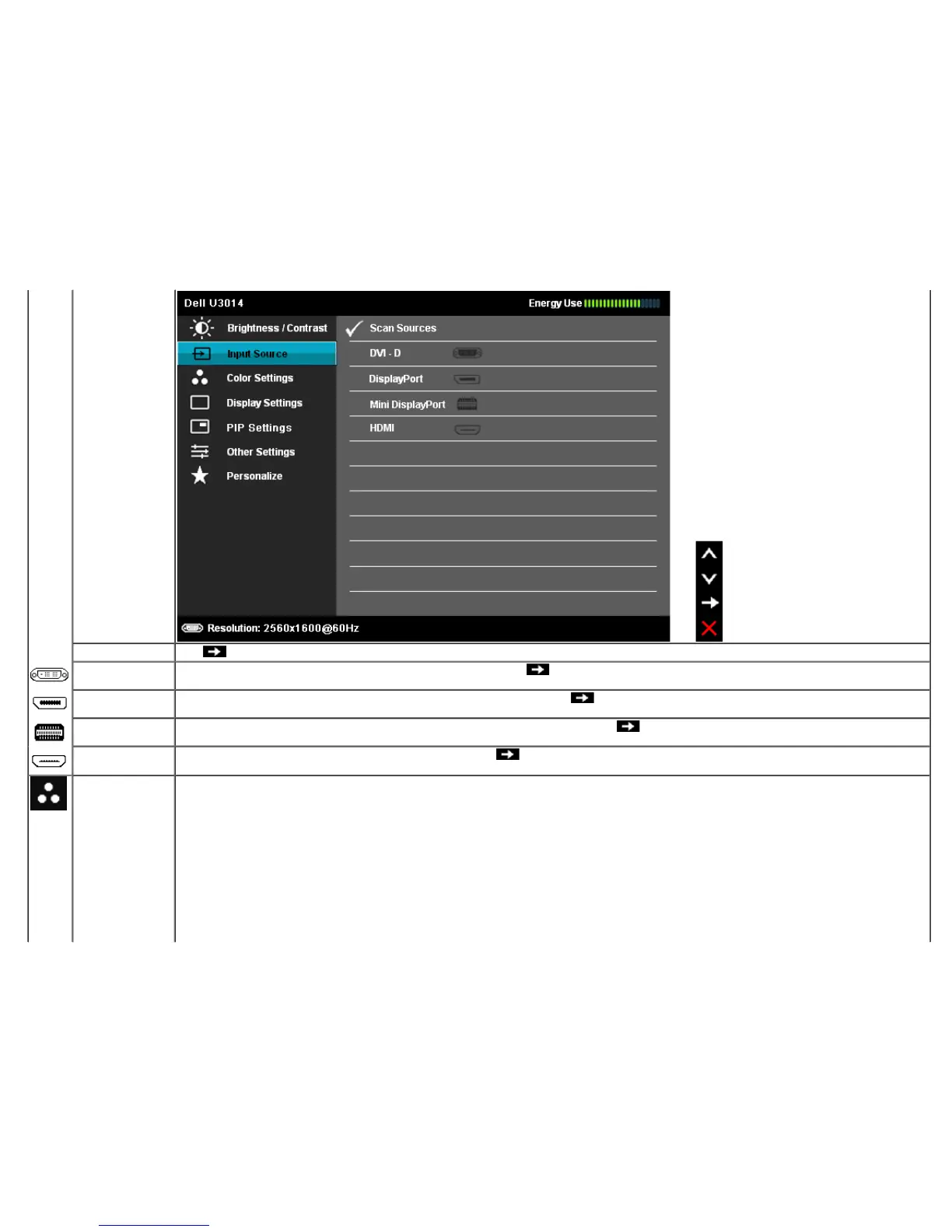
Scan Sources
Press
to select Scan Sources, the monitor auto detects either the DVI-D input or DislpayPort input or Mini DislpayPort input or HDMI input.
DVI-D
Select DVI-D input when you are using the Digital (DVI) connector. Press the
to select the DVI input source.
DisplayPort
Select DisplayPort input when you are using the DisplayPort (DP) connector. Press the
to select the DisplayPort input source.
Mini DisplayPort
Select Mini DisplayPort input when you are using the Mini DisplayPort (DP) connector. Press the
to select the Mini DisplayPort input source.
HDMI
Select HDMI input when you are using the HDMI connector. Press the
button to select the HDMI input source.
Color Settings
Use the Color Settings to adjust the color setting mode.












 To Next Page