Operating the monitor │ 79
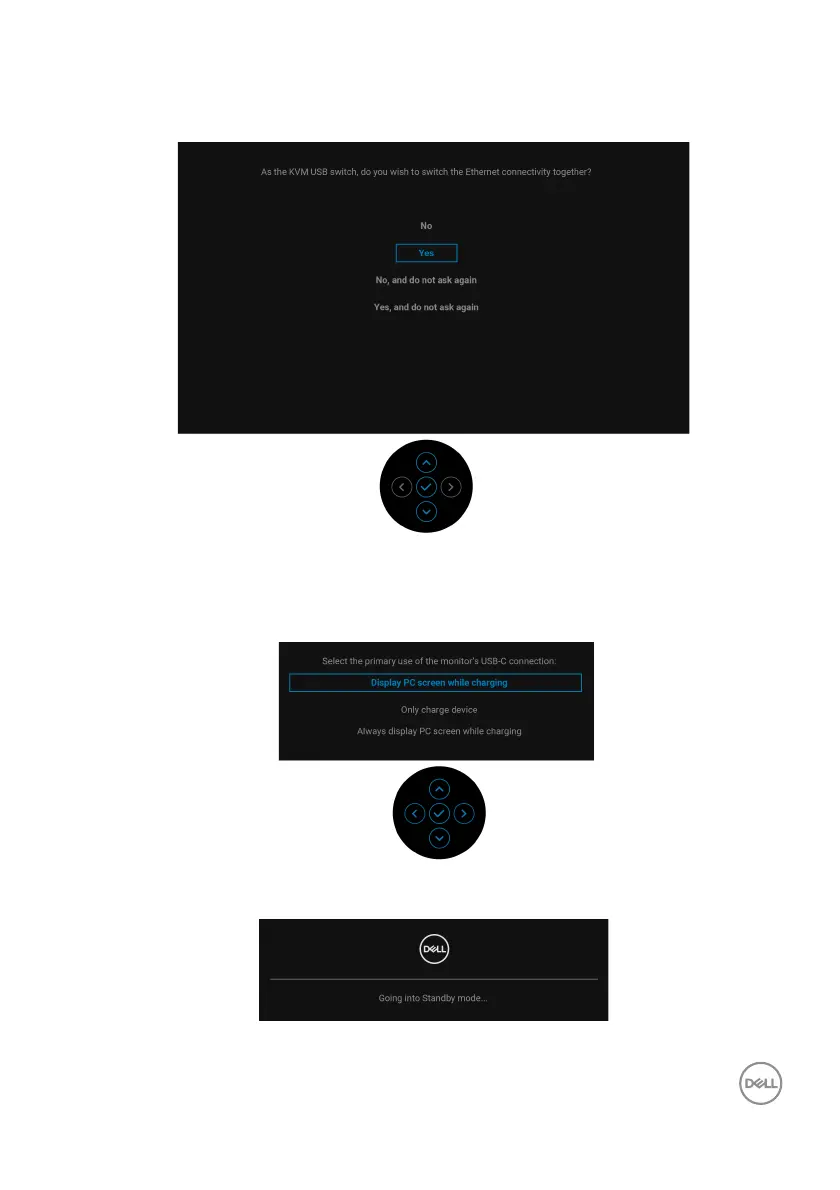
When you switch the USB Switch from PC 1 to PC 2, and Ethernet Switch Mode
is set to Prompt when KVM switches, the following message appears:
When the monitor is under DP/HDMI input and a USB Type-C cable is connected to
a notebook that supports DP Alternate Mode, if Auto Select for USB-C is set to
Prompt for Multiple Inputs, the
following message appears:
When the monitor goes into Standby mode, the following message appears:
Activate the computer and wake up the monitor to gain access to the OSD.













 To Next Page