12 │ Setting Up Your Headset
Configuration to Listen to Music
To use your headset to listen to music from your computer, the headset has
to be selected as the default playback device in Windows Audio Settings.
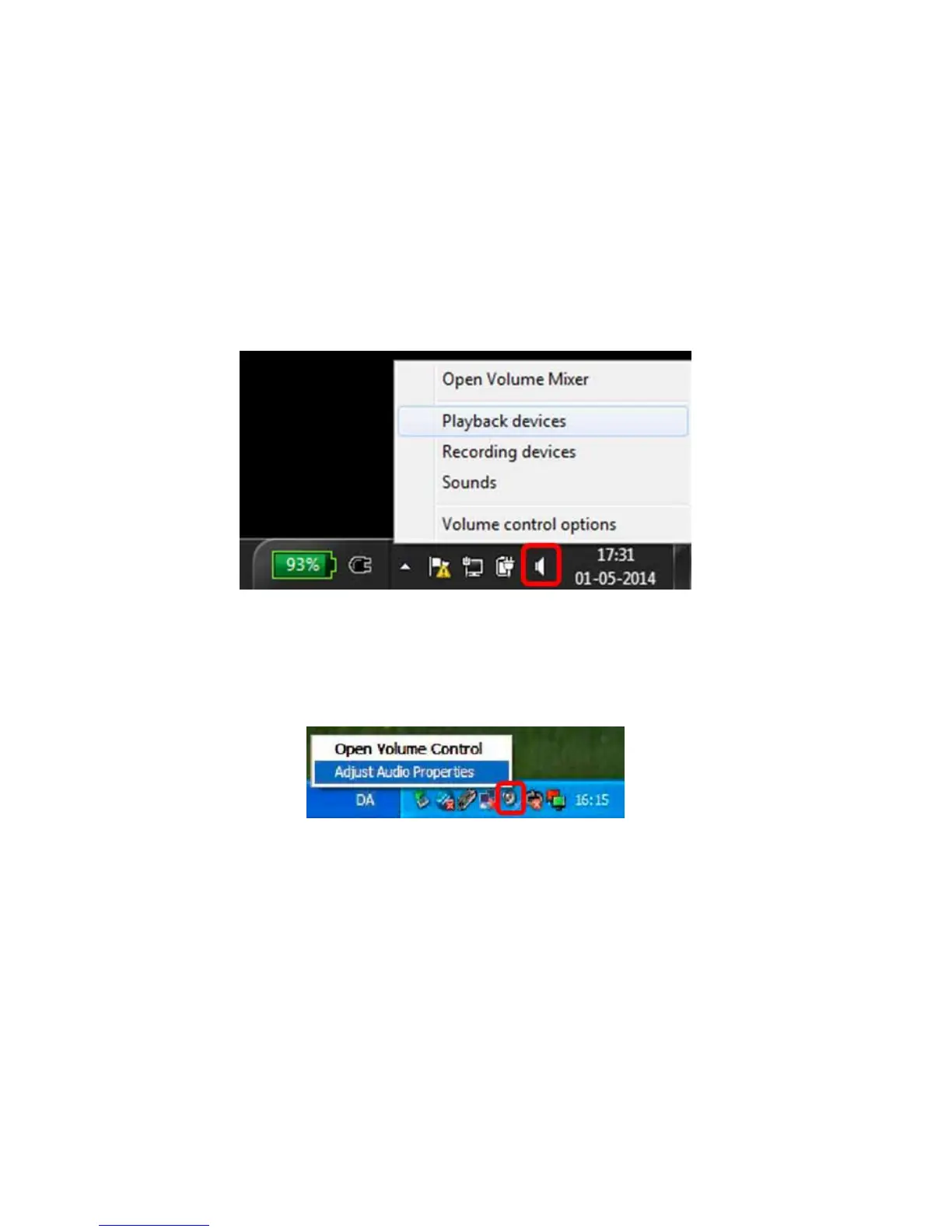
1. Access the Windows Audio Settings by right clicking on the speaker
icon on the Windows toolbar.
For Windows 7 and 8
For Windows XP



 To Next Page