EasyManua.ls Logo

Dell IE600 - User Manual

Dell IE600
17 pages
Print Icon
To Next Page IconTo Next Page
Loading...
Regulatory model: IE600
Dell Headset IE600
User’s Guide

Other manuals for Dell IE600

Question and Answer IconNeed help?

Do you have a question about the Dell IE600 and is the answer not in the manual?

Summary

Package Contents

Identifying Parts and Controls

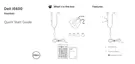
Headset

Identifies and labels the physical components of the Dell IE600 headset, including ear cushions, microphone, control button, and connector.

Connecting Your Headset to a Computer

Enabling Auto Pop-up

Dell Audio

Using the Headset

Explains how to use the headset for softphone calls, leveraging the control button if Dell Audio is installed.

Configuration to Listen to Music

Details how to connect the headset for music playback, setting it as the default playback device and using Dell Audio or application controls.

Answering;Ending a Call

Answer;End an Incoming Call on the Computer

Describes how to answer or end calls on a computer using the headset's control button or softphone interface.

Answer;End an Incoming Call on the Smart Phone

Explains how to answer or end calls on a smartphone using the headset's control button or the phone's interface.

Troubleshooting

Specifications

General

Lists general specifications of the Dell IE600 headset, including model number and supported operating systems.

Physical Characteristics

Details the physical attributes of the headset, such as weight, dimensions, cord length, and cleaning instructions.

Environmental

Provides environmental operating conditions, including temperature and humidity ranges for the headset.

Statutory Information

Warranty

Outlines the terms and duration of the limited hardware warranty for Dell-branded products and return policies.

Regulatory

FCC Notices (U.S. Only) and Other Regulatory Information

Presents FCC compliance statements and other regulatory information relevant to the headset's operation in the U.S.

Summary

Package Contents

Identifying Parts and Controls

Headset

Identifies and labels the physical components of the Dell IE600 headset, including ear cushions, microphone, control button, and connector.

Connecting Your Headset to a Computer

Enabling Auto Pop-up

Dell Audio

Using the Headset

Explains how to use the headset for softphone calls, leveraging the control button if Dell Audio is installed.

Configuration to Listen to Music

Details how to connect the headset for music playback, setting it as the default playback device and using Dell Audio or application controls.

Answering;Ending a Call

Answer;End an Incoming Call on the Computer

Describes how to answer or end calls on a computer using the headset's control button or softphone interface.

Answer;End an Incoming Call on the Smart Phone

Explains how to answer or end calls on a smartphone using the headset's control button or the phone's interface.

Troubleshooting

Specifications

General

Lists general specifications of the Dell IE600 headset, including model number and supported operating systems.

Physical Characteristics

Details the physical attributes of the headset, such as weight, dimensions, cord length, and cleaning instructions.

Environmental

Provides environmental operating conditions, including temperature and humidity ranges for the headset.

Statutory Information

Warranty

Outlines the terms and duration of the limited hardware warranty for Dell-branded products and return policies.

Regulatory

FCC Notices (U.S. Only) and Other Regulatory Information

Presents FCC compliance statements and other regulatory information relevant to the headset's operation in the U.S.

Dell IE600 Specifications

General IconGeneral
Ear couplingIntraaural
Headphone frequency20 - 20000 Hz
Headphone sensitivity98 dB
Storage pouchYes
Buttons quantity1
Number of products included1 pc(s)
Headset typeBinaural
Product typeHeadset
Product colorBlack
Wearing styleIn-ear
Recommended usageCalls/Music
Connectivity technologyWired
Microphone typeIn-line
Weight and Dimensions IconWeight and Dimensions
Height12 mm

Related product manuals