Connecting your headset to a computer │ 7
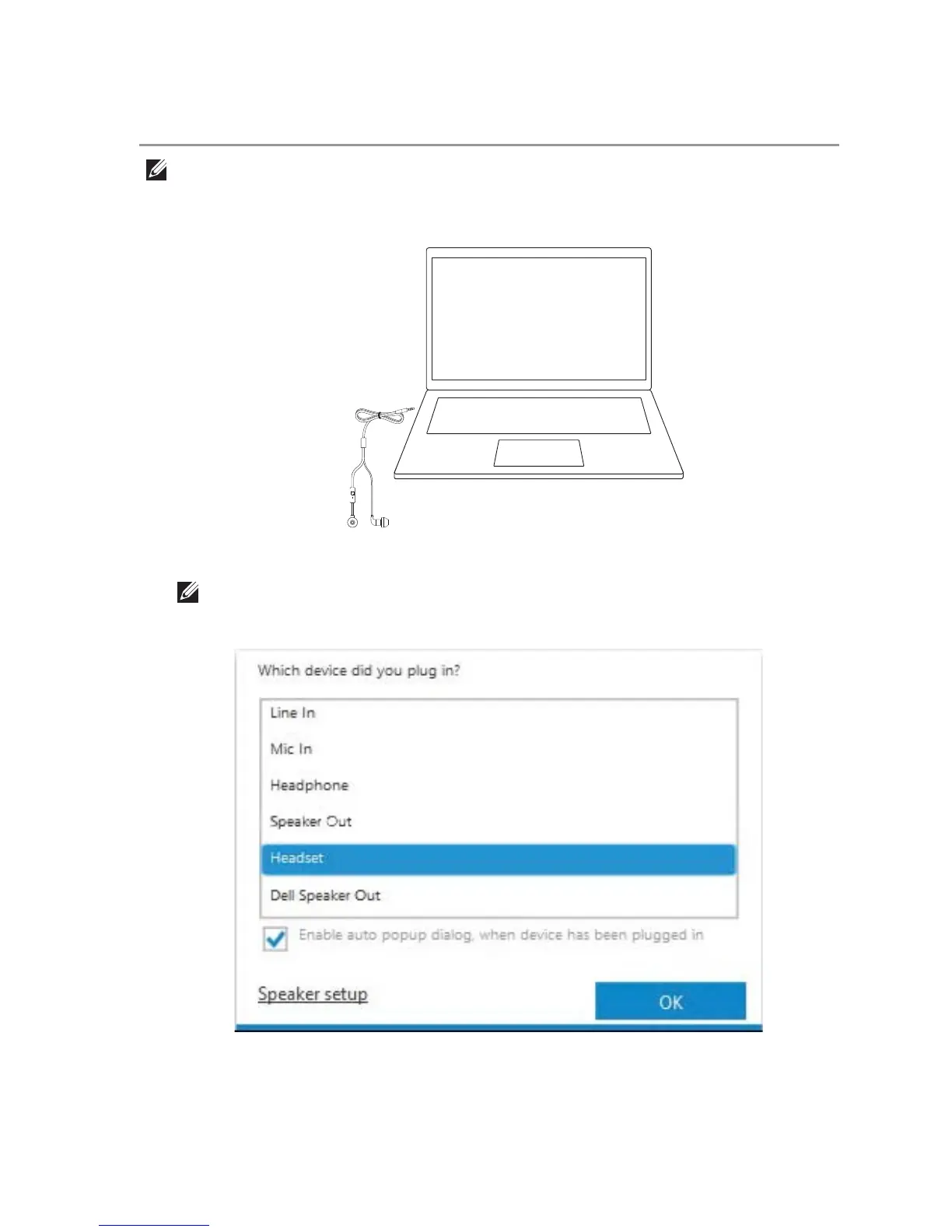
1. Plug the headset to your computer.
Connecting your headset to a computer
NOTE: If the device-selection window is not displayed,
see “Enabling auto pop-up”.
2. In the device-selection window, select Headset and click OK.
NOTE: The steps below are only applicable when using a Dell computer.



 To Next Page