Installing the expansion card
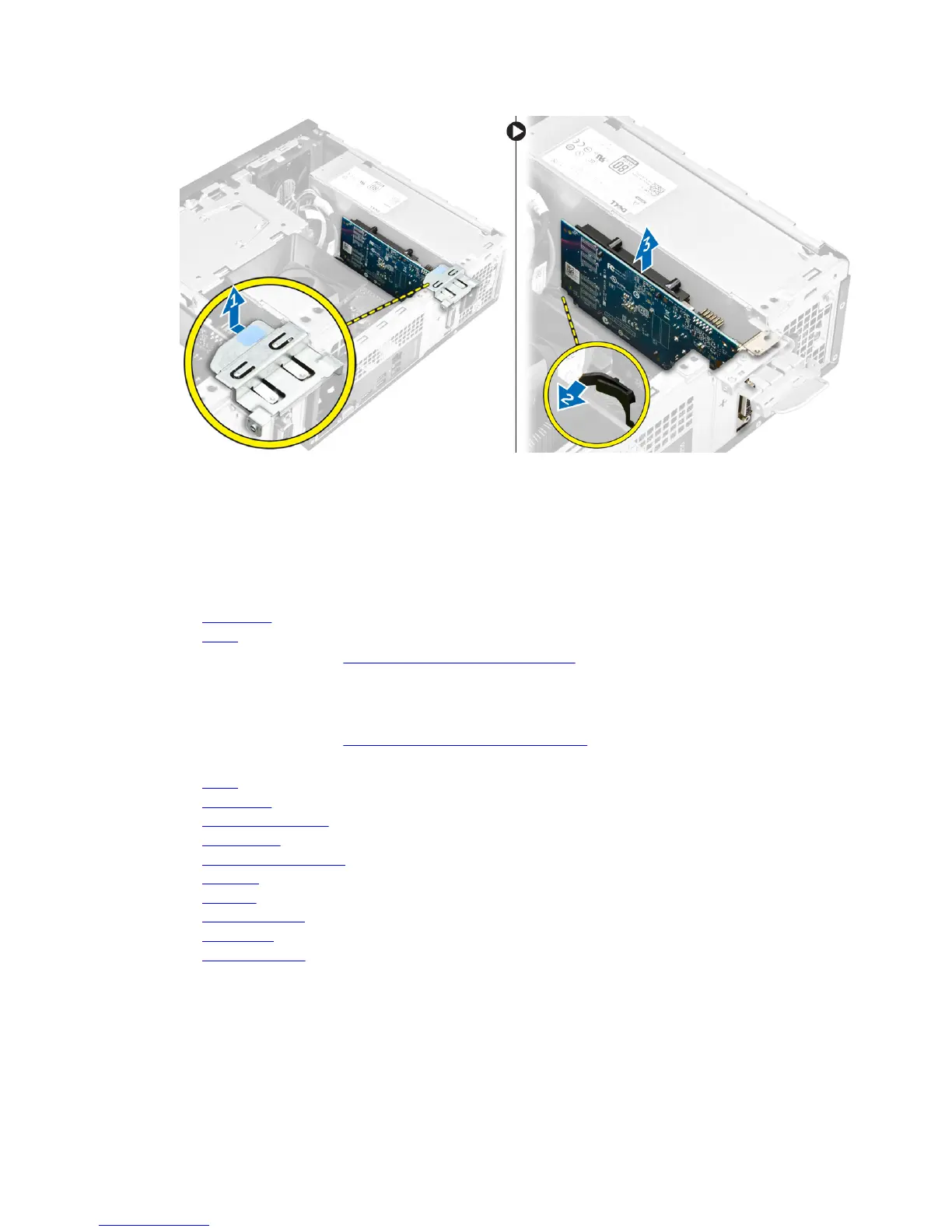
1. Insert the expansion card on the slot.
2. Push the card- retention latch to secure the secure the expansion card.
3. Push the metal tab until it snaps in place.
4. Install:
a. front bezel
b. cover
5. Follow the procedures in After Working Inside Your Computer.
Removing the system board
1. Follow the procedures in Before Working Inside Your Computer.
2. Remove:
a. cover
b. front bezel
c. hard drive assembly
d. optical drive
e. heat sink fan assembly
f. heat sink
g. memory
h. coin cell battery
i. WLAN card
j. expansion cards
3. Disconnect the cables from the system board:
20


 To Next Page