Back to Contents Page
Optical Drive
Dell™Vostro™3300ServiceManual
Removing the Optical Drive
1. Follow the procedures in Before Working Inside Your Computer.
2. Remove the battery.
3. Remove the base cover.
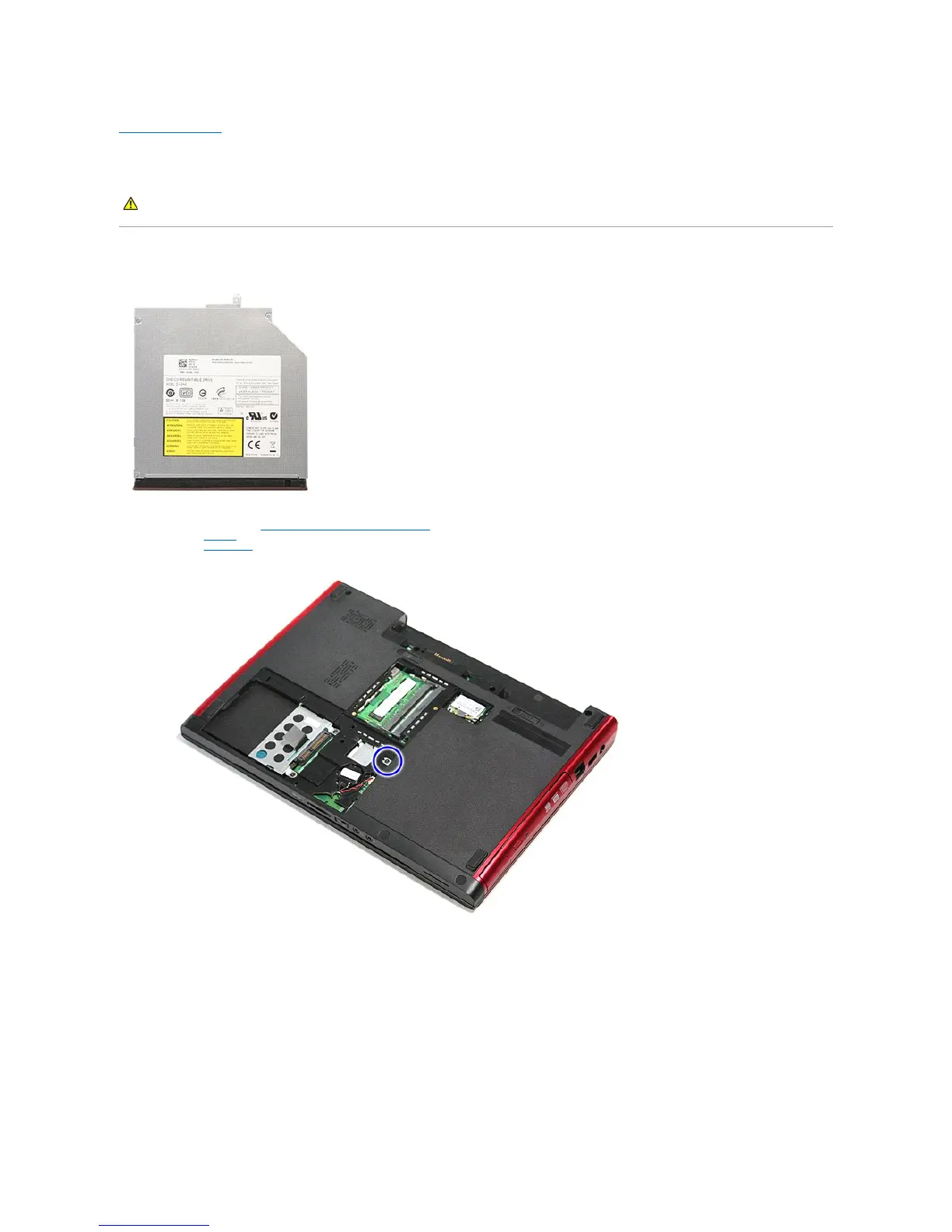
4. Remove the screw that secures the optical drive to the computer.
5. Using a screwdriver carefully, gently pry the optical drive out of the computer.
WARNING: Before working inside your computer, read the safety information that shipped with your computer. For additional safety best
practices information, see the Regulatory Compliance Homepage at www.dell.com/regulatory_compliance.



 To Next Page