EasyManua.ls Logo

Dell Vostro 430 - Replacing Memory

Dell Vostro 430
48 pages
Print Icon
To Next Page IconTo Next Page
To Previous Page IconTo Previous Page
Loading...
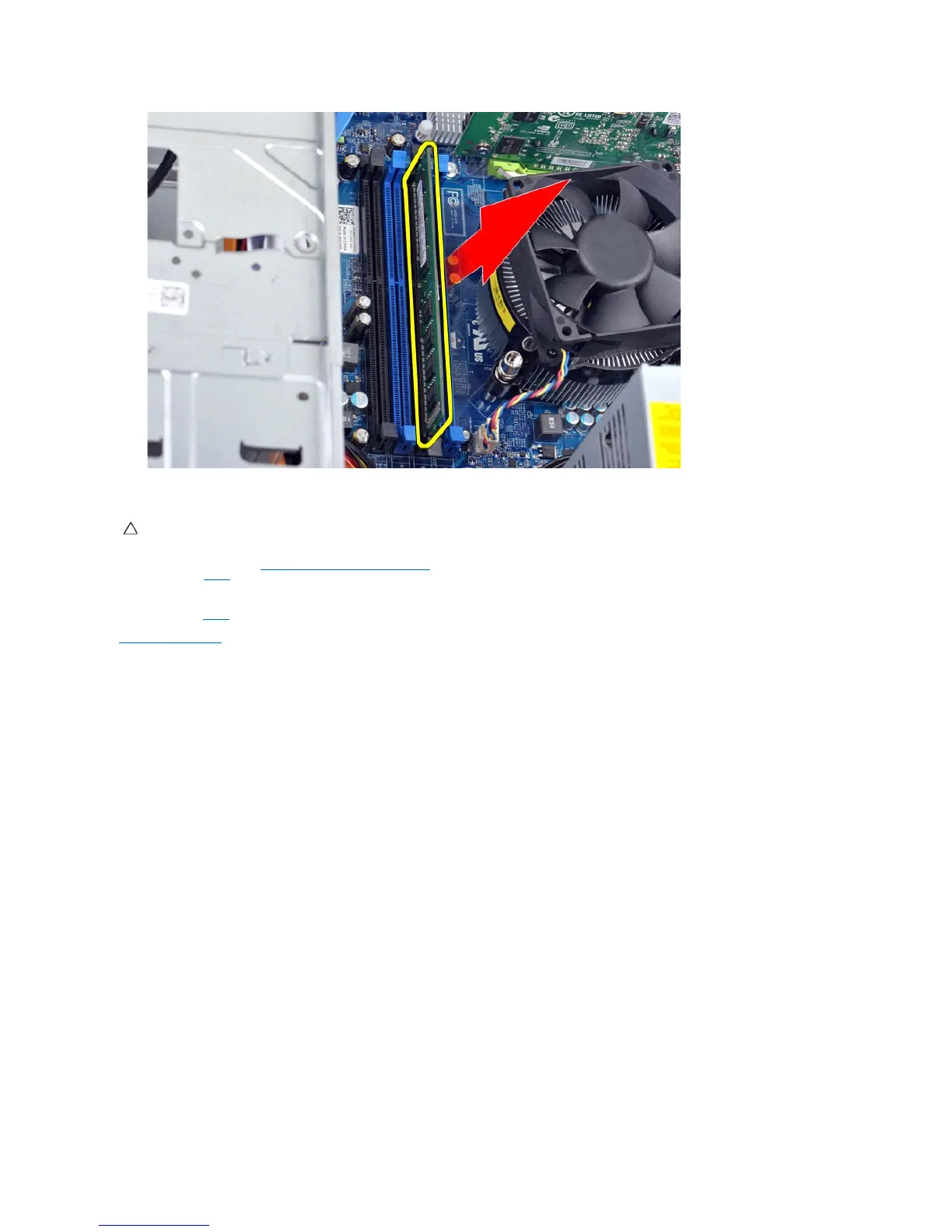
Replacing Memory
1. Follow the procedures in Before Working Inside Your Computer.
2. Remove the Cover.
3. Press out the securing clip on each end of the memory module connector.
4. Align the notch at the bottom of the module with the crossbar in the connector.
5. Insert the module in the connector until the module snaps into place.
6. Replace the Cover.
Back to Contents Page
CAUTION: To avoid electrostatic discharge and damage to internal components, ground yourself by using a wrist grounding strap or by
periodically touching an unpainted metal surface on the computer chassis before you install the memory module.

Other manuals for Dell Vostro 430

Related product manuals