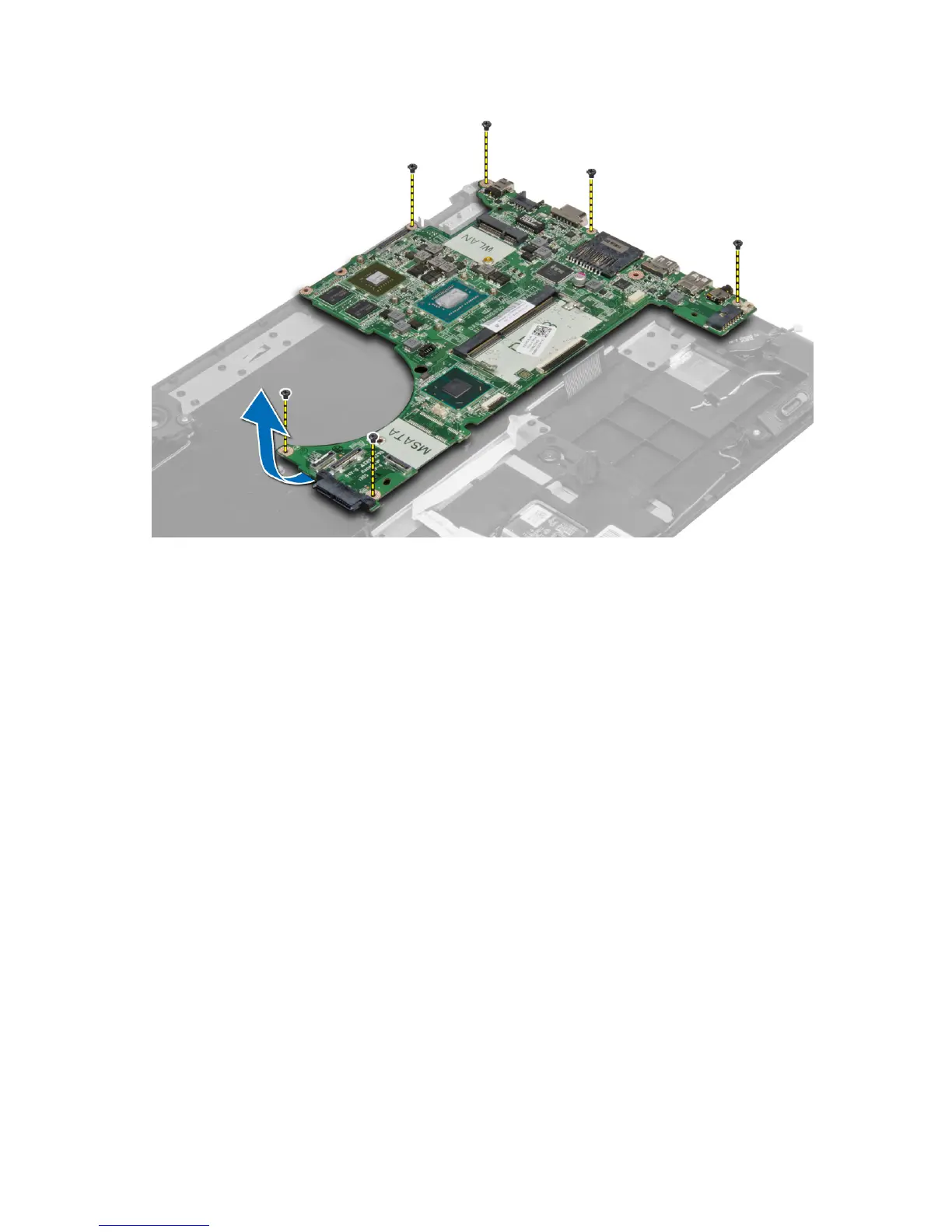
Installing the System Board
1. Place the system board into its original position on the chassis.
2. Install the screws that secure the system board to the chassis.
3. Connect the following cables:
a) I/O
b) woofer
c) hard drive
d) coin cell battery
e) camera
f) touchpad
g) keyboard
h) display
i) speaker
4. Install:
a) display assembly
b) memory
c) heat sink
d) system fan
e) battery
f) base cover
g) optical drive
5. Follow the procedures in
After Working Inside Your Computer.
22







 To Next Page