Steps
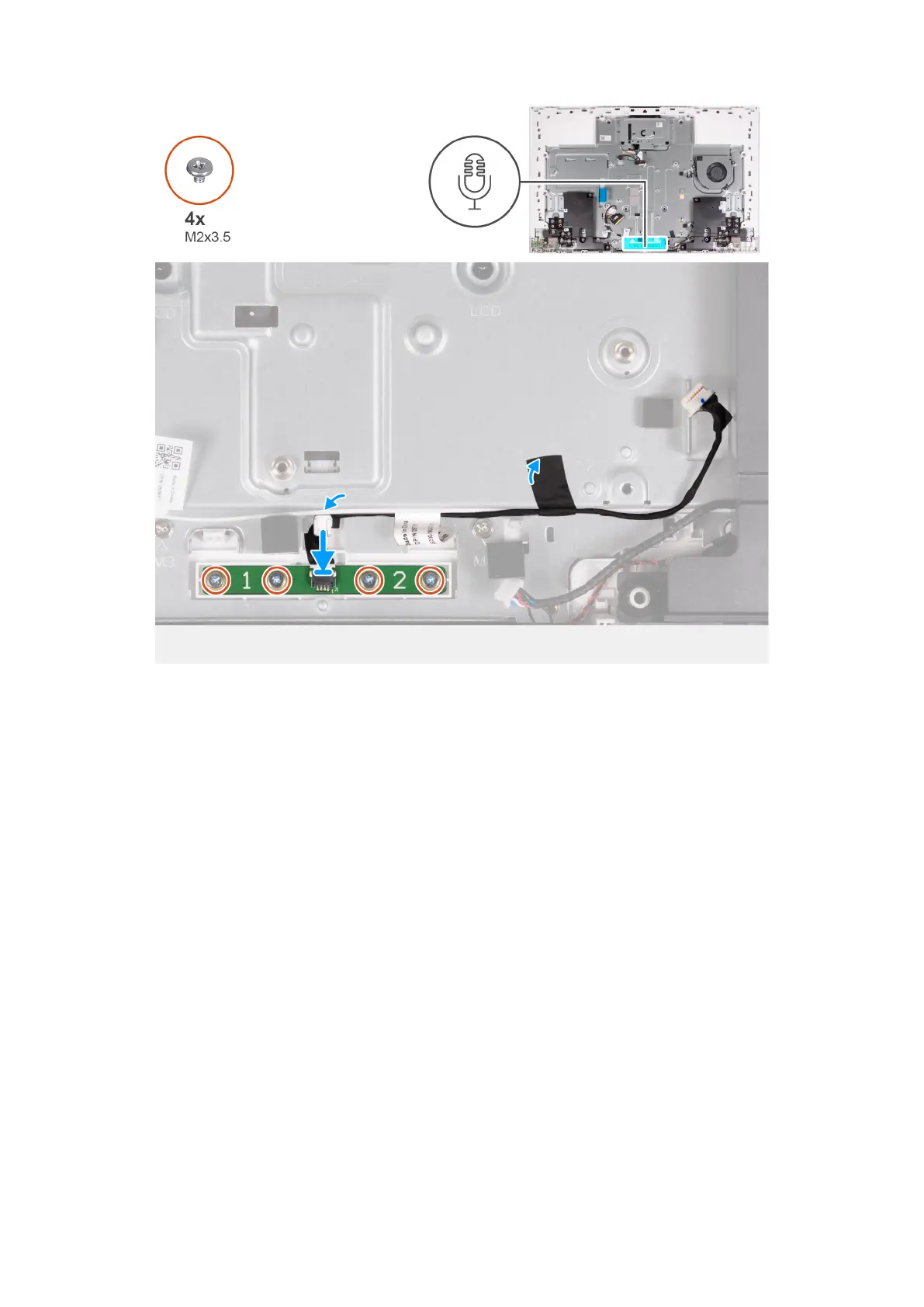
1. Align and place the microphone module into the slot on the display-assembly base.
2. Replace the four screws (M2X3.5) that secure the microphone module to the display-assembly base.
3. Route the microphone cable through the routing guides on the display-assembly base.
4. Adhere the tape that secures the microphone cable to the display-assembly base.
Next steps
1. Install the system board.
2. Install theintegrated heat sink or discrete heat sink.
3. Install the M.2 2230 solid-state drive or M.2 2280 solid-state drive, as applicable.
4. Install the wireless card.
5. Install the memory module.
6. Install the media-card reader.
7. Install the system-board shield.
8. Install the hard drive.
9. Install the I/O cover.
10. Install the back cover.
11. Install the stand.
12. Follow the procedure in After working inside your computer.
Removing and installing Field Replaceable Units (FRUs)
91



 To Next Page