EasyManua.ls Logo

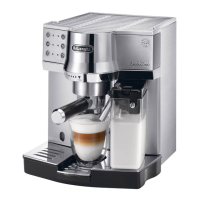
DeLonghi EC860.M - User Manual

DeLonghi EC860.M
9 pages
Print Icon
To Next Page IconTo Next Page
Loading...
15
Before using the appliance, always read the safety warnings.
1. DESCRIPTION
1.1 Description of the appliance
(page 3 - A )
A1. Cup shelf/Cup warmer
A2. Milk container/water spout connector
A3. Main switch
A4. Power cord connector socket
A5. Boiler outlet/Infuser assembly
A6. Water tank housing
A7. Water tank lid
A8. Water tank with water lter housing
A9. "No water" indicator
A10. Drip tray
A11. Drip tray max. water level indicator
A12. Cup tray
A13. Sliding compartment for macchiato/caelatte glass
A14. Cup warmer button
1.2 Description of control panel
(page 3 - B )
B1. ON/Stand-by button
B2. ON/Stand-by light
B3. 1 cup button
B4. Temperature OK/1 cup light
B5. 2 cups button
B6. Temperature OK/2 cups light
B7. Hot water button
B8. Hot water light
B9. Cappuccino/hot milk button
B10. Temperature OK/cappuccino/hot milk light
B11. Macchiato/hot milk button
B12. Temperature OK/macchiato/hot milk light
1.3 Description of the accessories
(page 2 - C )
C1. Filter holder
C2. 1 coee froth lter
C3. 2 coee froth lter
C4. ESE pod froth lter
C5. Power cord (removable)
C6. Measure/pressure
C7. Removable hot water spout
C8. Water hardness indicator paper (Total Hardness test)
C9. Descaler
C10. Water softener lter
1.4 Description of the milk container
(page 2 - D )
D1. Milk frother lid
D2. CLEAN button
D3. Milk spout
D4. Milk intake tube
D5. Milk container
2. FILLING THE WATER TANK
1. Extract the water tank (A8) and ll with fresh clean water,
taking care not to exceed the MAX level (g. 1).
2. Then put the tank back in the machine (g. 2).
Important: never operate the appliance without water in the tank or
without the tank.
3. SETTING UP THE APPLIANCE
1. Plug the power cord connector into the socket at the back
of the appliance (g. 3), then plug the plug into the mains
socket.
2. Attach the lter holder to the appliance. To attach correctly,
align the lter holder handle with the OPEN symbol
(g. 4), then rotate the handle to the right until it is aligned
with the CLOSE symbol (g. 5);
3. Place the main switch on the back of the appliance in the
I position;
4. At the end of the self-diagnosis cycle, the "hot water" light
(B8) ashes and the other lights go o. The appliance indi-
cates that the hot water spout must be inserted (C7) (g.
6);
5. Place a container with a minimum capacity of 100 ml under
the spout (g. 7);
6. Press the "hot water" button (B7). Delivery begins,
then stops automatically;
Please note: if the (B2) and (B8) lights ash, press the
button again.
7. To rinse the internal circuits of the appliance, place a recipi-
ent under the coee spout and press the button (B5).
Repeat ve times;
8. Now rinse the "steam" circuit. Place a recipient under the
hot water spout (g. 7) and press the button. Repeat
ve times. (If necessary, rell the tank).
Please note: we also recommend rinsing the internal circuits through if
the appliance is not used for a long period.
4. ACTIVATING THE WATER SOFTENER FILTER
Certain models are tted with a water softener lter (C10). If
this is not the case with your model, you are recommended to
purchase one from De’Longhi Customer Services.
To use the lter correctly, follow the instructions below.
1. Remove the lter from the packaging;

Questions and Answers

  • S
    Stephanie BowmanAug 12, 2025
    Why is no espresso coffee being delivered from my DeLonghi EC860.M Coffee Maker?
    • S
      Steven SmithAug 12, 2025
      If no espresso coffee is delivered by your DeLonghi Coffee Maker, several factors could be at play. First, ensure the water tank is filled. Secondly, check if the filter holder holes are blocked and clean them if necessary. Also, the filter and removable perforated filter might be blocked, requiring cleaning. The espresso boiler outlet could also be blocked, needing cleaning. Lastly, scale in the water circuit can prevent delivery; in this case, descaling is required.
  • I
    iwilcoxAug 16, 2025
    How to fix a DeLonghi Coffee Maker that does not come on?
    • J
      John ScottAug 16, 2025
      If your DeLonghi Coffee Maker doesn't turn on, the power cord might not be correctly inserted. Ensure the power cord connector is fully inserted into the socket on the back of the appliance, and that the plug is correctly plugged into the mains socket.
  • S
    Samantha YoungAug 20, 2025
    Why is the pump so noisy on my DeLonghi EC860.M Coffee Maker?
    • B
      Benjamin SchultzAug 20, 2025
      If the pump on your DeLonghi Coffee Maker is excessively noisy, it could be due to a few reasons. First, check if the water tank is empty and fill it if needed. Secondly, ensure the tank is correctly in place so the valve on the bottom is open. Press the tank forwards lightly to open the valve. Lastly, air bubbles in the tank connector can cause noise; follow the instructions in section “12. DELIVERING HOT WATER AND STEAM” until water is delivered.
  • C
    Christine Adams DVMAug 25, 2025
    Why is coffee froth too dark and slow from my DeLonghi Coffee Maker?
    • K
      Katherine OliverAug 25, 2025
      If the coffee froth from your DeLonghi Coffee Maker is too dark and delivered too slowly, several factors could be responsible. You might be pressing the ground coffee down too firmly, so press it less firmly. The quantity of ground coffee might be too high, so reduce the quantity. Also, the espresso boiler outlet could be blocked, requiring cleaning. The filter and removable perforated filter might be blocked, requiring cleaning. Ensure you are using ground coffee specifically for espresso coffee makers and that it is not damp. Finally, scale in the water circuit can cause this issue, so descale the machine.
  • A
    Angela BennettAug 27, 2025
    Why is the espresso coffee from my DeLonghi Coffee Maker cold?
    • C
      Christian HardyAug 27, 2025
      If the espresso coffee from your DeLonghi Coffee Maker is cold, the cups may not have been preheated. Also, scale in the water circuit can affect the temperature, so descaling may be necessary.
  • I
    Isaiah CamposAug 31, 2025
    Why does the milk from my DeLonghi Coffee Maker have large bubbles or little froth?
    • P
      phillip29Sep 1, 2025
      If the milk from your DeLonghi Coffee Maker contains large bubbles, squirts out of the milk spout, or produces little froth, the milk might not be cold enough or not semi-skimmed. Use skimmed or semi-skimmed milk at refrigerator temperature (about 5° C). If the result is not as expected, try a different brand of milk. The froth regulator on the milk frother lid might be incorrectly adjusted; adjust according to the instructions in section”11. MAKING CAPPUCCINOS AND MILK-BASED COFFEES”. The milk container lid could be dirty, so clean the cappuccino lid. Finally, the milk container/water spout connector might be dirty, so clean the connection nozzle.
  • F
    Frank SanchezSep 4, 2025
    What to do if espresso coffee drips from the filter holder edges of my DeLonghi EC860.M?
    • B
      Brittany GraySep 4, 2025
      If espresso coffee drips from the edges of the filter holder on your DeLonghi Coffee Maker, it may be due to incorrect insertion or a dirty filter holder. Attach the filter holder correctly and rotate firmly as far as it will go. Also, the filter and removable perforated filter might be blocked, requiring cleaning. The holes in the filter holder spouts could be blocked, so clean them. If the espresso boiler gasket has lost elasticity or is dirty, have it replaced by Customer Services.
  • T
    Tabitha GoodmanSep 8, 2025
    Why does the coffee from my DeLonghi EC860.M Coffee Maker taste acidic?
    • K
      kimberly04Sep 8, 2025
      If your coffee has an acid taste when using your DeLonghi Coffee Maker, it may be due to inadequate rinsing after descaling. After descaling, rinse the appliance as indicated in section “14. DESCALING”.

Summary

Description of the Coffee Machine

Appliance Components

Details the various parts of the coffee machine, identified by labels A1-A14.

Milk Container Components

Lists the individual parts of the milk container, labeled D1-D5.

Water Tank Operations

Filling the Water Tank

Instructions for filling the water tank with fresh water up to the MAX level.

Appliance Setup and Configuration

Initial Setup Procedure

Steps for initial setup, including plugging in, attaching filter holder, and initial rinse cycles.

Adjusting Water Temperature

Procedure to change the brewing water temperature for coffee.

Configuring Stand-by Interval

How to set the automatic shut-off time for energy saving.

Setting Water Hardness Level (Part 1)

Instructions for measuring and beginning the water hardness setting process.

Setting Water Hardness Level (Part 2)

Completing the water hardness setting based on test strip results.

Basic Operation and Features

Appliance Stand-by Mode

How to turn the appliance on/off or put it into stand-by mode.

Brewing Espresso with Ground Coffee

Step-by-step guide for preparing espresso using pre-ground coffee.

Brewing Espresso with Coffee Pods

Instructions for preparing espresso using ESE standard coffee pods.

Customizing Coffee Volume

How to program the desired coffee quantity for single or double servings.

Using the Cup Warmer

Instructions on how to activate and use the cup warming function.

Milk-Based Drinks Preparation

Milk Container Handling

Steps for filling and correctly attaching the milk container.

Making Cappuccino and Macchiato

Detailed instructions for preparing milk-based coffee drinks.

Cleaning the Milk Frother

Procedure to clean milk frother circuits using the dedicated CLEAN button.

Programming Milk;Coffee Quantities

How to set custom milk and coffee volumes for milk drinks.

Hot Water and Steam Functions

Dispensing Hot Water

Steps for dispensing hot water from the dedicated spout.

Adjusting Hot Water Volume

How to modify the default quantity of automatically delivered hot water.

Using the Steam Function

Instructions for using the steam function to heat or froth liquids.

Cleaning Steam;Hot Water Spout

Procedure for cleaning the steam and hot water spout after use.

Machine Cleaning and Maintenance

Regular Cleaning Schedule

Lists the machine parts requiring regular cleaning.

Internal Circuit Rinsing

How to rinse internal circuits after periods of inactivity.

Drip Tray Cleaning

Steps for emptying and cleaning the drip tray.

Coffee Filter Cleaning

Weekly cleaning procedure for 1/2 cup and pod coffee filters.

Boiler Outlet Cleaning

Instructions to rinse the boiler outlet after approximately 200 coffees.

Water Tank Cleaning

Monthly cleaning of the water tank, including filter rinsing.

Milk Container Cleaning

Detailed steps for cleaning the milk container and its components.

Connector Cleaning

How to clean the milk container/water spout connector.

Descaling Procedure

When and How to Descale

Procedure for descaling the appliance when indicated by the control panel light.

Technical Specifications and Lights

Technical Data Summary

Key specifications including voltage, power, dimensions, and weight.

Indicator Light Explanations

Explanation of various indicator lights and their meanings during operation.

Indicator Light Explanations (Continued)

Further explanation of indicator lights for different states and accessories.

Troubleshooting Common Issues

Troubleshooting Guide (Part 1)

Lists common problems like appliance not powering on or no espresso delivery.

Troubleshooting Guide (Part 2)

Addresses issues with coffee temperature, noise, froth quality, and taste.

DeLonghi EC860.M Specifications

General IconGeneral
TypeEspresso Machine
ModelEC860.M
Power1450 W
Pump Pressure15 bar
MaterialStainless Steel
Milk FrotherYes
ColorSilver
Voltage220-240 V

Related product manuals