13
PROBLEM CAUSE SOLUTION
The appliance does not grind the coee There is foreign matter that cannot be
ground in the coee grinder
Turn the grinder selector (A2) to 8, vacum all
the beans and particles in the beans container
(A3). If the problem persists, address to Cus-
tomer Service Centre.
If you want to change the type of coee You must remove all the beans present
in the machine
• Empty the beans container (A3) (if nec-
essary, operate the coee mill without
beans or use a vacuum cleaner to re-
move any remaining beans)
• Attach the portalter (C1) and operate
the coee mill a number of times with-
out beans to free the grinder. Attach the
portalter to the outlet of the grinder
(A13). Push the portalter to start
grinding: it stops automatically. Repeat
until the lter is empty
• Place the new coee in the beans
container
• If the amount of coee ground is not
enough to reach the perfect dose, pro-
ceed setting the appliance as for the
rst use
After grinding, the coee lter is empty The coee grinder funnel is clogged
See section “6. Cleaning the grinder”.
After grinding, the ground coee in the
lter (C3) or (C4) does not reach the
“perfect dose”
The quantity of ground coee needs
adjusting
Adjust the quantity of coee with the dial
(B4). If the dial is already in the max. position,
select the second range of grinding adjust-
ment (see “3. Menù settings”- “Extra grinding
adjustment”).
You are using the 2 cup lter (C4) Make sure the 2X light is on
Over time the burrs wear down
Address to a Customer Service Centre to
change burrs.
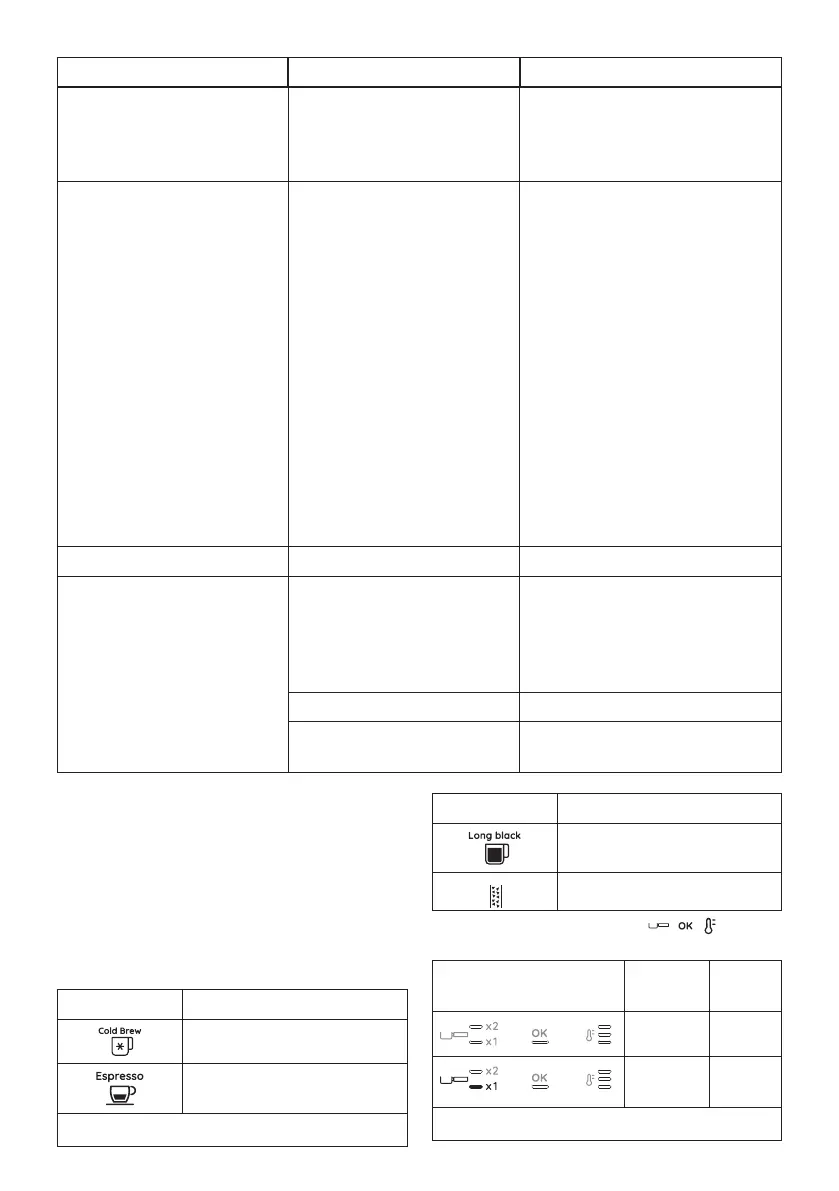
10.1 How to read the statistics
When you contact the Customer Service Centre, the statistics info
could be useful. Please follow this procedure:
• Enter the menù by pressing both buttons (B5) and (B7) for
3 seconds;
• Turn the knob (B8) to select “Cold Brew” position;
• Press the temperature button (B7);
• Once entered in the menu select the desired data rotating
the function knob according to the next chart:
Knob position Counter
Total count of Cold drinks
Total count of Hot drinks
…
→
Knob position Counter
Total count of Steam preparations
Total count of Descalings
• Check the lights corresponding to , , to read the
statistics:
Lights on control panel Beverage
count
Descale
count
Up to 100 Up to 1
Between
100 - 1000
Between
2 - 10
…
→





 To Next Page