8
6
After heating, the message “Rinsing” is displayed, together with
a progress bar which gradually lls as preparation proceeds. As
well as heating the boiler, the appliance also heats the internal
circuits by circulating hot water.
The appliance is ready when the message “Select your drink” is
displayed.
5. TURNING THE APPLIANCE OFF
Whenever the machine is turned o after being used to make
espresso or coee, it performs an automatic rinse cycle.
Danger of burns!
During rinsing, hot water ows from the coee spouts (A9).
Avoid contact with splashes of water.
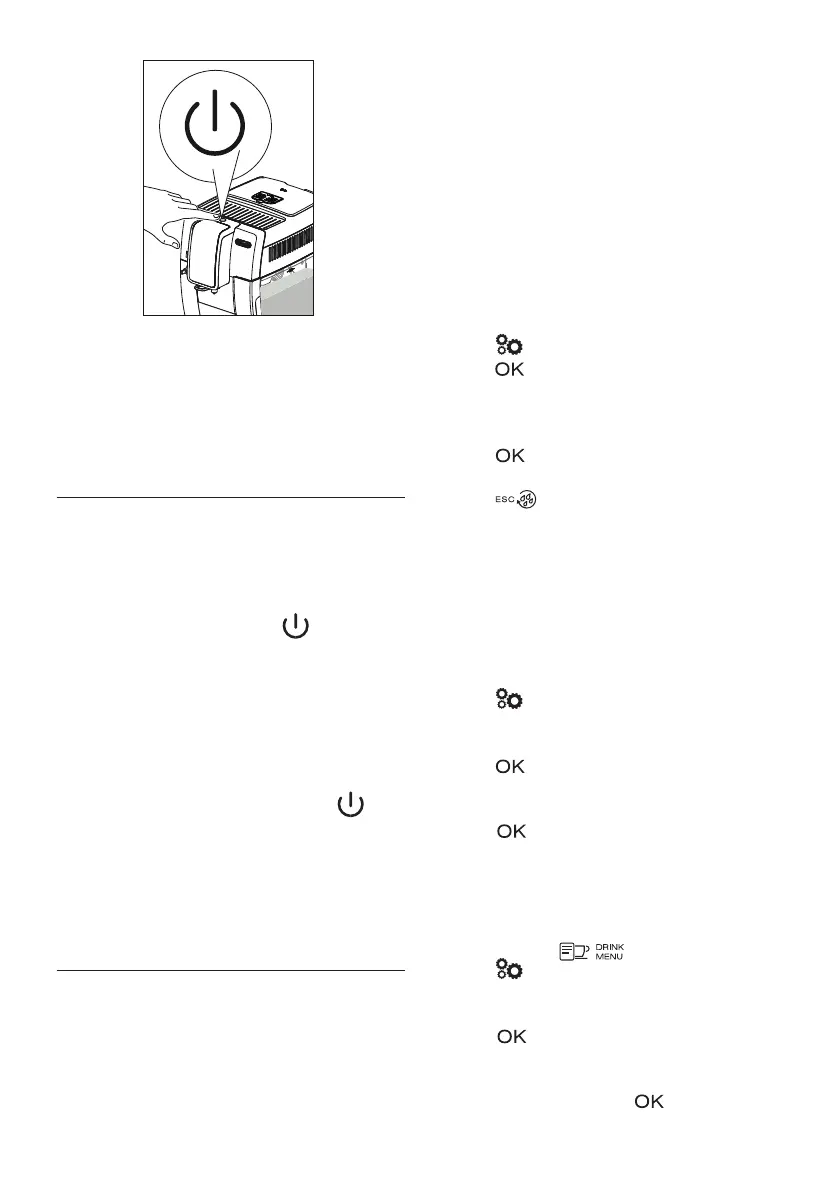
• To turn the appliance o, press the button (A7) (g.
6);
• The message “Turning o underway Please wait” appears
on the display (B1), then the appliance performs a rinse
cycle and goes o (standby).
Please note!
If you will not be using the appliance for some time, unplug
from the mains socket:
• rst turn the appliance o by pressing the button
(g. 6);
• press the main switch (A22) (g. 2).
Important!
Never press the main switch while the appliance is on.
6. MENU SETTINGS
The menu has 6 items, some divided into subgroups:
• Language;
• Maintenance:
- Descaling,
- Install lter,
- (if the lter is not installed): install lter
- (if a lter has been installed): Replace lter,
- (if a lter has been installed): Remove lter;
• Prg. drinks;
• Prg. My drinks;
• General:
- Set temperature,
- Water hardness,
- Auto-o,
- Energy saving,
- Beep,
- Default drinks,
- Default values;
• Statistics.
6.1 Language
To modify the language of the display (B1), proceed as follows:
1. Press (B6) to enter the “Settings” menu;
2. Press (B3) to select “Language”. The available lan-
guages are displayed;
3. Press the selection arrows (B2) and (B4) until the required
language is displayed between the two dotted lines;
4. Press to conrm;
5. The appliance goes back to the “Settings” menu;
6. Press (B5) to exit the menu.
6.2 Maintenance
Here you can nd all the maintenance operations required by
the appliance over time:
• Descaling: For instructions on descaling, see section “14.
Descaling”.
• Install lter: For instructions on how to install the lter
(C4) see section “16.1 Installing the lter”.
To select the operation you require, proceed as follows:
1. Press (B6) to enter the “Settings” menu;
2. Press the selection arrows (B2) and (B4) until “Mainte-
nance” is displayed between the two dotted lines;
3. Press B3 to conrm;
4. Press the selection arrows to display the operation to be
performed;
5. Press to conrm and perform the operations as de-
scribed in the corresponding sections.
6.3 Program drinks
The appliance is set by default to automatically deliver standard
quantities. To change these quantities and customize the direct-
ly selected drinks and (B14), proceed as follows:
1. Press (B6) to enter the “Settings” menu;
2. Press the selection arrows (B2) and (B4) until “Prg. drinks”
is displayed between the two dotted lines;
3. Press (B3) to conrm: the appliance lists the drinks
you can customize;
4. Press the selection arrows until the drink you want to cus-
tomize is displayed, then press to conrm;



 To Next Page