EasyManua.ls Logo

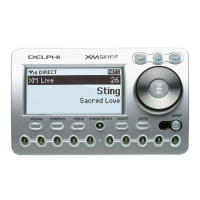
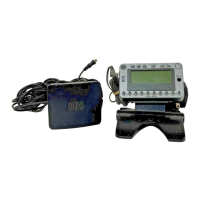
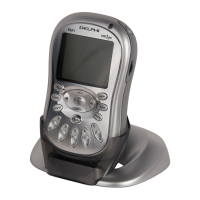
Delphi xm2go MyFi SA10113 - User Manual

Delphi xm2go MyFi SA10113
44 pages
Print Icon
To Next Page IconTo Next Page
Loading...
Satellite Radio Receiver · User Guide
Model SA10113
Warning: This manual contains important safety and operating information.
Please read, understand, and follow the instructions in this manual. Failure to do
so could result in personal injury, death, and/or damage to your MyFi receiver,
accessories, and/or to your vehicle or other property.

Other manuals for Delphi xm2go MyFi SA10113

Questions and Answers

  • R
    Ryan ManningAug 18, 2025
    How to fix 'NO SIGNAL' on my Delphi Receiver?
    • J
      jcolemanAug 19, 2025
      If your Delphi Receiver displays 'NO SIGNAL', the XM signal might be blocked. Try moving your device away from any obstructed areas, such as an underground garage.
  • F
    fergusonchadAug 21, 2025
    What to do if my Delphi xm2go MyFi SA10113 Receiver displays 'ANTENNA'?
    • M
      Mrs. Elizabeth Rodriguez DDSAug 21, 2025
      If your Delphi Receiver displays 'ANTENNA', there may be a problem with the built-in or external XM antenna. Try connecting the external antenna, ensuring the cable and connector aren't damaged. If you're using a home stand or vehicle cradle, make sure the home or vehicle antenna is plugged in, even if the wearable antenna is already connected.
  • A
    Anita BarnesAug 23, 2025
    Why does my Delphi xm2go MyFi SA10113 Receiver say 'OFF AIR'?
    • J
      john23Aug 23, 2025
      If your Delphi Receiver displays 'OFF AIR', it means the channel you're trying to listen to is not currently broadcasting. Simply tune to another channel.
  • S
    Sharon WestAug 26, 2025
    What does 'LOADING' mean on my Delphi xm2go MyFi SA10113?
    • A
      Amy HerreraAug 26, 2025
      If your Delphi Receiver displays 'LOADING', it indicates that your device is acquiring audio or program information from the XM signal. This message should disappear within a few seconds if the signal conditions are good.
  • J
    Joshua BurkeAug 28, 2025
    How long does 'UPDATING' take on my Delphi xm2go MyFi SA10113?
    • S
      Sarah DavisAug 28, 2025
      If your Delphi Receiver displays 'UPDATING', it means your device is being updated with the latest encryption code. Wait a few seconds until the update is complete.
  • A
    Alexander DixonAug 30, 2025
    Why is there no audio from my Delphi xm2go MyFi SA10113 when using the home stand connected to a stereo system?
    • M
      Michele GomezAug 30, 2025
      Check to see if you have plugged the AC adaptor into the home stand. The audio line output only works when the AC adaptor is plugged in.
  • L
    lmejiaSep 1, 2025
    Why is there no audio from my Delphi Receiver when listening through an FM radio?
    • J
      Joshua HollandSep 2, 2025
      Make sure that the FM radio and your Delphi Receiver are set to the same frequency.
  • S
    Savannah OwensSep 3, 2025
    How to fix static when listening to Delphi Receiver through FM radio?
    • R
      Roger KelleySep 3, 2025
      Change to another FM frequency. If the problem persists and you are using the wireless FM transmitter in a vehicle, change to a hard-wired FM transmitter.
  • M
    Morgan AndrewsSep 6, 2025
    Why doesn't the battery level meter match the charging time on my Delphi Receiver?
    • A
      Angela HornSep 6, 2025
      Fully charge the battery, then use your Delphi MyFi until the battery is fully exhausted. This calibrates the battery level meter.
  • B
    benjaminbrennanSep 8, 2025
    How to fix distorted audio on Delphi xm2go MyFi SA10113 Receiver when using FM transmitter?
    • A
      Amanda CameronSep 8, 2025
      Reduce audio output level.

Summary

Introduction to Delphi MyFi

A Brief History of XM and Delphi

Details the history of XM Satellite Radio and Delphi's role in its development.

About Delphi and XM Satellite Radio

Overviews of Delphi's expertise and XM's satellite radio service offerings.

Getting Started with Your MyFi

Important Reminders and Device Controls

Key safety reminders, explanation of device controls, remote, and flip-side features.

Remote Control and Display Screen Overview

Detailed explanation of the remote control buttons and the MyFi's display screen elements.

Whats in the Box and Initial Setup

Lists all components included and instructions for initial assembly and charging.

Activating Your XM Service

Step-by-step guide to activate the MyFi receiver with XM service.

Operating Your Delphi MyFi

Listening to XM Channels and Changing Stations

Instructions on how to tune into XM channels, browse, and select content.

Managing Favorites, Storing Data, and TuneSelect

Saving favorite channels, storing song info, and using TuneSelect for favorite artists/songs.

Time-Shifting, Scheduling, and Personalization

Using time-shifting, scheduling recordings, adjusting audio, and personalizing display.

Advanced Features: FM Tx, Stocks, Info Extras, and Time Settings

Utilizing FM transmitter, stock ticker, info extras, direct tune, and time features.

Channel Access, Skipping, and Factory Defaults

Managing channel access, skipping channels, and returning the device to factory settings.

MyFi Usage Scenarios and Installation

Using MyFi at Home

Connecting the MyFi to home stereo systems and aiming the antenna.

Using MyFi in Your Vehicle

Guidelines for vehicle installation, antenna placement, and mounting options.

Using MyFi On The Go and Signal Reception

Portable use, wearable antenna, locking controls, and signal reception guidelines.

Maintenance, Support, and Warranty Information

Care, Battery Management, and Accessories

Proper care, battery charging/disposal, and available accessories for the MyFi.

Troubleshooting Common Issues

Solutions for common problems encountered while using the MyFi receiver.

Technical Support, Information, and Warranty

Contacting support, technical specs, warranty details, and service procedures.

Delphi xm2go MyFi SA10113 Specifications

General IconGeneral
ModelSA10113
CategoryReceiver
ServiceXM Satellite Radio
Battery LifeUp to 5 hours
Display TypeLCD
BatteryLithium-Ion
TypePortable Satellite Radio Receiver
Power SourceRechargeable battery
Audio OutputHeadphone Jack
Additional FeaturesFM transmitter
Connectivity3.5mm headphone jack

Related product manuals