23 of 81
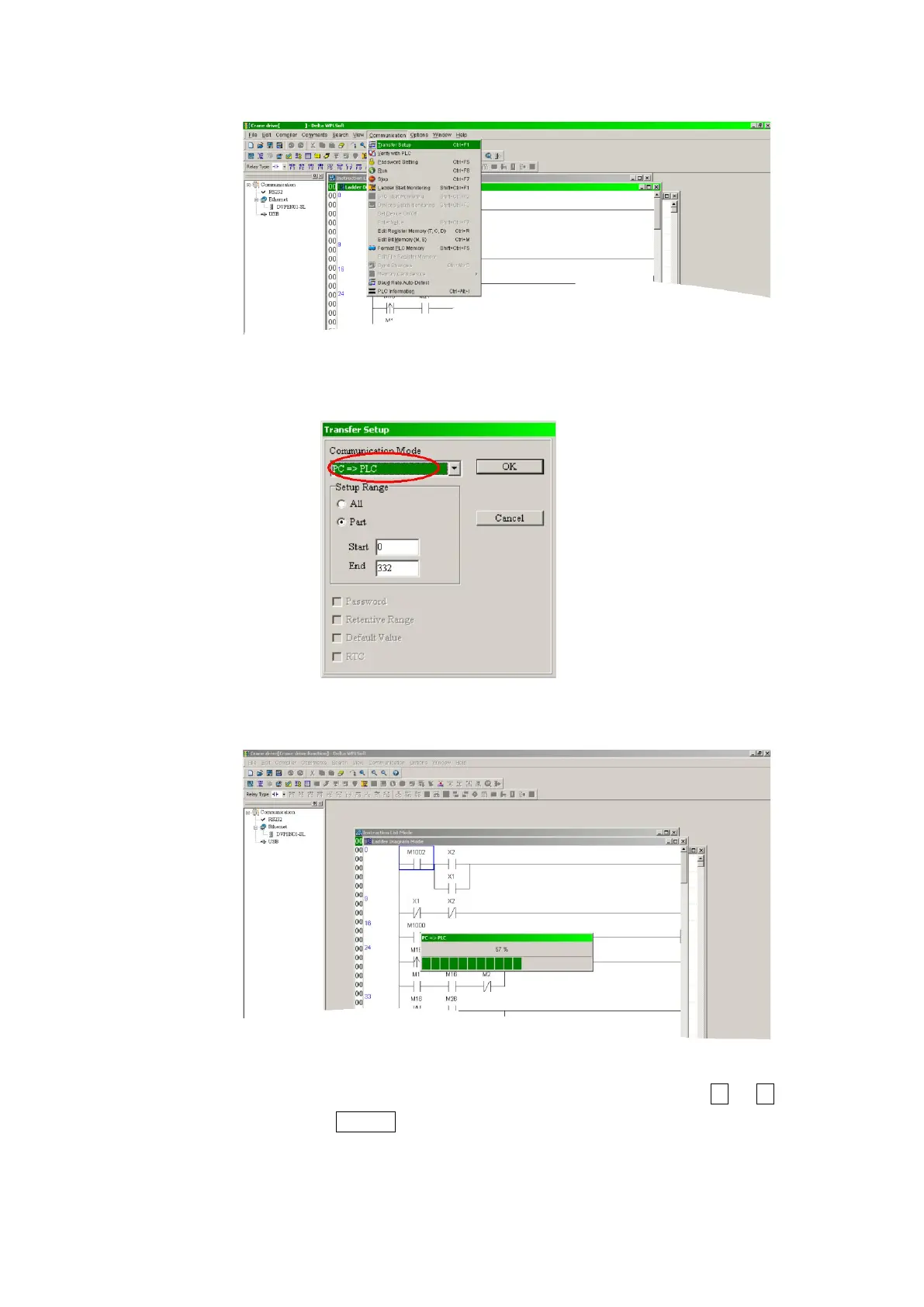
Step 10: Select Communication/Transfer Setup.
Step 11: Select PC => PLC and press OK
Step 12: The transfer progress is shown as follows:
Step 13: After completion of the transfer please set VFD-E with the or keys to
[PLC1] and press ENTER for standalone operation or leave at [PLC2] for online
operation and monitoring. Please refer to the user manual (Sensorless Vecotr Control
Compact Drive VFD-E Series user manual) for further details.


 To Next Page