Multi-functional Power M eter DPM-C510 O peration Manual
2-4
2.3 Operating the Display
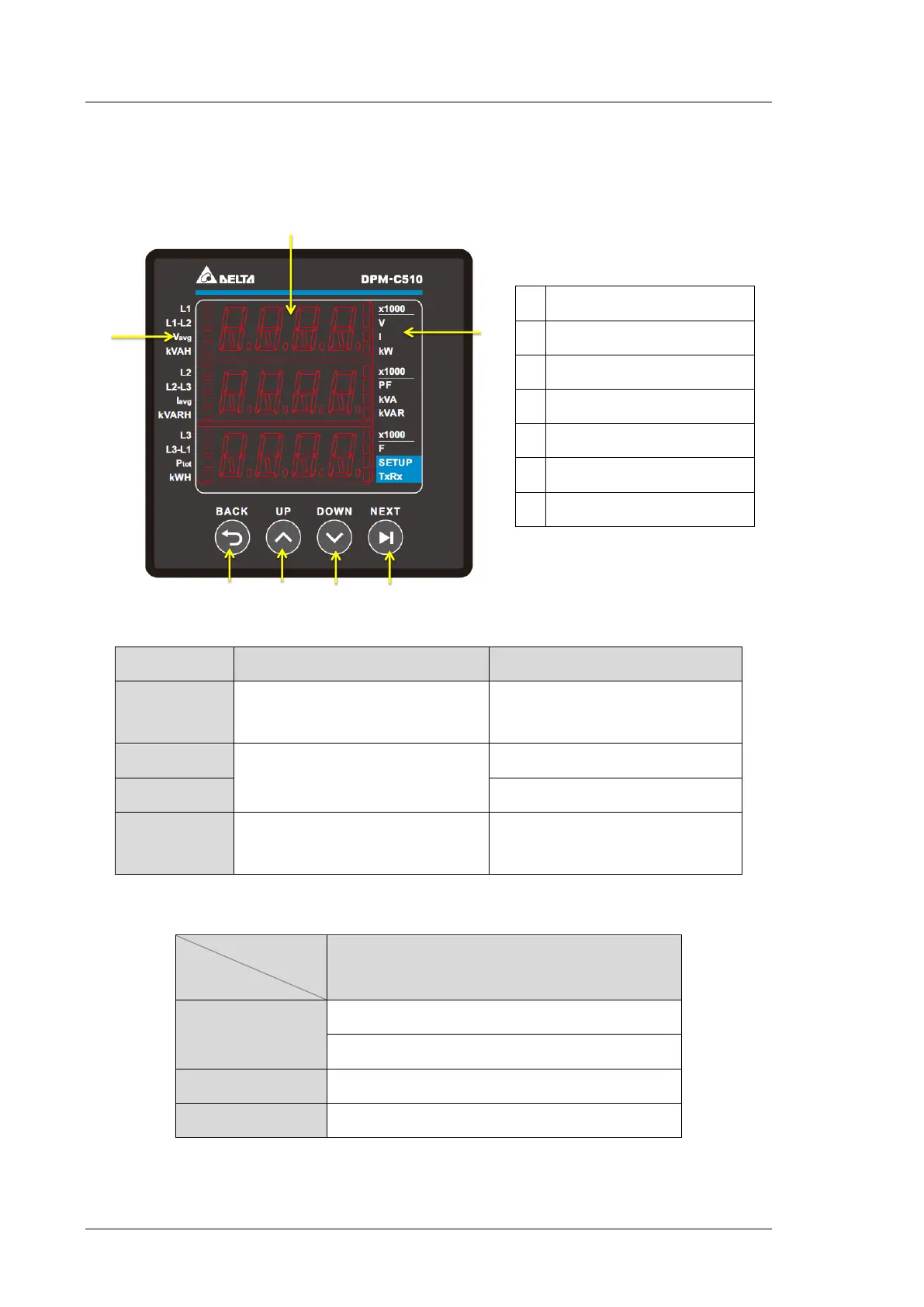
*Home page display:
Parameter
Description
Vavg
Average voltage L-L: 3PH3W
Average voltage L-N: 3PH4W
Iavg
Average current value
Ptot
Total real power
A Value display
B Item display
C BACK key
D UP key
E DOWN key
F NEXT key
G Unit/ Indicator
Button Basic Mode Setting Mode
BACK Key
Go to Menu or return to the previous
screen
Return to the previous screen without
saving the current setting
UP Key
To move between items and pages,
use the UP key or the DOWN key.
Increment the number
DOWN Key
Decrement the number
NEXT Key
Enter the settings of selected item.
Enter the setting mode and move to
the next setting.


 To Next Page