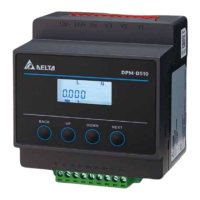
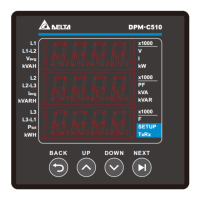
Multi-functional Power Meter DPM-C5 10 Operation Manual
4-4
4.2.3 Baud Rate (bAUd)
Baud Rate (BR): Transmission speed; the setting options are 9600 kbps (default), 19200 and 38400 bps
with 9600 bps being the default setting.
Steps:
1. Press NEXT key and the figures would start flickering.
2. Press UP and DOWN keys to select the figures of the baud rate.
3. Press NEXT key to complete the setting.
Note: You can go back to the previous setting item by pressing BACK key anytime, whether you have
completed or canceled the setting.
4.2.4 Parity Setup (PRty)
Parity (PRty): Odd and even checking bit for communication; the setting options are (8n1), Even (8E1)
and Odd (8o1) with None being the default setting.
Steps:
1. Press NEXT key and the figures would start flickering.
2. Press UP and DOWN keys to select the figures of the parity bit.
3. Press NEXT key to complete the setting.
Note: You can go back to the previous setting item by pressing BACK key anytime, whether you have
completed or canceled the setting.
4.2.5 System Setup (tyPE)
Wiring methods (WR): options are tone-phase two-wire (1PH2W), one-phase three-wire (1PH3W), three-
phase three-wire (3PH3W) and three-phase four-wire (3PH4W); default: three-phase four-wire.
Steps:
1. Press NEXT key and the figures would start flickering.
2. Press UP and DOWN keys to select the wiring method.
3. Press NEXT key to complete the setting.


 To Next Page