13
6.1 Panel Display
6.1.1 Area of Display
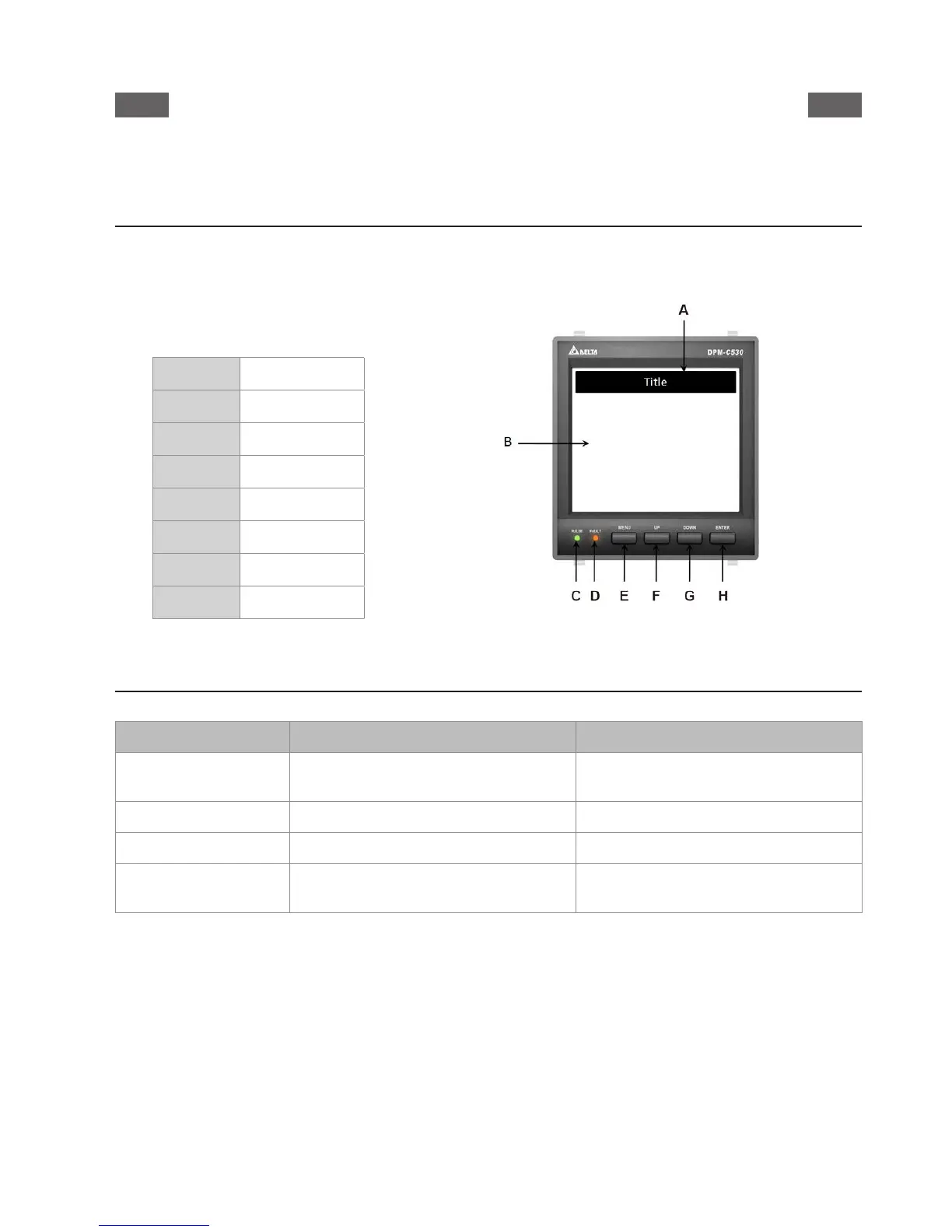
DPM-C530A uses LCD display that exhibits four pieces of measurement information on each page.
Diagram below is an illustration of the display panel:
Descriptions:
A
Title
B
Area of display
C
Pulse light
D
Fault light
E
Menu key
F
Up key
G
Down key
H
Enter key
6.1.3 Descriptions of the Keys
Name of Key General Mode Conguration Mode
Menu key
Enter into Menu or return to previous
page
Return without saving current settings
Up key Move up to select an item or page Increase numbers
Down key Move down to select an item or page Decrease numbers
Enter key Enter into the selected item
Enter into the setting and move to the
next location of setting
Panel Display and Settings



 To Next Page