DVP-ES2/EX2/EC5/SS2/SA2/SX2/SE&TP Operation Manual - Programming
Points to note:
1. There are two methods to correct built-in RTC:
Correcting by API167 TWR instruction
Please refer to explanation of instruction TWR (API 167)
Setting by peripheral device
Using WPLSoft / ISPSoft (Ladder editor)
2. Display 4-digit year data:
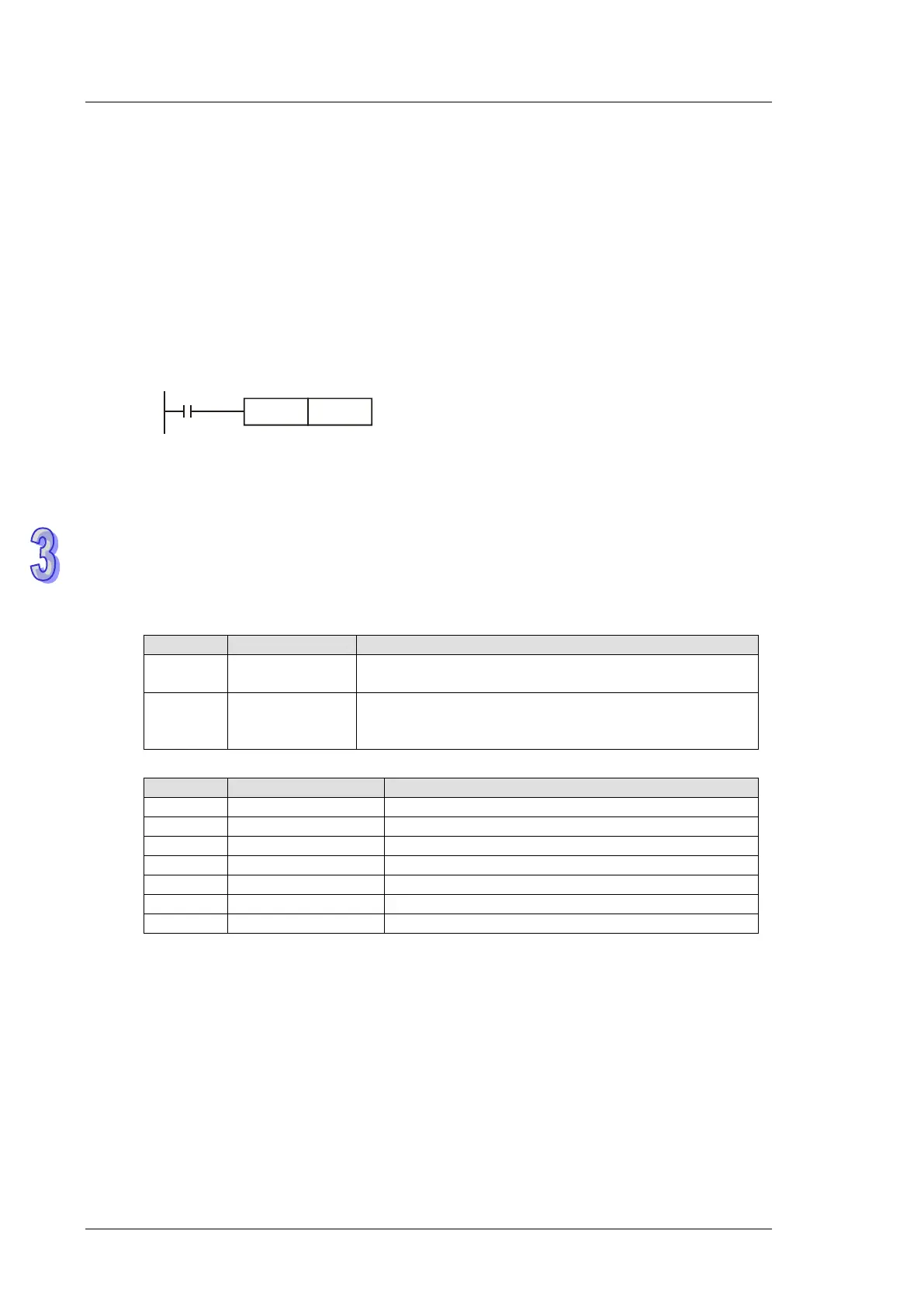
D1319 only stores the 2-digit year in A.D. If 4-digit year data is required, please insert the
following instruction at the start of program.
M1002
SET M1016
Display 4-digit year data
The original 2-digit year will be switched to a 4-digit year, i.e. the 2-digit year will pluses
2,000. If users need to write in new time in 4-digit year display mode, only a 2-digit year data
is applicable (0 ~ 99, indicating year 2000 ~ 2099). For example, 00 = year 2000, 50 = year
2050 and 99 = year 2099. However, 2000 ~ 2099 can be written in ES2/EX2 V3.0, SS2 V3.2,
SA2 V2.6, SX2 V2.4, and SE V1.6 (and above).
Flags and special registers for RTC
OFF: D1319 stores 2-digit year data in A.D.
ON: D1319 stores 2-digit year data in A.D + 2000
correction on
Correction takes place when M1017 goes from OFF
to ON (Second data in 0 ~ 29: reset to 0. Second data
in 30 ~ 59: minute data pluses 1, second data resets)
0-99 (two digit year data)


 To Next Page