DVP-ES2/EX2/EC5/SS2/SA2/SX2/SE&TP Operation Manual - Programming
Note:
1. We recommend user use the standard communication cable UC-DN01Z-01A (TAP-CB01) /
UC-DN01Z-02A (TAP-CB02) /
UC-CMC010-01A (TAP-CB10) and connect the terminal resistors
such as Delta standard terminal resistor TAP-TR01 to either terminal of the network when
constructing the network.
2. TAP-CN03 is a distribution box and the resistance it has can be effective after its SW1 is
switched to ON. According to actual demand, user could select TAP-CN01/CN02/CN03 for
wiring.
3. M of ASD-A2-xxxx-M refers to the model code and currently only the M-model servo supports
CANopen communication.
Setting Servo Parameters:
Set servo parameters as follows:
The Node ID of A2 servo is 2
CAN communication rate is 1Mbps.
Drive displays the motor rotation speed (r/min)
Set DI1 as the signal for Servo On
Set DI3 and DI4 as the signal for speed selection
Setting CANopen Baud Rate and Node ID of DVP-ES2-C
DVP-ES2-C uses the default setting values: Node ID: 17 and baud rate: 1Mbps.
CANopen Node ID and baud rate of DVP-ES2-C are set up through CANopen Builder
software. See the detailed operation steps below:
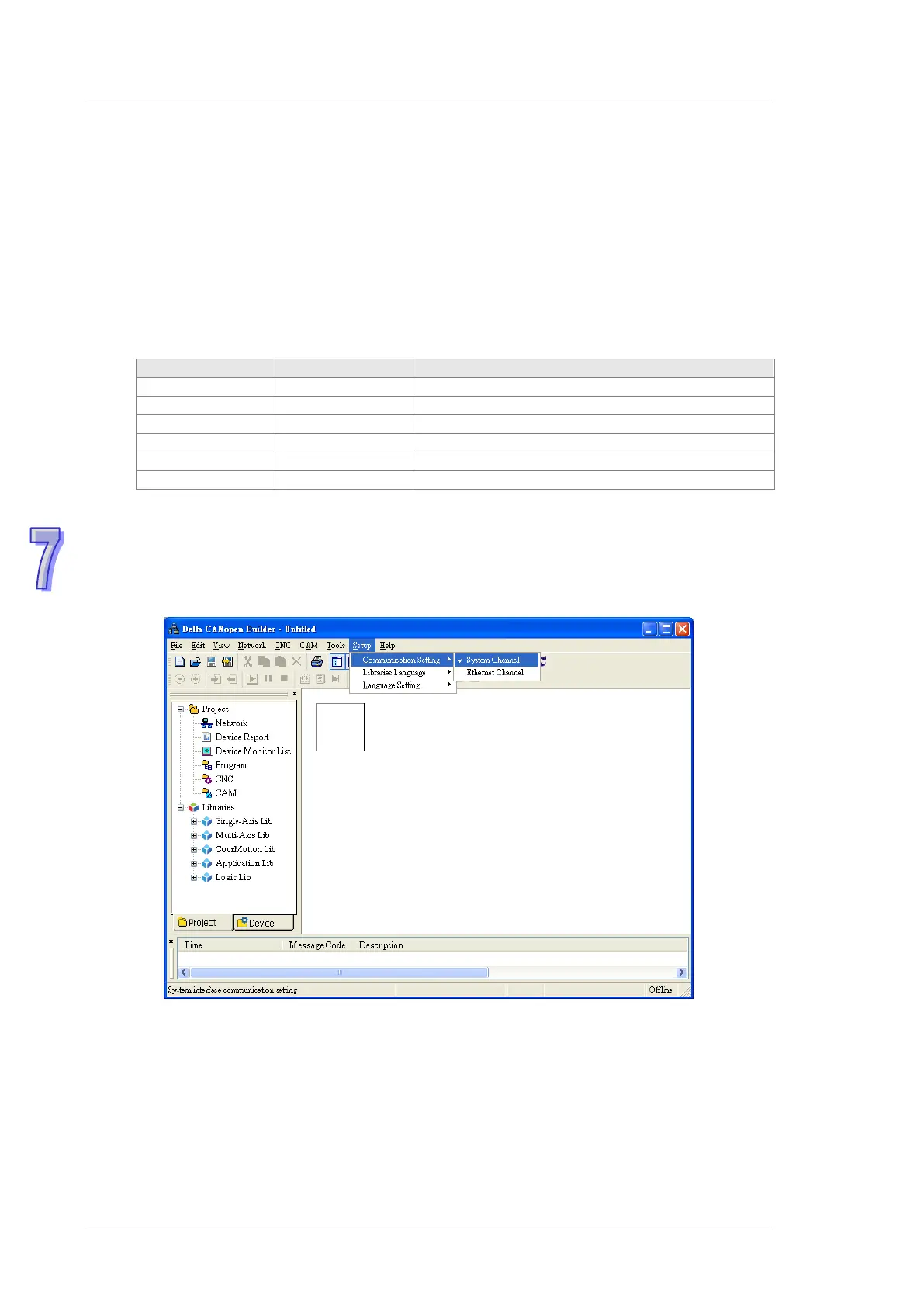
1) Open CANopen Builder software and then click menu “Setup” > “Communication setting”
> “System Channel”.


 To Next Page