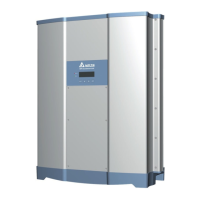
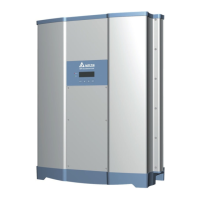
EasyManua.ls Logo

Delta M80U - User Manual

Delta M80U
130 pages
Print Icon
To Next Page IconTo Next Page
Loading...
M80U
M60U
Operation and Installation Manual
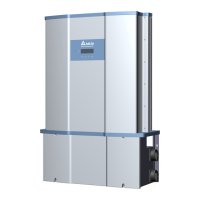
Grid-tie Transformerless Solar Inverter
The power behind competitiveness
www.deltaww.com

Table of Contents

Questions and Answers

  • L
    Laura LloydAug 29, 2025
    What does Solar1 Low (W01) error mean on my Delta Inverter?
    • L
      lsanchezAug 29, 2025
      If your Delta Inverter is showing a 'Solar1 Low (W01)' error, it might be because: 1. MPPT 1 input voltage is under the limit, so check the MPPT 1 voltage connection to the inverter terminal. 2. Some devices were damaged inside the inverter if the actual MPPT 1 voltage is close to "0", so check all switching devices in boost1. 3. There is a detection circuit malfunction, and you should contact customer service for technical support.
  • R
    Robert LawrenceAug 29, 2025
    Why is my Delta Inverter showing a Temperature (F07) error?
    • D
      Dorothy VasquezAug 29, 2025
      If the Delta Inverter displays 'Temperature (F07)', it could be due to: 1. Ambient air is less than -30?, so check the installation ambient and environment. 2. A detection circuit malfunction, and you should contact customer service for technical support.
  • C
    Cameron SullivanAug 28, 2025
    What does AC Surge DC Surge error mean on my Delta Inverter?
    • A
      Allison OnealAug 29, 2025
      If your Delta Inverter displays 'AC Surge DC Surge', possible causes include: 1. The inverter was struck by lightning, so check the inverter’s status. 2. One or more SPD are defective, so replace the defective SPD. 3. One or more SPD are disconnected, so check the connections of SPDs. 4. A detection circuit malfunction, so check the connection in AC terminal. 5. Wrong connection in AC terminal, so contact customer service for technical support.
  • A
    Alicia WarrenAug 28, 2025
    What causes Solar2 High (E31) error on my Delta M80U?
    • W
      William KochAug 28, 2025
      If your Delta Inverter displays 'Solar2 High (E31)', it could be due to: 1. MPPT 2 input voltage being over 1000Vdc, so modify the solar array setting, and ensure the Voc is less than 1000Vdc. 2. A detection circuit malfunction, and you should contact customer service for technical support.
  • E
    Erin LindseyAug 31, 2025
    What causes HW NTC3 Fail (F09) error on my Delta M80U Inverter?
    • B
      Bradley WallaceAug 31, 2025
      If your Delta Inverter displays 'HW NTC3 Fail (F09)', the problem might be: 1. Ambient temperature >90 ? or
  • F
    frank61Aug 27, 2025
    What does DC Injection (F01, F02, F03) mean on Delta M80U Inverter?
    • S
      Scott BrewerAug 27, 2025
      If the Delta Inverter displays 'DC Injection (F01, F02, F03)', it might be because: 1. The utility waveform is abnormal, so check the utility waveform and ensure the grid connection of the inverter is far away from any non-linear load if necessary. 2. There is a detection circuit malfunction, and you should contact customer service for technical support.
  • C
    Crystal FoxAug 27, 2025
    What does AC Con. Fail (E08) error mean on my Delta M80U Inverter?
    • R
      Ronald HodgeAug 27, 2025
      If your Delta Inverter displays 'AC Con. Fail (E08)', it could be due to: 1. Wrong connection in AC terminal, so check the AC connection in accordance with the user manual. 2. A detection circuit malfunction, and you should contact customer service for technical support.
  • H
    Helen HigginsAug 27, 2025
    Why is my Delta M80U showing a Temperature (F05) error?
    • L
      Leslie BarnesAug 27, 2025
      If your Delta Inverter shows 'Temperature (F05)' error, it may be due to: 1. The ambient air being over 60? (The installation is abnormal), so check the installation ambient and environment. 2. A detection circuit malfunction, and you should contact customer service for technical support.
  • C
    cooperjoshuaAug 27, 2025
    What does Insulation (E34) error mean on my Delta M80U Inverter?
    • J
      Julia VasquezAug 27, 2025
      If your Delta Inverter displays 'Insulation (E34)' error, possible causes include: 1. A PV array insulation fault, so check the insulation of Solar inputs. 2. Large PV array capacitance between Plus to Ground or Minus to Ground or both, so check the capacitance, and dry PV panel if necessary. 3. If none of the above steps work, there may be a detection circuit malfunction, and you should contact customer service for technical support.

  • M
    Melinda KingAug 26, 2025
    What causes AC Freq Low (E02) on my Delta Inverter and how to resolve it?
    • D
      Danielle AndersonAug 26, 2025
      If your Delta Inverter displays 'AC Freq Low (E02)', the issue might be due to several reasons: 1. The actual utility frequency is under the UFR setting, so check the utility frequency. 2. The Grid code or Grid setting is incorrect, so check them. 3. If the issue persists, there may be a detection circuit malfunction, and you should contact customer service for technical support.

Summary

Safety

Information of the Inverter

Covers legal provisions and the target audience for the inverter manual.

General Safety

Condition of Use

Details operational requirements and compatibility with PV modules and grid.

Safety Symbols

Introduction

Valid Model

Lists applicable inverter models and provides an overview.

Product Overview

Details M80/60U components and provides a packing list.

Installation

Mechanical Installation

Instructions for physically mounting the inverter, covering wall and tilt installations.

Vertical Wall Mount

Specific steps and considerations for mounting inverter vertically on a wall.

Horizontal or Tilt Mount

Guides on horizontal or tilted installation, including bracket usage.

Mounting Bracket

Explains bracket installation, differentiating new/old models.

New Models with New Mounting Bracket

Dimensions and details for mounting brackets on new model inverters.

Old Models with New Mounting Bracket

Dimensions and installation for mounting brackets on older model inverters.

Accessories

Describes installation of shielding plates included with the inverter hardware.

Wiring Box Cover Procedures

Instructions for removing and re-installing wiring box cover for proper operation.

Electrical Installation for AC Wiring

Covers safety and requirements for connecting AC wiring to the inverter.

AC Wiring Preparation

Details AC conductor preparation, including sizing, stripping, and cable type.

AC Switch Terminal Setup

Steps for preparing AC switch terminals using cage-clamp design for proper connection.

AC Wiring for M80;60 U_120 Models

Details AC conduit entry, connections, and terminal block for the M80/60U_120 model.

AC Wiring for M80;60 U_121 (With RSD)

AC wiring instructions for M80/60U_121 model with RSD.

AC Wiring for M80;60 U_121 (Without RSD)

Details AC wiring for M80/60U_121 model without RSD.

AC Wiring for M80;60 U_122 Models

Details AC conduit entry and connections for M80/60U_122 model's AC terminal block.

DC Wiring Installation

Covers critical safety hazards and precautions for DC wiring installation.

DC Wiring for M80;60 U_120

Instructions for connecting DC terminals and string wiring for M80/60U_120 models.

DC Wiring for M80;60 U_121

Details DC wiring, conductor sizing, and connection options for M80/60U_121 models.

DC Wiring for M80;60 U_122

Explains DC wiring using MC4 connectors for M80/60U_122 models and provides wiring illustration.

Ground Bar Locations

Shows locations of DC grounding bars for different inverter models (-120, -121, -122).

DC Ground Bar for 121;122 Models

Details mounting procedure for the DC side ground bar on 121/122 models.

Communication Module Connections

Introduces communication module and its terminals: VCC, RS-485, EPO, and Digital Inputs.

Accessing Communication Module

Provides steps for accessing and removing the communication module from the wiring box chassis.

RS-485 Connection

Explains RS-485 terminal block pin definitions and daisy-chaining for multiple inverters.

EPO and Digital Input Functions

Details EPO function and digital power reduction controls via terminal block.

Rapid Shutdown System Connection

Describes terminal for controlling rapid shutdown system (RSS) as per NEC 2017.

On-site Insulation Test

Precautions for performing on-site insulation tests, ensuring DC switches are OFF.

Commissioning

Display Operation Introduction

Introduces LCD display, programming keys, and LEDs for viewing data and status.

First Startup Routine

Guides initial setup: language, grid code, and RS-485 protocol.

Home Page

Describes homepage display showing status, output power, and energy data.

Main Menu and Inverter Functions

Lists inverter functions adjustable via LCD panel and their manual subsections.

Power Meter and String Monitoring

Details viewing AC/DC measurements and monitoring string current for M80/60U_122.

Energy and Event Logs

Explains viewing lifetime energy runtime and event logs (error, fault, grid report).

Inverter Information Display

Allows viewing static data like serial number, firmware, and connected parameters.

General Settings Configuration

Covers setting language, date, time, and RS-485 baud rate.

Install Settings and Access Levels

Explains access levels (User, Installer, Manufacturer) for adjusting inverter settings.

Inverter ID and Insulation Settings

Details setting RS-485 address (Inverter ID) and insulation resistance measurement.

Grid Code Configuration

Explains setting grid code for compatibility with local voltage, frequency, and grid standards.

Advanced Grid Settings

Allows adjustment of smart inverter parameters like voltage/frequency ride-through and soft start.

Potential Induced Degradation (PID)

Describes PID function to prevent PV module degradation and its setting options.

Residual Current Monitoring (RCMU)

Explains RCMU function for monitoring residual current and disconnecting inverter when high.

Emergency Power-Off (EPO) and AC Connection

Covers enabling EPO function and selecting AC connection types (3P3W/3P4W).

Anti-Islanding Protection

Details anti-islanding protection to prevent feeding power to grid during outages.

DC Arc Fault Circuit Interrupter (AFCI)

Explains AFCI function to detect and break arcs for fire prevention, default setting is 'ON'.

Grid Code Confirmation

Allows confirmation of grid code parameters like voltage and frequency protection settings.

Active;Reactive Power Control

Introduces active and reactive power control modes, requiring password for access.

Power Limit Setting

Allows reduction of output power to a percentage of rated power via Set Point.

Power vs. Frequency Control

Details how inverter reduces output power based on grid frequency rising and parameter tuning.

Power vs. Voltage (P(V)) Control

Explains how inverter reduces output power when grid voltage rises above lock-in voltage.

Constant Cosphi Control

Allows setting a fixed power factor (cosphi) for feeding reactive power to the grid.

Cosphi (P) Control

Describes feeding reactive power based on output active power and grid voltage conditions.

Constant Q Control

Enables assigning a percentage of reactive power in the Constant Q page.

Q(V) Control

Details controlling reactive power output based on grid voltage levels.

Fault Ride Through (FRT)

Explains enabling FRT function to maintain grid connection during voltage drops and parameter adjustment.

Maintenance

Wiring Box Cover Removal;Re-installation

Provides procedures for safely removing and re-installing the wiring box cover for maintenance.

Removing the WB Cover

Details steps for safely removing the wiring box cover, including power off and weather precautions.

Re-installing the WB Cover

Provides steps for properly re-installing the wiring box cover, including screw tightening and alignment.

Surge Protection Device (SPD) Replacement

Details the replacement procedure for AC and DC Surge Protection Devices (SPD).

Internal String Fuse Replacement

Details specifications for PV combiner fuses and fuse holders used in the inverter.

Smart Fans and Filter Maintenance

Provides procedures for cleaning filters and replacing smart fans for cooling the inverter's electronics.

WB Compartment Fan Removal

Details steps for removing and reassembling the fan module in the Wiring Box compartment.

Power Module (PM) Fan Tray

Describes the modular fan tray in the PM and the procedure for its removal.

PM Air Inlet Filter Removal

Provides steps to remove and clean the air inlet filter from the Power Module fan tray.

Release AFCI Fault Protection

Details the procedure to release AFCI fault protection after addressing arcing energy issues.

De-Commissioning the Inverter

Provides instructions for safely de-commissioning the inverter from operation for maintenance or replacement.

Error Message and Troubleshooting

Error Codes

Lists error codes, their possible causes, and recommended actions for troubleshooting.

Warning Codes

Lists warning codes, their possible causes, and recommended actions for troubleshooting.

Fault Codes (Part 1)

Lists fault codes, their possible causes, and recommended actions for troubleshooting.

Fault Codes (Part 2)

Lists fault codes, their possible causes, and recommended actions for troubleshooting.

Fault Codes (Part 3)

Lists fault codes, their possible causes, and recommended actions for troubleshooting.

Fault Codes (Part 4)

Lists fault codes, their possible causes, and recommended actions for troubleshooting.

Service Call Checklist

Provides a checklist of information required for efficient service calls to Delta's hotline.

Technical Information

M80 U Series Specifications

Details DC input and AC output specifications for M80U_120, M80U_121, and M80U_122 models.

M80 U Series Efficiency and Communications

Covers efficiency ratings, communication protocols, safety certifications, and smart inverter functions.

M60 U Series Specifications

Details DC input and AC output specifications for M60U_120, M60U_121, and M60U_122 models.

M60 U Series Efficiency and Communications

Covers efficiency ratings, communication protocols, safety certifications, and smart inverter functions for M60U.

Appendix: Grid Support Utility Interactive Inverters

CA Rule 21: Voltage Ride-Through

Provides low/high voltage ride-through set-points and timing parameters for Rule 21.

CA Rule 21: Frequency Ride-Through

Provides low/high frequency ride-through set-points and timing parameters for Rule 21.

CA Rule 21: Ramp Rate Settings

Details normal and soft-start ramp rate settings for CA R21 compliance.

CA Rule 21: Specified Power Factor

Specifies settings for power factor, voltage ranges, and power limits for CA R21.

CA Rule 21: Volt;VAr Mode (Q(V))

Details Volt/VAr mode settings for reactive power control according to CA R21.

CA Rule 21: Frequency-Watt (FW)

Details Frequency-Watt settings for power response to frequency changes per CA R21.

CA Rule 21: Volt-Watt (VW) Settings

Details Volt-Watt settings for active power reduction based on voltage levels per CA R21.

Appendix B: HECO

HECO A: Frequency Ride-Through

Provides frequency ride-through settings for O’ahu, Hawai’i Island, and Maui (HECO A).

HECO B: Frequency Ride-Through

Provides frequency ride-through settings for Moloka’i and Lana’i (HECO B).

HECO: Voltage Ride-Through

Provides voltage ride-through settings for O’ahu, Hawai’i Island, Maui, Moloka’i, and Lana’i.

Appendix C: Assembly Note

Assembly Note for All Models

General assembly notes and screw torque specifications applicable to all inverter models.

Assembly Note for 120 Model

Details assembly steps, locations, screw torques, and conductor sizes for the 120 model.

Assembly Note for 121 Model (With RSD)

Assembly details, torques, and conductor sizes for the 121 model with RSD.

Assembly Note for 121 Model (Without RSD)

Assembly steps, torques, and conductor sizes for the 121 model without RSD.

Assembly Note for 122 Model

Assembly notes, screw torques, and conductor cross-sections for the 122 model.

Delta M80U Specifications

General IconGeneral
Cooling MethodForced air cooling
Enclosure RatingIP20
Input Frequency50/60Hz ±5%
Output Voltage3-phase 0 ~ Input Voltage
Braking UnitBuilt-in braking unit
Control ModeV/f control, Sensorless Vector Control
Protection FunctionsOver-voltage, Over-current, Overload, Over-heat, Low-voltage, Ground fault, Short circuit
Overload Capacity150% for 60 seconds
Efficiency98% (Typical)
Operating Temperature-10°C ~ +50°C (14°F ~ 122°F)
Storage Temperature-20°C
AltitudeBelow 1000m (derating required above 1000m)
Ambient HumidityLess than 90% RH (non-condensing)

Related product manuals