EasyManua.ls Logo

Delta M30A 230 - User Manual

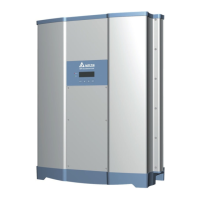
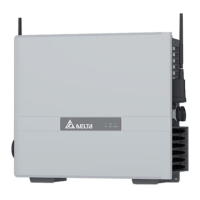
Delta M30A 230
142 pages
Print Icon
To Next Page IconTo Next Page
Loading...
M30A_230
Operation and Installation Manual
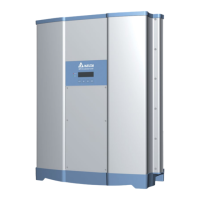
Grid-tie Transformerless Solar Inverter
The power behind competitiveness
www.deltaww.com
English 1
71
繁體中文

Table of Contents

Questions and Answers

  • A
    allison87Sep 10, 2025
    What does 'Iac Unbalance' mean on my Delta M30A 230?
    • B
      Bryce MolinaSep 10, 2025
      If your Delta Inverter displays 'Iac Unbalance', it could mean the power line is disconnected inside the inverter or that the current feedback circuit is defective. Check the connection in the AC plug.
  • D
    Dana GarrettAug 22, 2025
    How to fix an insulation fault on a Delta M30A 230 Inverter?
    • E
      Elizabeth HallAug 22, 2025
      To address an insulation fault on your Delta Inverter, begin by checking if the panel enclosure is completely grounded. Also, ensure that the inverter is completely grounded and inspect the DC breakers to make sure they are not wet.
  • G
    gbrooksAug 25, 2025
    Why is the AC voltage low on my Delta Inverter?
    • S
      Steven GarciaAug 25, 2025
      A low AC voltage on your Delta Inverter could be due to several reasons. The actual utility voltage might be under the UVR setting, so check if the utility voltage is within the suitable range. Also, the Grid Code or Grid setting might be incorrect, so verify those settings. Finally, check the connection in the AC plug.
  • M
    Monica BassAug 26, 2025
    What causes high AC voltage on a Delta Inverter?
    • M
      Melissa RodriguezAug 26, 2025
      High AC voltage on your Delta Inverter can occur if the actual utility voltage is over the OVR setting. Check the utility voltage to ensure it's within the suitable range. Also, verify that the Grid code and Grid setting are correct and check the connection in the AC plug.
  • B
    Benjamin RamirezAug 28, 2025
    How do I troubleshoot high DC voltage on a Delta M30A 230?
    • F
      Frederick HermanAug 28, 2025
      If your Delta Inverter displays a 'DC Voltage High' error, it could be because the input voltage exceeds 1000Vdc. Modify the solar array setting to ensure the Voc is less than 1000Vdc.
  • G
    Gina KnightAug 29, 2025
    What to do if my Delta Inverter shows a 'Temperature High' error?
    • R
      Robert DavidAug 29, 2025
      If your Delta Inverter indicates a 'Temperature High' error, it means the internal ambient temperature is exceeding the limit. Check the installation ambient and environment to ensure it's within the recommended range.
  • J
    Jonathan ScottSep 18, 2025
    How do I address an AC SPD fault on my Delta M30A 230 Inverter?
    • B
      Brittany PhamSep 19, 2025
      Check the connections of the AC SPD board and, if necessary, replace the AC SPD board.
  • T
    Tyler BallSep 12, 2025
    What causes an abnormal AC phase in a Delta M30A 230?
    • Z
      zsmithSep 12, 2025
      An abnormal AC phase in your Delta Inverter may be due to a wrong connection in the AC plug. Check the AC connection in accordance with the user manual.
  • D
    Daniel JordanSep 8, 2025
    What to do if my Delta M30A 230 Inverter shows a 'Temperature Low' error?
    • S
      Sean WuSep 9, 2025
      If your Delta Inverter indicates a 'Temperature Low' error, it means the internal ambient temperature is under the low temperature limit. Check the installation ambient and environment to ensure it's within the recommended range.
  • S
    Sharon ColonSep 5, 2025
    What should I do if my Delta M30A 230 Inverter displays 'AC Current High'?
    • L
      Larry GonzalezSep 5, 2025
      If your Delta Inverter is showing 'AC Current High', it could be due to a surge during operation. In this case, contact customer service for technical support. Alternatively, it may be due to the AC current being over range, in which case you should restart the inverter by DC switch.

Summary

Safety

Information of the Inverter

Provides essential information regarding the inverter for safety purposes.

General Safety Guidelines

Key safety instructions and precautions for operating the inverter.

Safety Symbols and Definitions

Defines symbols used in the manual to indicate hazards and precautions.

Introduction

Valid Inverter Models

Specifies the inverter models for which this manual is applicable.

Product Overview and Components

Details the components of the M30A_230 inverter and its packing list.

Installation

Unboxing and Initial Review

Procedure for unpacking the inverter and checking its contents.

Vertical Wall Mounting Procedure

Instructions for securely mounting the inverter vertically on a wall.

AC Wiring Electrical Installation

Guidance for safely connecting the AC wiring to the inverter.

AC Grid Types and Connections

Details supported AC grid connection types and configurations.

Required Protective Devices for AC

Specifies the necessary protective devices for AC connection.

AC Wiring Preparation Steps

Steps to prepare the AC wiring according to specifications.

AC Wiring Assembly and Connection

Instructions for assembling and connecting the AC wiring plug.

DC Wiring Electrical Installation

Guidance for safely connecting the DC wiring to the inverter.

DC Wiring Installation Steps

Detailed steps for installing and connecting DC wiring.

Equipment Grounding Procedure

Instructions for properly grounding the inverter equipment.

Communication Module Connections Overview

Overview of communication module connections and terminal functions.

Accessing the Communication Module

Procedure for accessing and removing the communication module.

RS-485 Communication Connection

Details for connecting the RS-485 communication interface.

EPO and Digital Input Functions

Explanation of Emergency Power Off (EPO) and digital input functions.

Dry Contact Connection Guide

Instructions for connecting dry contact outputs for external control.

SUB_1 G Module Installation (Optional)

Procedure for installing and wiring the optional SUB_1G module.

Wi-Fi Module Installation

Instructions for installing the Wi-Fi antenna and module.

On-Site Insulation Testing Procedure

Steps for performing an on-site insulation test on the inverter.

Commissioning

LED Status Indicators

Explanation of the LED indicators for inverter status.

Auto ID Commission Tool Usage

Guide to using the Auto ID tool for inverter configuration.

Auto ID Setting Process

Step-by-step process for setting inverter IDs using the tool.

Setting Inverter IDs Manually

Procedure for manually setting individual inverter IDs.

Setting Inverter Country Configuration

How to set the country code for the inverter's operation.

Synchronizing Inverter Time

Instructions for synchronizing the inverter's time with the Auto ID tool.

Delta Function Settings Configuration

Overview of configurable functions using DSS software and APP.

Maintenance

Inverter Door Access

Procedure for safely opening and closing the inverter access door.

Surge Protection Device (SPD) Replacement

Guide to replacing AC and DC Surge Protection Devices (SPD).

AC SPD Replacement Steps

Detailed steps for replacing the AC Surge Protection Device.

DC SPD Replacement Steps

Detailed steps for replacing the DC Surge Protection Device.

Internal Fan Replacement Procedure

Instructions for replacing the internal cooling fans.

De-Commissioning the Inverter

Procedure for safely stopping and removing the inverter from operation.

Error Message and Troubleshooting

Error Codes (Field Faults)

List of field fault error codes, their descriptions, and troubleshooting actions.

Fault Codes (Inverter Faults)

List of inverter fault codes, their descriptions, and troubleshooting actions.

Warning Codes (Field Warnings)

List of field warning codes, their descriptions, and actions.

Warning Codes (Inverter Warnings)

List of inverter warning codes, their descriptions, and actions.

Technical Information

DC Input Specifications

Technical specifications for the inverter's DC input parameters.

AC Output Specifications

Technical specifications for the inverter's AC output parameters.

Efficiency Specifications

Details on the inverter's peak and Euro efficiency ratings.

General Data and Specifications

General data including operating temp, protection level, dimensions, and weight.

Efficiency Curve

Graphical representation of inverter efficiency versus output power.

Power Derating Curve (PF=1)

Curve showing power derating based on ambient temperature at PF=1.

Power Derating Curve (PF=0.9)

Curve showing power derating based on ambient temperature at PF=0.9.

Appendix: Assembly Notes

Assembly Note 1: Component Torque Specs

Details screw torque specifications for Wi-Fi module, communication cover, and SUB_1G case.

Assembly Note 2: Fan and Wire Specs

Details screw torque and conductor cross-section for fans and H4 wire.

Assembly Note 3: SPD and Wire Specs

Details screw torque and conductor cross-section for SPD covers, modules, and AC wire.

Delta M30A 230 Specifications

General IconGeneral
PhaseSingle-Phase
Frequency50/60 Hz
Input Voltage230V
Output Voltage230V
ProtectionOverload, overvoltage, short circuit
CoolingFan
Storage Temperature-20°C to 60°C
Humidity5% to 95% (non-condensing)

Related product manuals