Chapter 14 PLC Function |C200 Series
14-44
API
11 D
ZCP
P
S1 S2 S D
Zone Compare
Bit Devices Word Devices
X Y M K H KnX KnY KnM T C D
S
1
* * * * * * * *
S
2
* * * * * * * *
S
* * * * * * * *
D
* *
Operands:
S
1
: Lower bound of zone comparison S
2
: Upper
bound of zone comparison S: Comparison value
D: Comparison result
16-bit command (9 STEPS)
ZCP
ZCPP
32-bit command (17 STEPS)
- - - -
Flag signal: none
Explanation
1.
S
1
: Lower bound of zone comparison S
2
: Upper bound of zone
comparison S: Comparison value D: Comparison result
2. S is compared with its
S
1
S
2
and the result is stored in D.
3. When
S
1
> S
2
, the instruction performs comparison by using S
1
as the
lower/upper bound.
4. The two comparison values are compared algebraically and the two
values are signed binary values. When b15 = 1 in 16-bit instruction or
b31 = 1 in 32-bit instruction, the comparison will regard the value as
negative binary values.
Example
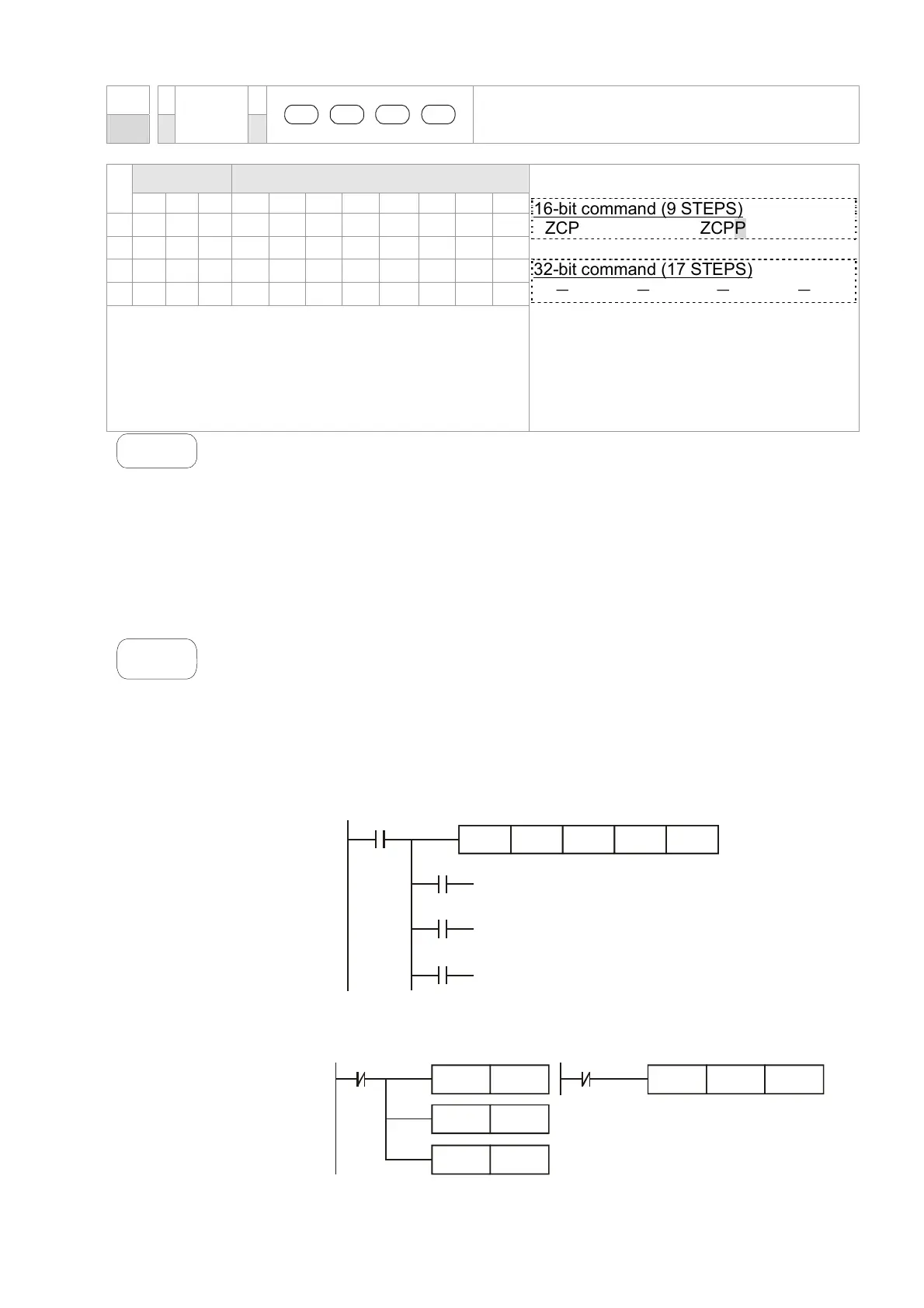
1. Designate device M0, and operand D automatically occupies M0, M1 and
M2.
2. When X0 = On, ZCP instruction will be executed and one of M0, M1, and
M2 will be On. When X10 = Off, ZCP instruction will not be executed and
M0, M1, and M2 remain their status before X0 = Off.
3. If the user need to obtain a comparison result with ≥ ≤, and ≠, make a
series parallel connection between Y0 ~ Y2.
X0
M0
M1
M2
ZCP
If C10 < K10, M0 = On
If K10 < C10 < K100, M1 = On
If C10 > K100, M2 = On
X0
K10 C10 M0K100
==
4. To clear the comparison result, use RST or ZRST instruction.
X0
RST
M0
RST
RST
M1
M2
X0
ZRST
M0
M2
Call 1(800)985-6929 for Sales
Call 1(800)985-6929 for Sales



 To Next Page