EasyManua.ls Logo

Delta VFD150VL43A-J - User Manual

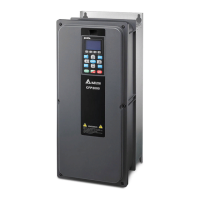
Delta VFD150VL43A-J
149 pages
Print Icon
To Next Page IconTo Next Page
Loading...

Table of Contents

Questions and Answers

  • Q
    qsmithAug 7, 2025
    What to do if I have wiring issues with my Delta VFD150VL43A-J Servo Drives?
    • A
      Amber BurtonAug 7, 2025
      If you're experiencing issues with Delta Servo Drives due to improper wiring, ensure all screws are securely fastened during installation. If the machine malfunctions, do not attempt to repair it yourself. Return the product to the dedicated service center for repair.
  • D
    Dawn JohnsonAug 12, 2025
    How to prevent dust issues with Delta VFD150VL43A-J Servo Drives?
    • T
      Tammy FerrellAug 12, 2025
      To address dust issues with Delta Servo Drives, install the inverter in a dedicated cabinet and use a dust-proof cover. Regularly clean the inverter to ensure proper heat dissipation.
  • L
    laurenhaneyAug 17, 2025
    How to prevent corrosion in Delta VFD150VL43A-J Servo Drives?
    • K
      Kayla OrrAug 17, 2025
      To prevent corrosion issues with Delta Servo Drives, install the inverter in a dedicated cabinet and prevent liquids from flowing into it. Perform regular cleaning to avoid corrosion damage.
  • K
    Kimberly MasonAug 22, 2025
    How to prevent oil contamination in Delta VFD150VL43A-J?
    • D
      dstewartAug 22, 2025
      To mitigate oil contamination issues with Delta Servo Drives, install the inverter in a dedicated cabinet, keeping it away from potential oil spills. Regularly clean the inverter to prevent oil damage.
  • J
    james91Aug 27, 2025
    Why are the multi-function input/output terminals not working on my Delta Servo Drives?
    • A
      Anthony McintoshAug 27, 2025
      If your Delta Servo Drives are experiencing issues with multi-function input/output terminals, it's likely due to exceeding their specifications. Refer to the operation manual for the rated voltage and current of the I/O contacts, and ensure you do not exceed these limits.
  • J
    Jason PatrickSep 2, 2025
    What to do for lint issues in Delta Servo Drives?
    • K
      Kelly LamSep 2, 2025
      To resolve lint issues with Delta Servo Drives, install the inverter in a dedicated cabinet. Regularly clean the inverter to prevent lint accumulation.

Summary

Preface

Installation Safety Warnings

Crucial safety guidelines and precautions to be read before installing the drive.

Use and Installation

Product Specifications

Detailed technical specifications for the 230V and 460V series of the drive.

Wiring

Control Panel and Machine Adjustment Procedure

Machine Adjustment Procedure Steps

Steps for adjusting and setting up the machine for operation.

Motor Parameter Setup

Steps to enter and configure motor parameters, including factory defaults.

Motor Parameter Auto-Tuning

Procedures for performing automatic motor parameter tuning.

Injection and Pressure Holding Adjustment

Fine-tuning parameters for injection and pressure holding operations.

Confluence Machine Tuning Procedure

Procedure for tuning the machine in confluence mode.

Confluence;Diversion Mode Adjustment Procedure

Steps for configuring the drive for confluence or diversion modes of operation.

Description of Parameters

Detailed Parameter Descriptions

In-depth explanations of various parameters within the drive's system.

System Parameters (00)

Detailed information on system parameters related to drive model, current, and reset settings.

Motor Parameters (01)

Parameters related to motor configuration, control modes, and auto-tuning.

Parameters for Protection (02)

Parameters related to various protection functions and fault records.

Digital;Analog Input;Output Parameters (03)

Parameters for configuring digital and analog I/O signals and multi-function terminals.

Fault Codes and Descriptions

Error Messages and Indicators

Explains error messages displayed on the keypad and indicator lights on the drive.

Over Current Faults (OC)

Details of over-current faults, including causes and troubleshooting steps.

Ground Fault (GFF)

Information on ground fault protection, its causes, and resolution.

Over Voltage Faults (OV)

Explains over-voltage faults, their detection, and potential solutions.

Low Voltage Faults (Lv)

Information on low voltage faults, including detection and corrective actions.

Over Heat Faults (oH1)

Details on over-heat protection for the IGBT and heat sink.

Overload Faults (oL)

Information regarding overload conditions and their troubleshooting.

Phase Loss Faults (PHL)

Explains phase loss protection and how to diagnose it.

Electromagnetic Noise Issues

Discusses the impact of noise and methods to mitigate it.

Environmental Condition Issues

Outlines environmental factors that can affect drive operation and reliability.

Fault Diagnostic Methods

Alarm Reset Procedure

Steps to reset alarms and return the drive to normal operation after a fault.

Troubleshooting Over Current (oc)

Flowchart for diagnosing and resolving over-current issues.

Troubleshooting Ground Fault (GFF)

Flowchart for diagnosing and resolving ground fault issues.

Troubleshooting Over Voltage (ov)

Flowchart for diagnosing and resolving over-voltage issues.

Troubleshooting Low Voltage (Lv)

Flowchart for diagnosing and resolving low-voltage issues.

Troubleshooting Over Heating (oH1)

Flowchart for diagnosing and resolving over-heating issues.

Troubleshooting Over Load (oL)

Flowchart for diagnosing and resolving overload issues.

Troubleshooting Phase Loss (PHL)

Flowchart for diagnosing and resolving phase loss issues.

Troubleshooting Electromagnetic Noise

Solutions for mitigating electromagnetic and induction noise problems.

Troubleshooting Environmental Conditions

Remedial measures for issues related to environmental conditions.

Suggestions and Error Corrections for Hybrid Servo Drives

Recommended Operations and Troubleshooting

Delta VFD150VL43A-J Specifications

General IconGeneral
ModelVFD150VL43A-J
Input Phase3-phase
Power15 kW
Braking UnitBuilt-in
SeriesVFD-VL
Input Voltage3-phase 380 ~ 480 VAC
Output Voltage3-phase 480VAC
Output Power15kW
Control MethodV/F, Sensorless Vector Control
Communication ProtocolModbus
Protection FeaturesOvervoltage, Undervoltage, Overcurrent, Overload, Overtemperature, Short Circuit
Protection FunctionsOvervoltage, Undervoltage, Overcurrent, Overload, Overtemperature, Short Circuit
Cooling MethodFan cooling
Operating Temperature-10°C to +50°C
Storage Temperature-20°C ~ +60°C
Humidity90% RH, non-condensing
AltitudeLess than 1000m

Related product manuals