22
21495344.indd/311007
Precondition: Parameter code 001 activated
The default setting set in the factory is a transmission speed of 125 kbit.
The current Baud rate is shown in the display. To navigate, use the following keys:
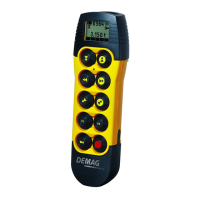
DRC-10 DRC J Funktion
Right Display key → Change to display of parameter 002
Left Display key ← Change to display of parameter 007
Lift Display key ↑ Exit parameter programming menu
F1 F1 Change to entry mode
After changing to entry mode, the first of the possible Baud rates appears in the
display.
The following settings are possible 10 kbit
20 kbit
50 kbit
125 kbit
250 kbit
500 kbit
1 Mbit
To select and to navigate, use the following keys:
DRC-10 DRC J Funktion
Right Display key → Display the next possible value
Left Display key ← Display the previous possible value
Lift Display key ↑ Exit entry mode
F2 F2 Accept the displayed Baud rate
Precondition: Parameter code 002 activated
The default setting set in the factory is node-ID 1.
In the display, the current node-ID of the radio receiver is shown. To navigate, use
the following keys:
DRC-10 DRC J Funktion
Right Display key → Change to display of parameter 003
Left Display key ← Change to display of parameter 001
Lift Display key ↑ Exit parameter programming menu
F1 F1 Change to entry mode
After changing to entry mode, the first possible node-ID appears in the display.
Values 1 – 8 are permissible.
To select and to navigate, use the following keys:
DRC-10 DRC J Funktion
Right Display key → Display the next possible value
Left Display key ← Display the previous possible value
Lift Display key ↑ Exit entry mode
F2 F2 Accept the displayed node-ID
1.6 Setting the node-ID of
the radio receiver
1.6.1 Default setting
1.6.2 Display mode
1.6.3 Entry mode
1.5.3 Entry mode
1.5 CAN Baud rate
1.5.1 Default setting
1.5.2 Display mode


 To Next Page